Ad Studio overview
Turn a product into ready-to-run image and video ads, complete with auto-written platform copy.
Ad Studio turns one product into finished ad creatives. Register a product once, then generate static image ads (single, variations, or carousels) and short video ads (UGC, Commercial, Unboxing, and more) sized for Instagram, Facebook, TikTok, YouTube, LinkedIn, Pinterest, and Google. Every ad comes with auto-written platform copy, and an optional Brand Kit keeps your logo and colors consistent across everything.
At a glance
- You start with
- A registered product (photos + details)
- You get
- Image ads and video ads with platform copy
- Best for
- Turning product photos into launch-ready ad creatives
- Products cost
- Free to register, edit, and import
- Image ads cost
- 1 credit per image
- Video ads cost
- By duration and resolution, from 3 credits
The pieces of Ad Studio
Ad Studio has two kinds of assets you set up once and two creators that turn them into ads. Products are the required starting point, Brand Kits are optional styling, and Image Ads and Video Ads are where creatives are generated.
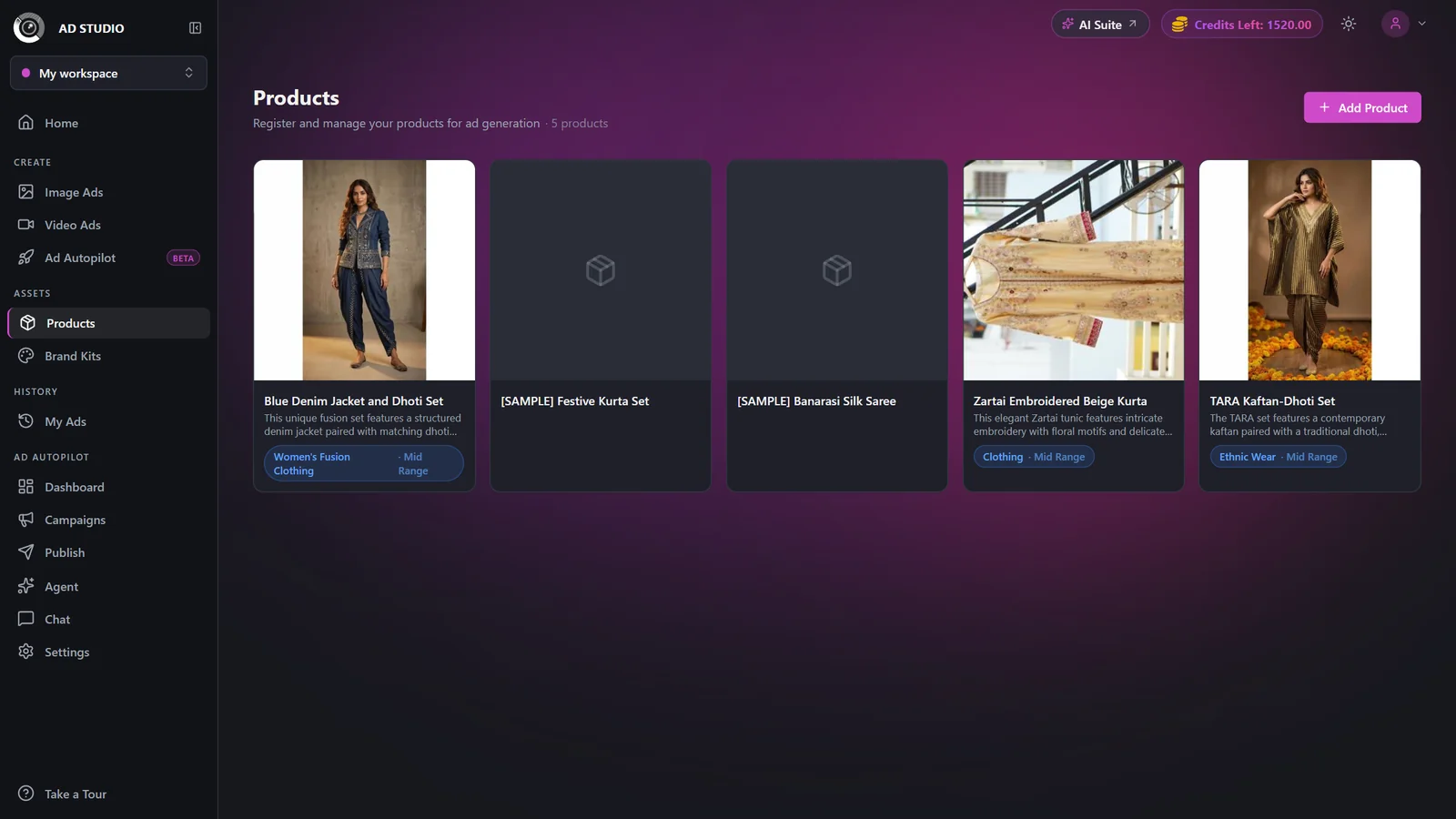
Products (free): your catalog of registered items. Upload up to 5 photos or import from a product URL, and each product is auto-classified with a name, description, category, and selling points that feed every ad.
Brand Kits (free, optional): reusable logo, colors, and font style. Set a default kit and it is auto-applied when you generate.
Image Ads (1 credit per image): static creatives as single images, variations, or multi-slide carousels, tailored to a goal and aspect ratio.
Video Ads (priced by duration and resolution): short motion ads in formats like UGC, Commercial, Unboxing, and Virtual Try-On, with voiceover on talking formats.
A typical workflow
- 1
Register your product
Open Products and add an item by uploading up to 5 clean photos or pasting a product page URL. It is auto-analyzed into a name, description, category, and selling points. This is free and only needs doing once per product.
- 2
Set up a Brand Kit (optional)
In Brand Kits, add your logo, brand colors, and a font style, and mark one as default. Kits are free and apply to both image and video ads. Skip this if you do not need branded output.
- 3
Generate image ads
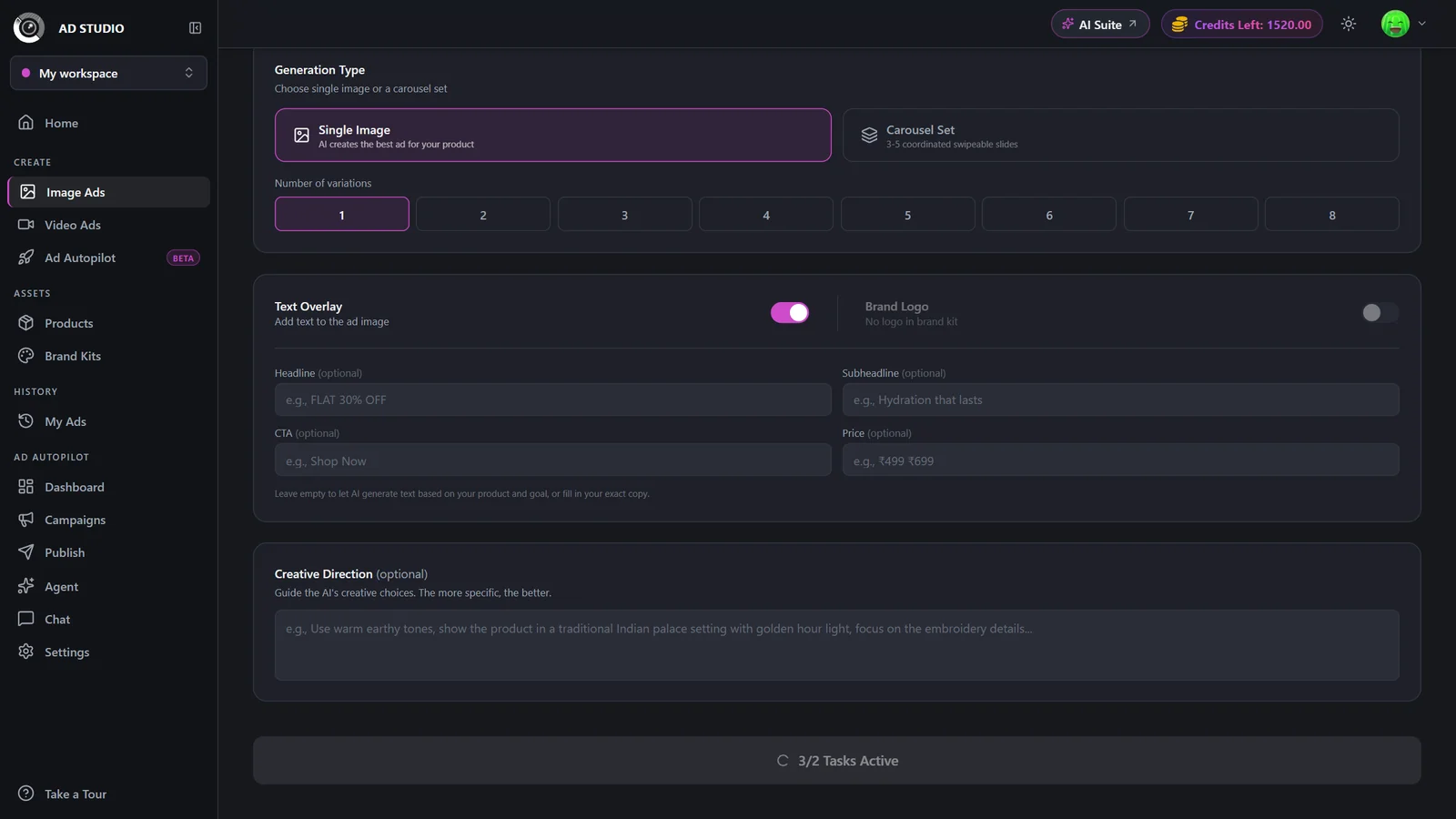
In Image Ads, pick the product, a goal, and an aspect ratio, then choose a single image, several variations, or a carousel. Each generated image costs 1 credit and arrives with auto-written caption, headline, and CTA.
- 4
Generate video ads
In Video Ads, pick the product, choose a video format and aspect ratio, then set duration and resolution. The Generate button shows the exact credit cost before you spend anything.
- 5
Review and download
Generate takes you to the generation detail page where results appear. Download each creative, edit it, or add more variations from there.
Image ads vs video ads
Both start from the same product. Pick based on the placement you are filling and the credits you want to spend.
Image Ads
1 credit / imageFeed and display placements, and A/B testing looks quickly.
- Cheapest way to produce creatives (1 credit each)
- Single, variations, or multi-slide carousels
- Optional on-image text (headline, subheadline, CTA, price)
- Many aspect ratios for Instagram, Facebook, LinkedIn, Pinterest, Google, and X
- Static only, no motion
- Free plan caps at 3 variations or 3 slides
Video Ads
From 3 creditsReels, TikTok, and Shorts, where motion and sound drive reach.
- 15 formats including UGC, Commercial, Unboxing, Virtual Try-On, and Yapper
- Voiceover and sound on talking formats
- Durations from 4 to 15 seconds
- Six aspect ratios for vertical, square, and wide placements
- Costs more (priced by duration and resolution)
- Free plan renders at 480p only
How credits work
- Products and Brand Kits are free. Registering, editing, and importing products or kits never spends credits.
- Image Ads cost 1 credit per generated image. A 4-variation set is 4 credits, a 5-slide carousel is 5 credits. Editing an existing ad image is 1 credit per edit, and failed edits are refunded.
- Video Ads are priced by duration and resolution, from 3 credits (480p, 4s) up to 40 credits (1080p, 15s). Examples: 480p 8s is 5.5 credits, 720p 8s is 11 credits, 1080p 8s is 21 credits.
Credits are deducted upfront when you click Generate, and the button always shows the live cost first.
Free plan: up to 5 registered products, image ads capped at 3 variations or 3 slides, and video ads limited to 480p. Outputs paid entirely with free credits carry a watermark.
Paid plans: unlimited products, up to 8 image variations or 5 carousel slides, 720p and 1080p video, and no watermark.
Best practices
Register the product with several clean photos and real, specific selling points first. Richer product data yields better ads.
Match the aspect ratio to where the ad will actually run, for example 4:5 Portrait for Instagram and Facebook feed, 9:16 Vertical for Reels and TikTok.
Match the goal to your funnel stage. It changes both the visual direction and the copy.
Start cheap to lock a concept, then commit: preview image variations, and render video at 480p before re-running at 720p or 1080p.
Set a default Brand Kit so every generation comes out on-brand without extra clicks.
Troubleshooting
You must select a product first. Image ads also require a goal and an aspect ratio before you can generate.
Those are paid features. Free accounts cap image ads at 3 variations or slides and video at 480p. Upgrade to unlock them.
Free accounts cap at 5 products. Delete an unused one or upgrade for unlimited products.
Watermarks apply when a generation is paid entirely with free credits, and to everything made during the free trial. A paid plan exports clean outputs.
What to do next
Ready to build your first campaign creatives: