Cancel subscription
Stop future charges while keeping your access and credits until the end of the current billing period.
Cancelling your subscription stops all future charges. You keep full access and the credits already allocated for this cycle until your paid-through date, then the subscription and any remaining credits expire. Right after you cancel, you can share optional feedback about why you left.
At a glance
- Who can cancel
- Active subscribers only
- What happens
- No further charges; status becomes Pending Cancellation
- Access
- Continues until the end of the current billing period
- Credits
- Kept until period end, then expire (including purchased credits)
- Refunds
- None; access runs to your paid-through date
- Cost to cancel
- Free
Account deletion is disabled while a paid plan is active. If you want to delete your account, cancel your subscription first.
How it works
- 1
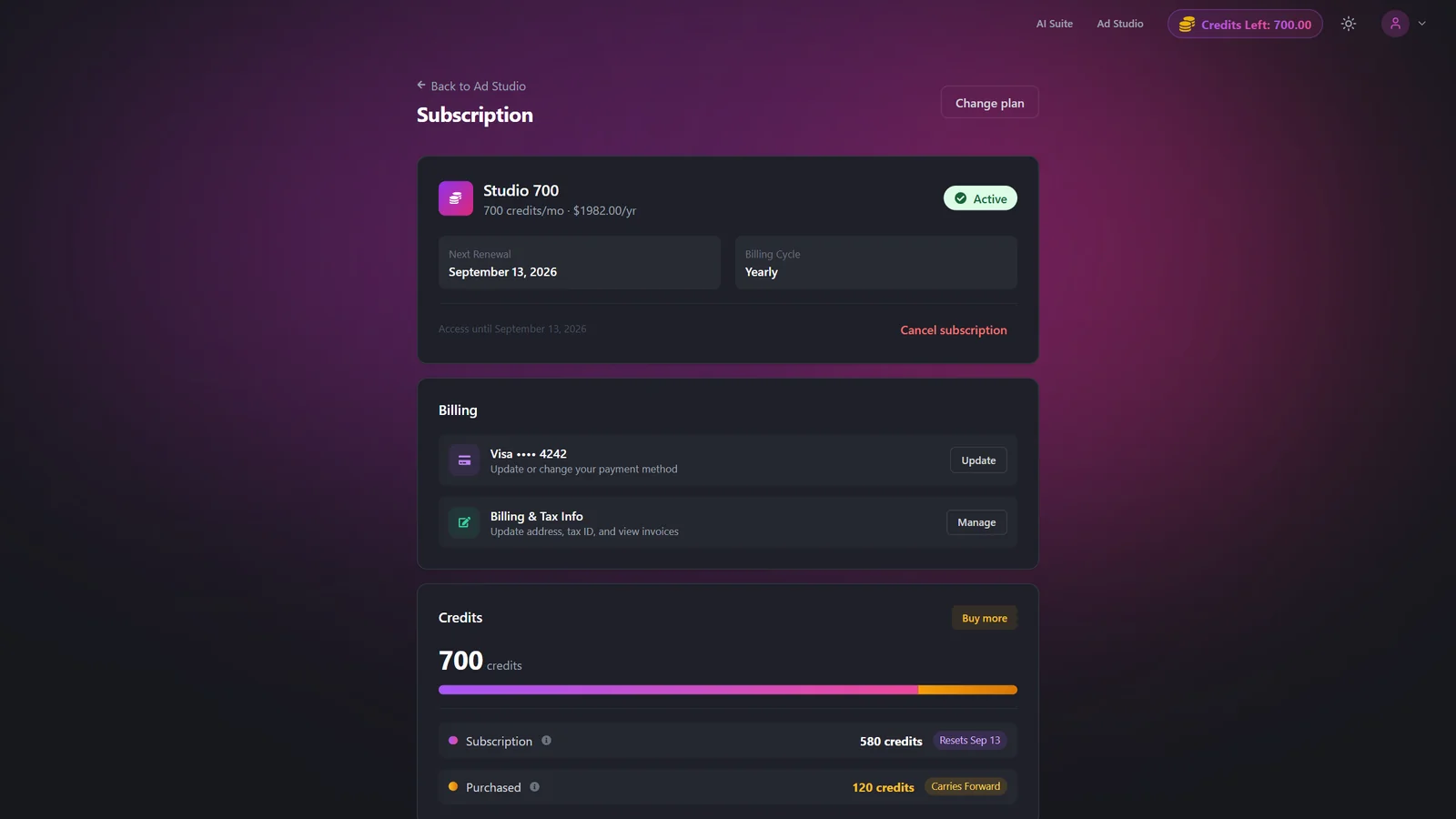
Open your Subscription page
Go to your subscription settings and click Cancel subscription. See Manage your subscription for where to find it.
- 2
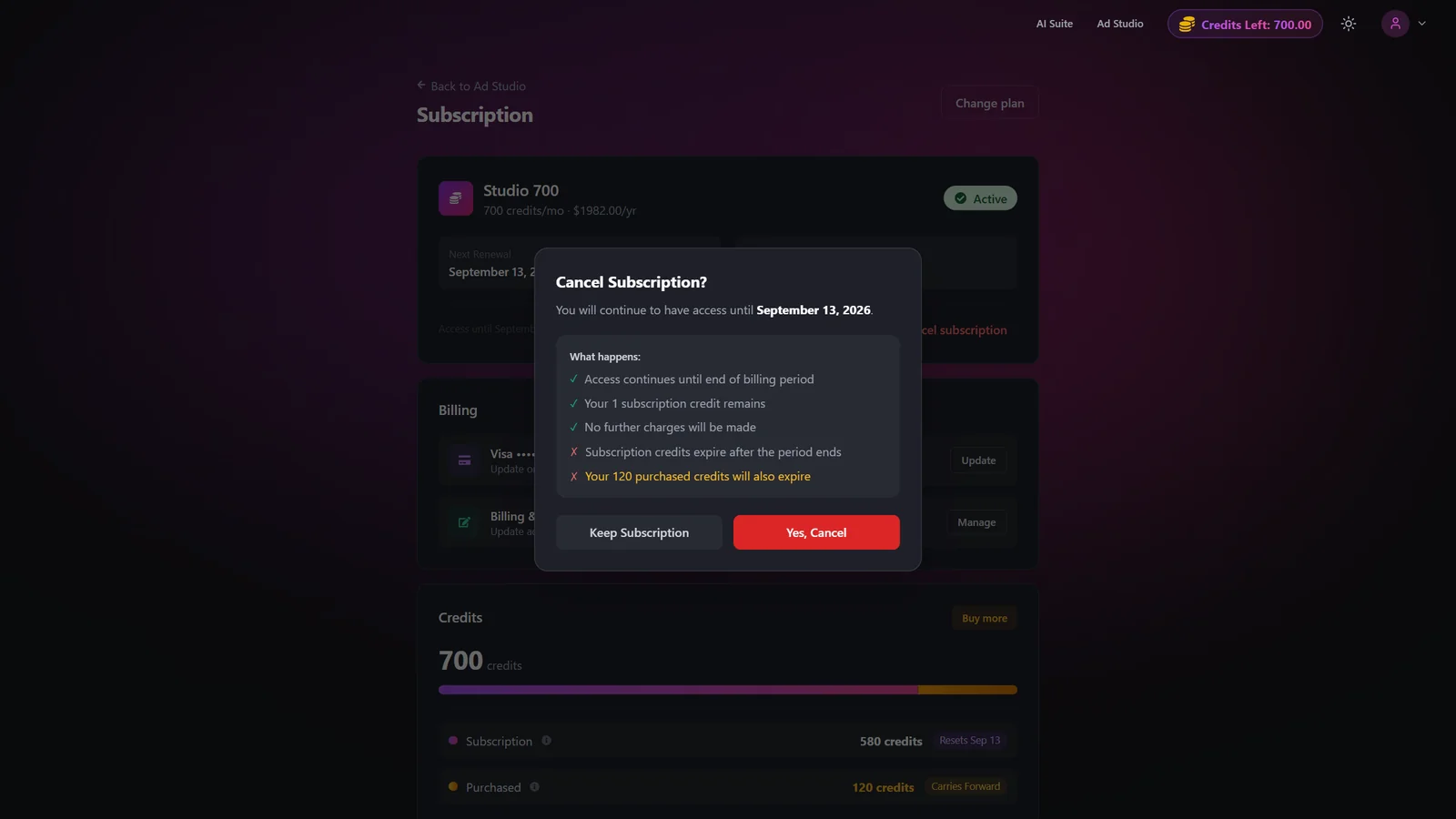
Review the 'What happens' modal
A confirmation modal explains that your access continues to the period end, no further charges are made, and your retained credits expire after that date.
- 3
Confirm the cancellation
Click Yes, Cancel to confirm, or Keep Subscription to back out and change nothing.
- 4
Share feedback (optional)
After confirming, you are taken to a short cancellation feedback survey. You can fill it in or click Skip. It takes under a minute and helps us prioritize fixes.
Settings & options
| Setting | Options | What it does |
|---|---|---|
| Confirmation | Yes, Cancel / Keep Subscription | The modal lists the credits you keep for the rest of the cycle and warns that both the subscription and any purchased credits expire at period end. |
| Feedback reasons | Too expensive · Not using it enough · Missing features I need · Results didn't meet my expectations · Found a better alternative · Technical issues or bugs · Just taking a break · Other | Optional multi-select on the feedback survey. Choosing Other reveals a free-text box. |
| Experience rating | 1 (Very poor) to 5 (Excellent) | Optional star rating on the feedback survey. |
| Would return | Yes / Maybe / No | Optional single choice on the feedback survey. |
There is no charge to cancel. You keep the credits already allocated for the current cycle and can use them until your paid-through date. After the period ends, the subscription and any remaining credits (including purchased credits) expire.
Best practices
Cancel near the end of your cycle so you can use up remaining credits before they expire.
If you only need a pause rather than a full stop, consider downgrading instead so purchased credits stay alive. See Plans & tiers.
Changed your mind? You can resubscribe at any time from the plans page.
Troubleshooting
Cancel your active subscription first. Account deletion is disabled while a paid plan is active.
Refresh the page so the subscription reloads, then try again.
The survey needs the subscription reference from the cancel flow. Reach it by cancelling from the Subscription page rather than a bookmarked link.