Localization & new markets
Run native-language ad versions and expand a winning campaign into new countries without touching your existing markets.
Localization gives each country the ad it deserves: creatives in the local language, with local price text you control. You can turn it on when you publish a multi-market campaign, or the agent can propose expanding a winner into a brand-new country later. Either way, every new market runs in its own ad set, so your existing markets keep running untouched.
At a glance
- You provide
- Target countries and, optionally, local price text
- You get
- New-market ad sets running language-appropriate creatives
- Best for
- Multi-country campaigns and expanding a proven winner
- Where
- At publish (auto-localize) and in the Agent Console approval inbox
- Cost
- 1 credit per generated creative; reusing English or uploaded creatives is free
Each new country lands in its own ad set. Localization never edits or pauses the markets you already run.
How it works
- 1
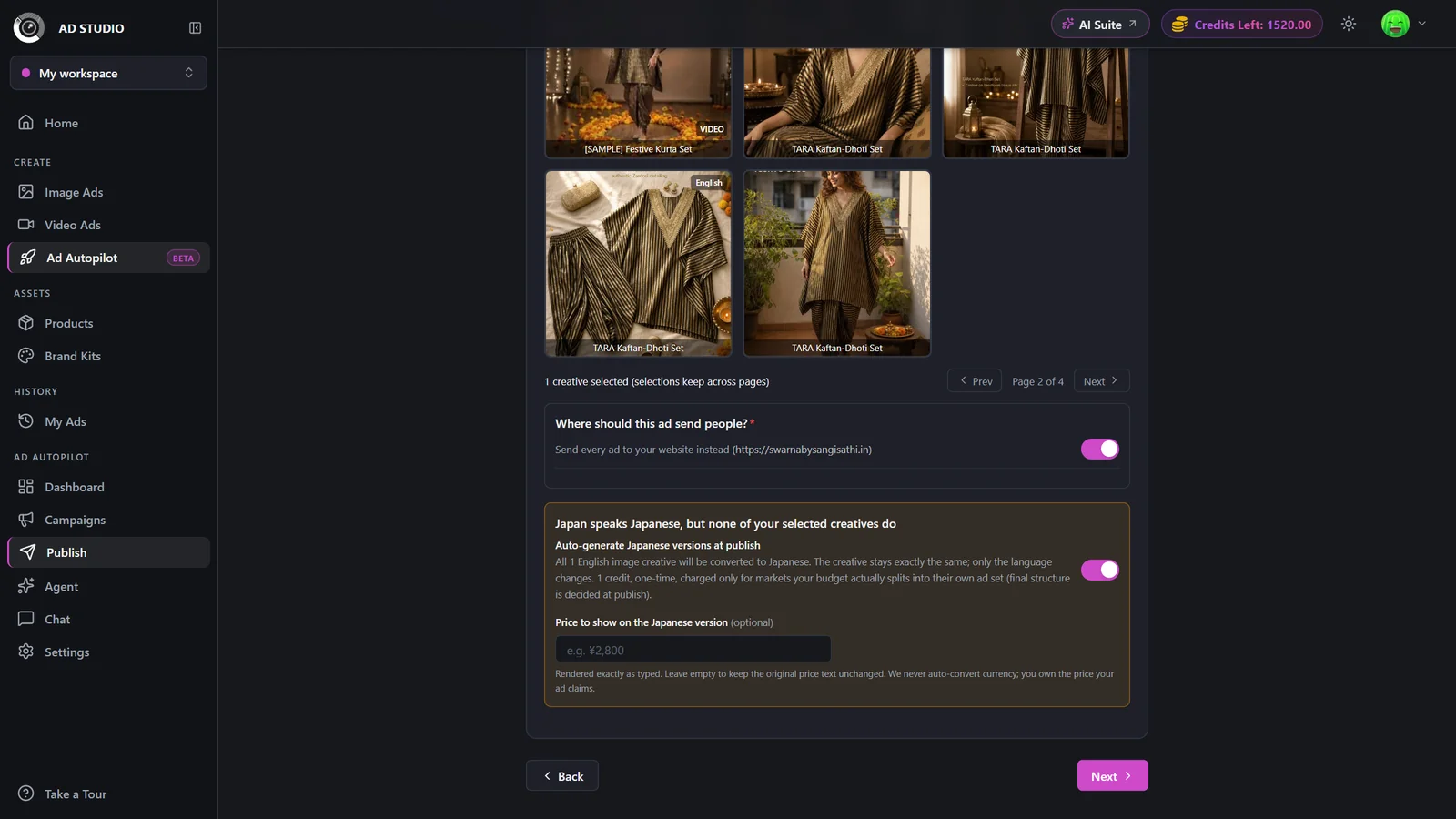
Turn on native versions at publish
In a multi-market campaign, keep Generate native versions on for the languages your creatives don't already cover. This is set on the Publish screen before launch.
- 2
Add local price text (optional)
Type the exact price text for each language or currency. It is rendered verbatim on the creative and is never auto-converted unless you opt in.
- 3
Approve an expansion after launch
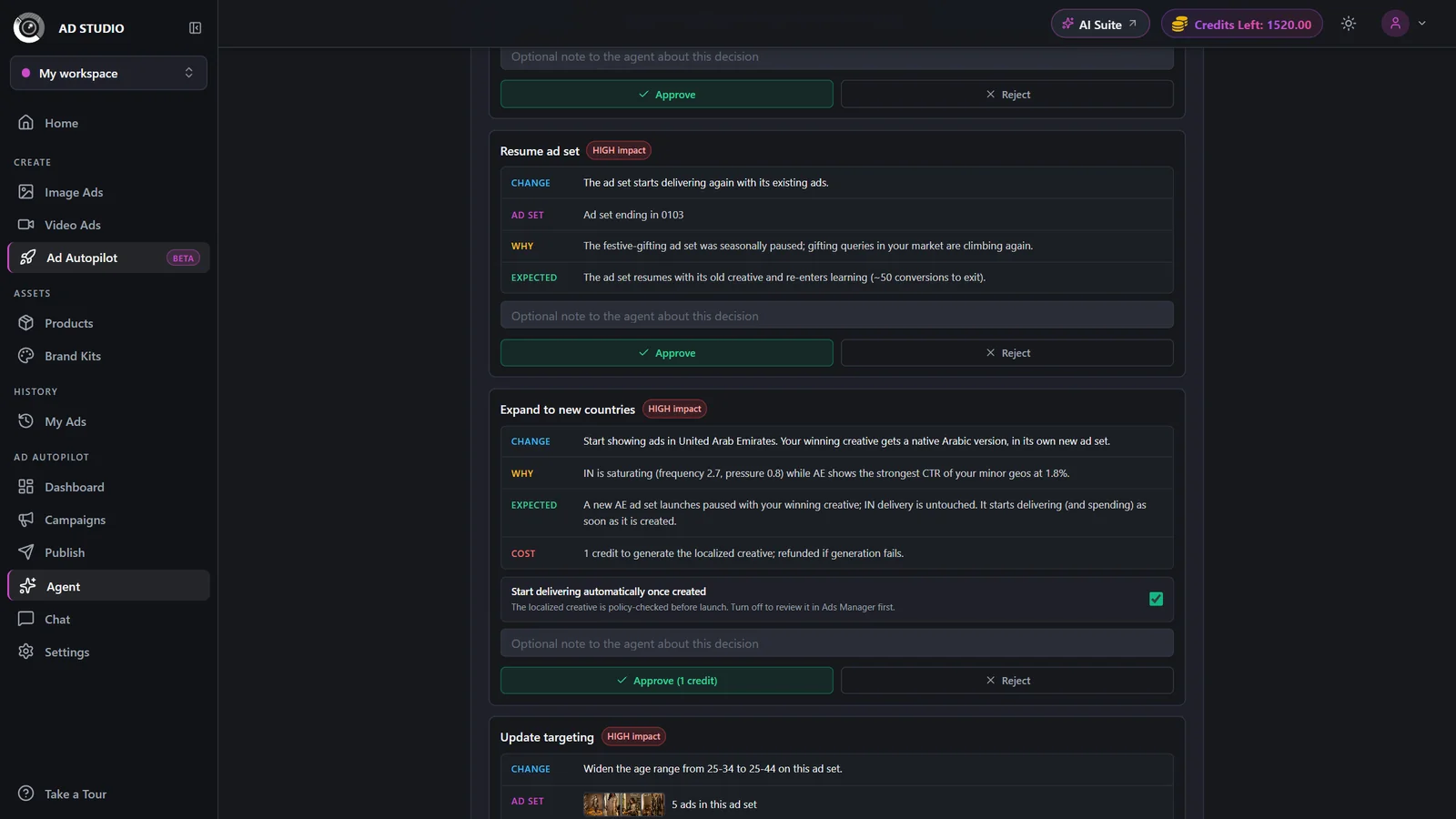
When the agent finds a winner worth extending, it proposes an Expand to new countries card in the Agent Console. Approve it and delivery extends into the new market as a new ad set.
- 4
Choose how each market gets creatives
For every new market, pick one: Generate native versions (1 credit each), Use English creatives, or Use your uploaded creatives. The card shows the cost before you decide.
- 5
Upload a localized video cut when asked
For video campaigns, the card will ask you to upload a localized cut for the new market.
Generating a native creative is 1 credit each, and any charged credit is refunded if the generation fails. Choosing Use English or Use your uploaded creatives is free. Caption-only creatives are transcreated at no charge.
Settings & options
| Setting | Options | What it does |
|---|---|---|
| Auto-localize (per language) | On (generate) / Off (run English there)Default: On when translatable | Generates a native-language version for that language. Defaults to on when the creative is translatable; caption-only creatives are transcreated free. |
| Market price text | Free text per language or currency; optional auto-convert opt-in | Shown exactly as you type it. The system never invents a currency conversion unless you opt in. |
| Per-market creative choice | Generate native versions / Use English / Use my uploaded | How a given market is filled. The cost of your choice is shown on the card. |
Best practices
Provide accurate local price text. The system renders it verbatim and never invents currency conversions.
If the budget can't split mixed-language markets into separate ad sets, raise the budget or drop a market so ads run in the right language.
Reuse English or uploaded creatives for markets that already understand them to save credits.
Decide expansion cards promptly so a new market starts delivering instead of sitting paused.
Troubleshooting
That market fell back to your English creatives, and any credit charged for the generation was refunded.
Decide its localization card in the Agent Console. Empty market ad sets stay paused until you choose how they get creatives.
Open the campaign detail page and filter the Creatives grid by market to see exactly what runs in each country.
What to do next
Set up your markets, then let the agent run them: