Signing in
Sign in to CamClo AI without a password: get a one-time email link, or continue with Google.
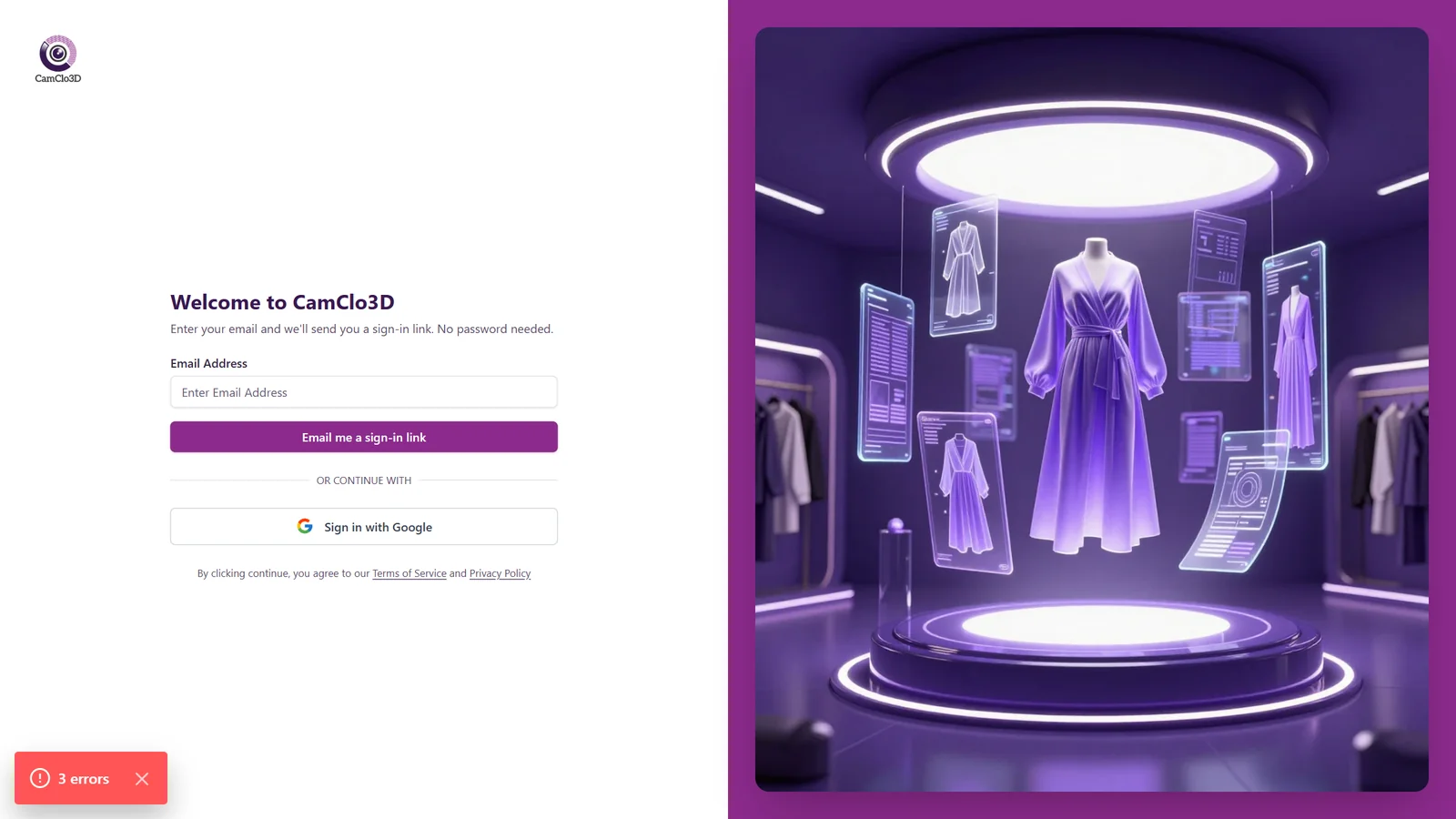
CamClo AI is passwordless. There is no password to remember or reset. Enter your email on the Login page to get a single-use sign-in link, or use Sign in with Google to log in instantly. Either way you land in the AI Suite, ready to create.
At a glance
- You provide
- Your email address (or a Google account)
- You get
- A signed-in session, taken straight to the AI Suite
- Sign-in methods
- Email magic link or Continue with Google
- Password
- None. There is no password anywhere
- Link validity
- Single-use, expires in 15 minutes
- Cost
- Free. This is the account entry point
Passwordless sign-in means nothing to forget, reset, or leak. Each email link works once and only for 15 minutes, so an old link in your inbox cannot be reused.
Sign in with an email link
- 1
Open the Login page and enter your email
Go to Login and type your email address. Match is not case-sensitive, so capitalization does not matter.
- 2
Request the link
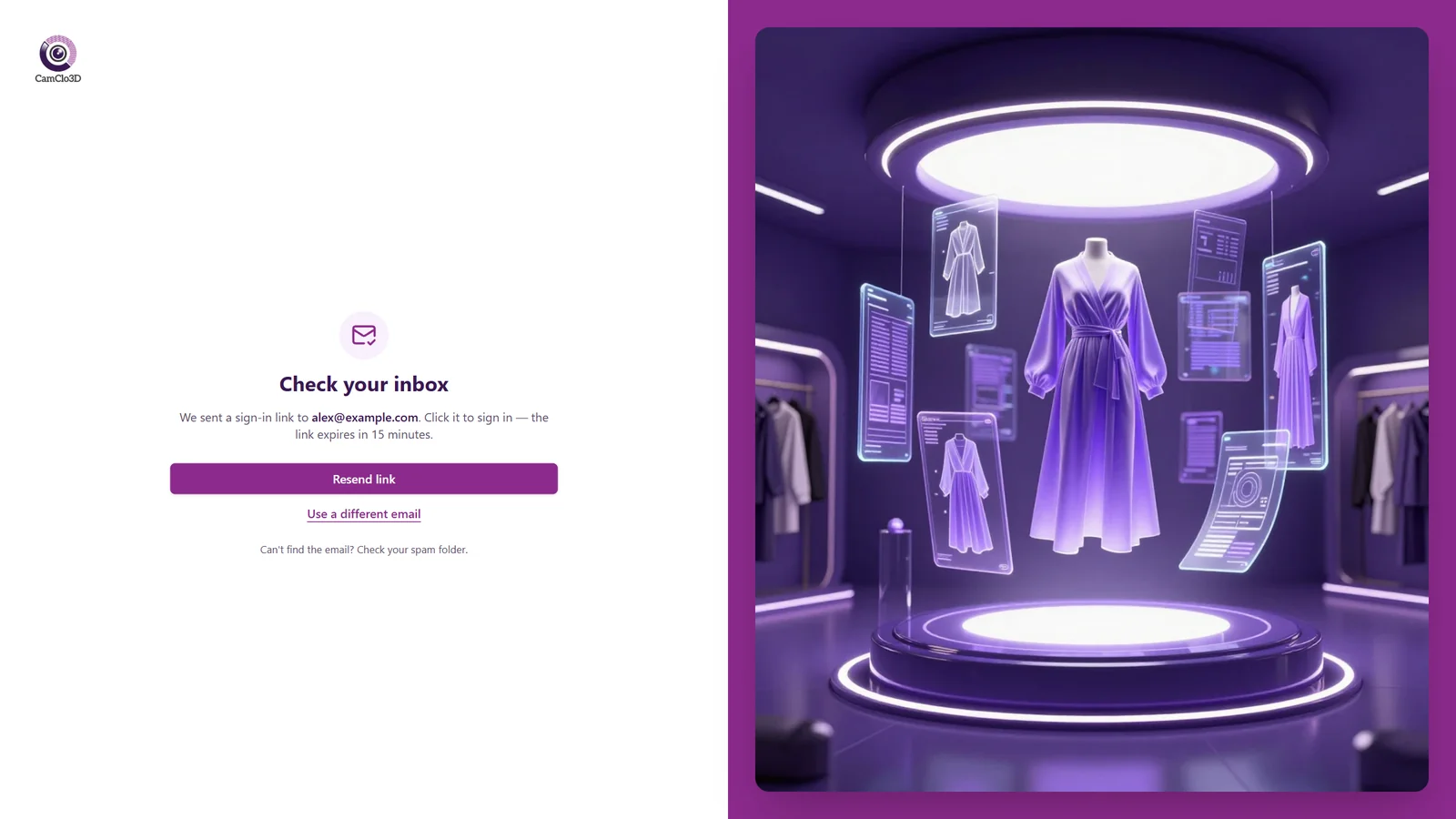
Click Email me a sign-in link. You will see a Check your inbox screen confirming where the link was sent.
- 3
Open the email and click the link
Check your inbox (and your spam folder). Open the email and click the link within 15 minutes. It works only once.
- 4
You are signed in
The link verifies you automatically and takes you to the AI Suite. If you were part-way through the visualizer, you return there instead. The sign-in token is stripped from the address bar for privacy.
Sign in with Google
Prefer not to wait for an email? Click Sign in with Google on the Login page and pick your Google account. You are signed in instantly and taken to the AI Suite. There is nothing else to set up.
Your account is keyed to your email address. Signing in with Google and requesting an email link for the same address land you in the same account.
Options on the inbox screen
| Setting | Options | What it does |
|---|---|---|
| Sign-in method | Email magic link · Continue with Google | Two ways in, both passwordless. The email link is single-use and expires in 15 minutes. |
| Resend link | Button on the 'Check your inbox' screen | Sends a fresh link to the same email if the first one did not arrive. |
| Use a different email | Link on the 'Check your inbox' screen | Returns you to the email field to correct a typo or use another address. |
Best practices
Request the link from the same device and browser where you want to keep working, then open the email there.
If the email is slow to arrive, check your spam folder before requesting another.
Use Resend link rather than requesting many links in a row. Only the newest link stays valid.
Allow pop-ups if you plan to use Sign in with Google.
Troubleshooting
Sign-in links work once and expire after 15 minutes. Return to Login and request a new one.
Check your spam folder first. Then use Resend link, or Use a different email if you mistyped your address.
Retry Sign in with Google and make sure pop-ups are allowed for the site.
There isn't one. CamClo AI is passwordless: use the email link or Google to sign in.