Reports & digests
Generate honest, client-ready performance reports on demand from chat, plus an optional free weekly email digest.
Reports & digests turn a campaign's real numbers into a client-ready summary. Ask the agent in chat to summarize a period and it builds a downloadable PDF from the campaign's actual performance, with a written narrative that stays honest about what the data does and does not show. You can also switch on a free weekly email digest so a light recap lands in your inbox between formal reports.
At a glance
- You provide
- A campaign and a period to summarize
- You get
- A downloadable client-ready PDF report
- Best for
- Client-facing weekly or monthly performance recaps
- Where
- Agent chat (report cards) and Settings (weekly digest)
- Report cost
- Flat 2 credits, refunded automatically if generation fails
- Weekly digest
- Free, emailed per campaign
How it works
- 1
Ask for a report in chat
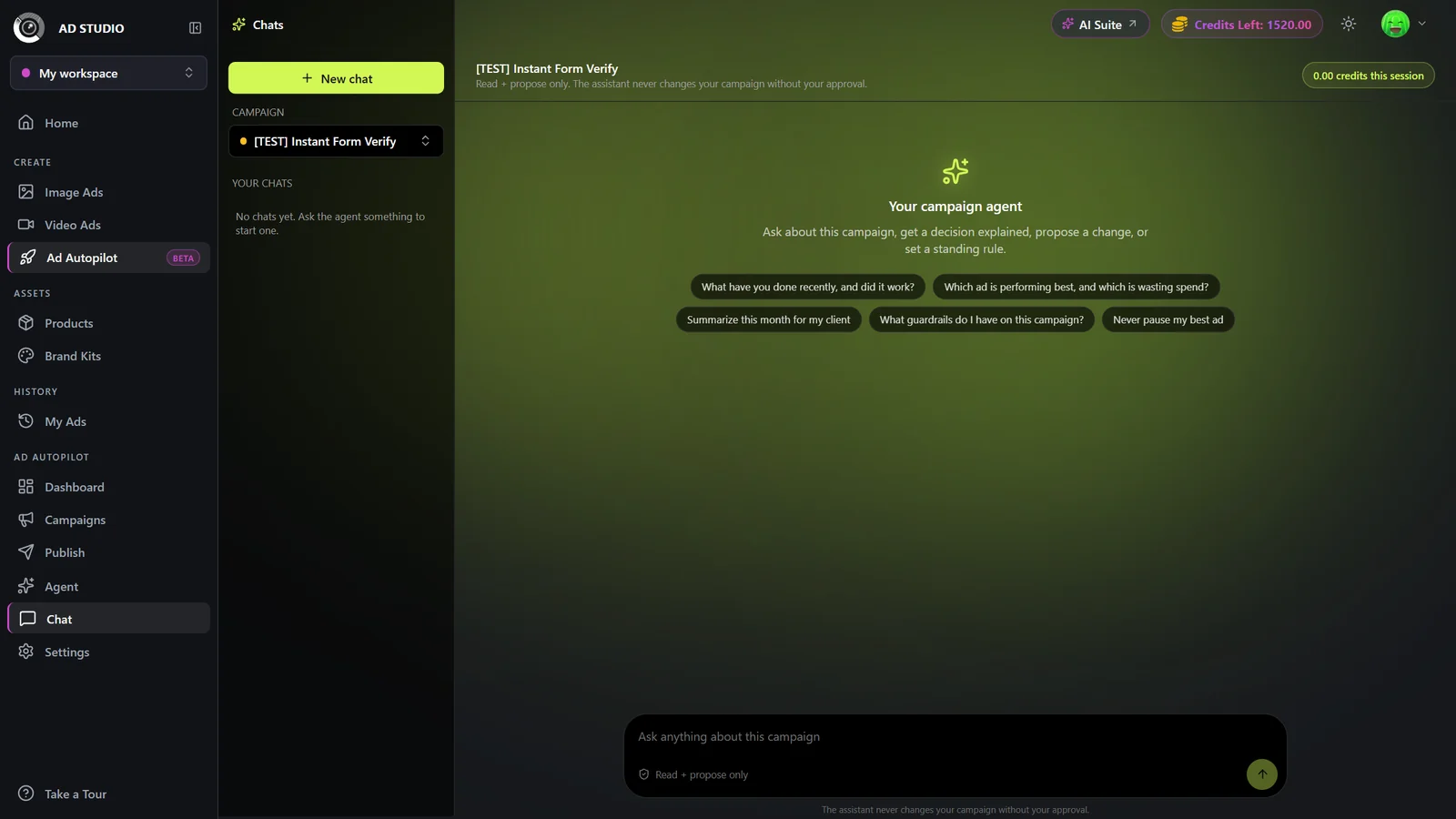
In Agent chat, click Summarize this month for my client, or just ask directly for the period you want (for example, the last 30 days or this month).
- 2
Confirm the period
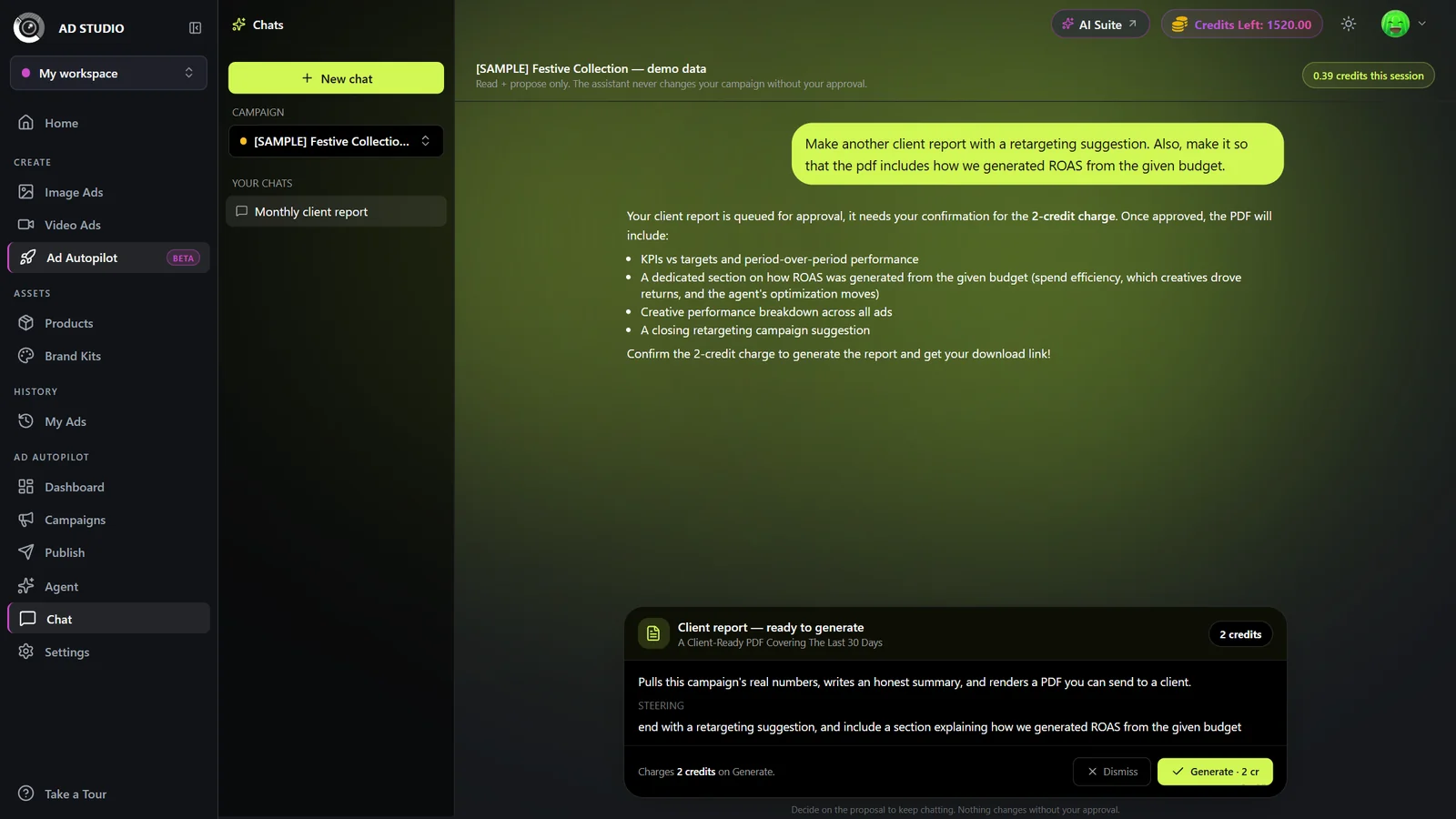
The agent shows a Client report, ready to generate card. Check the period it picked, then click Generate. The card shows the flat credit cost before you spend anything.
- 3
Wait for the build
The report builds in the background (Building your report...). The numbers are assembled from the campaign's real performance, then a single written summary narrates them without overstating results.
- 4
Download the PDF
When the build finishes, download the client-ready PDF straight from the card.
- 5
Turn on the weekly digest (optional)
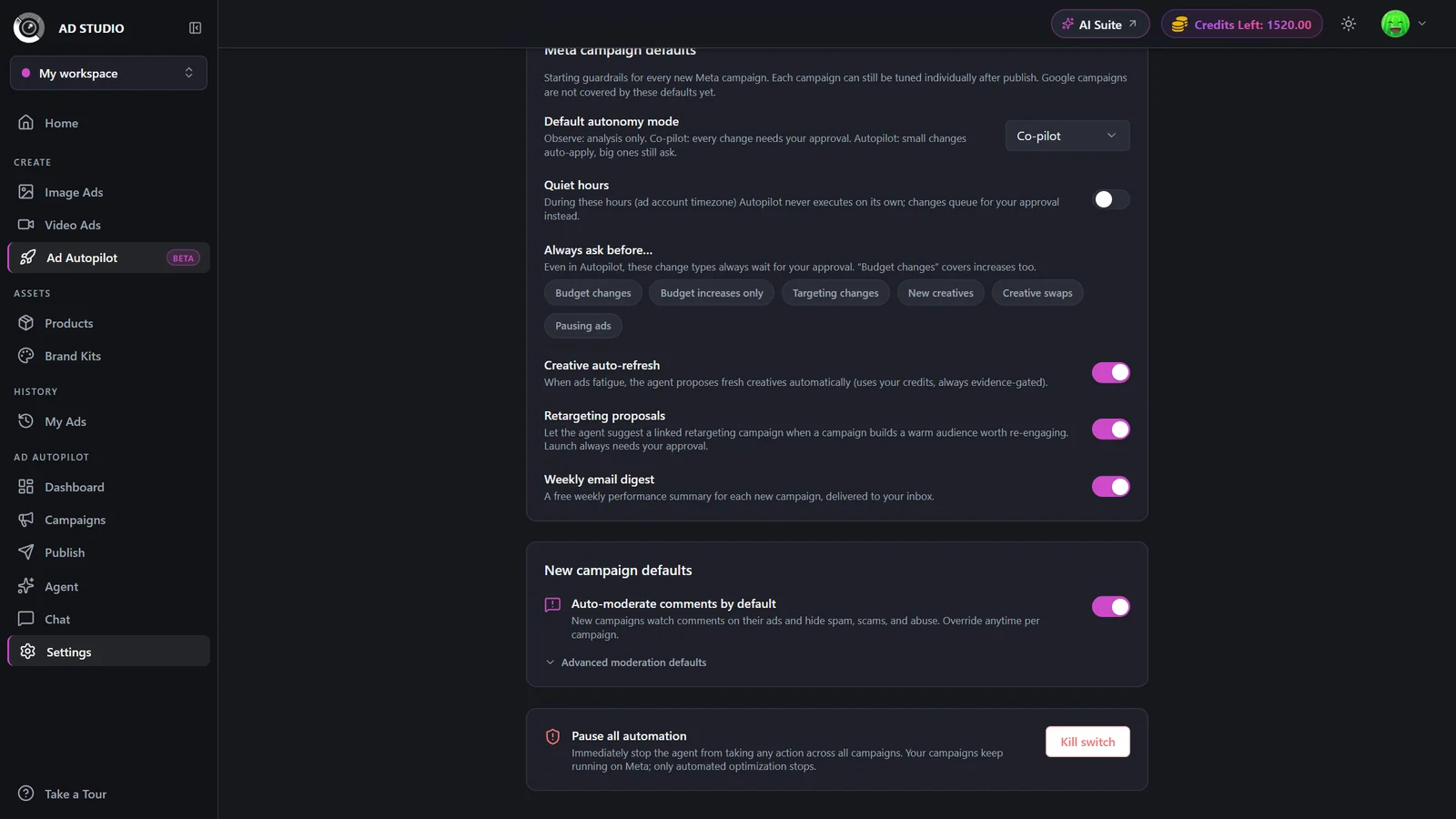
For automatic recaps, switch on Weekly email digest in Settings. It is on by default for new campaigns and emails a short summary each week, at no credit cost.
Settings & options
| Setting | Options | What it does |
|---|---|---|
| Report period | For example, the last N days or this month | The date range the report covers. Shown on the report card before you generate. |
| Weekly digest | On / OffDefault: On | A free weekly summary per campaign, delivered by email. On by default for new campaigns; change it in Settings. |
On-demand PDF reports are a flat 2 credits each, shown on the report card before you confirm. If a report fails to generate, the credits are refunded automatically. The weekly email digest is free.
Best practices
Generate reports from chat so they always pull the latest real numbers and the honesty-gated narrative.
Turn on the weekly digest for light-touch client updates in between formal, on-demand reports.
Confirm the period on the card matches the window your client expects before you click Generate.
Need a different angle on the numbers? Ask the agent a follow-up in chat rather than regenerating.
Troubleshooting
Your credits are refunded automatically. Try generating it again from the card.
It resumes on its own. The build survives a reload and will not double-charge you.
Check that Weekly email digest is switched on in Settings for that campaign.