
For large catalogs
CamClo AI for bulk ad creatives across your catalog
CamClo AI makes ad creatives for a whole ecommerce catalog in one request. Attach up to 500 product photos to the AI assistant and describe what every product needs, for example an on-model shot, a 4:5 feed ad with your headline and a short video. The assistant plans one workflow for all of them, can tailor the prompt and video script to each product, and shows the total credit cost before anything runs. It generates only after you approve, and the results download as one ZIP. The same request can also adapt the ad for other countries and languages.
7-day free trial with 20 credits.
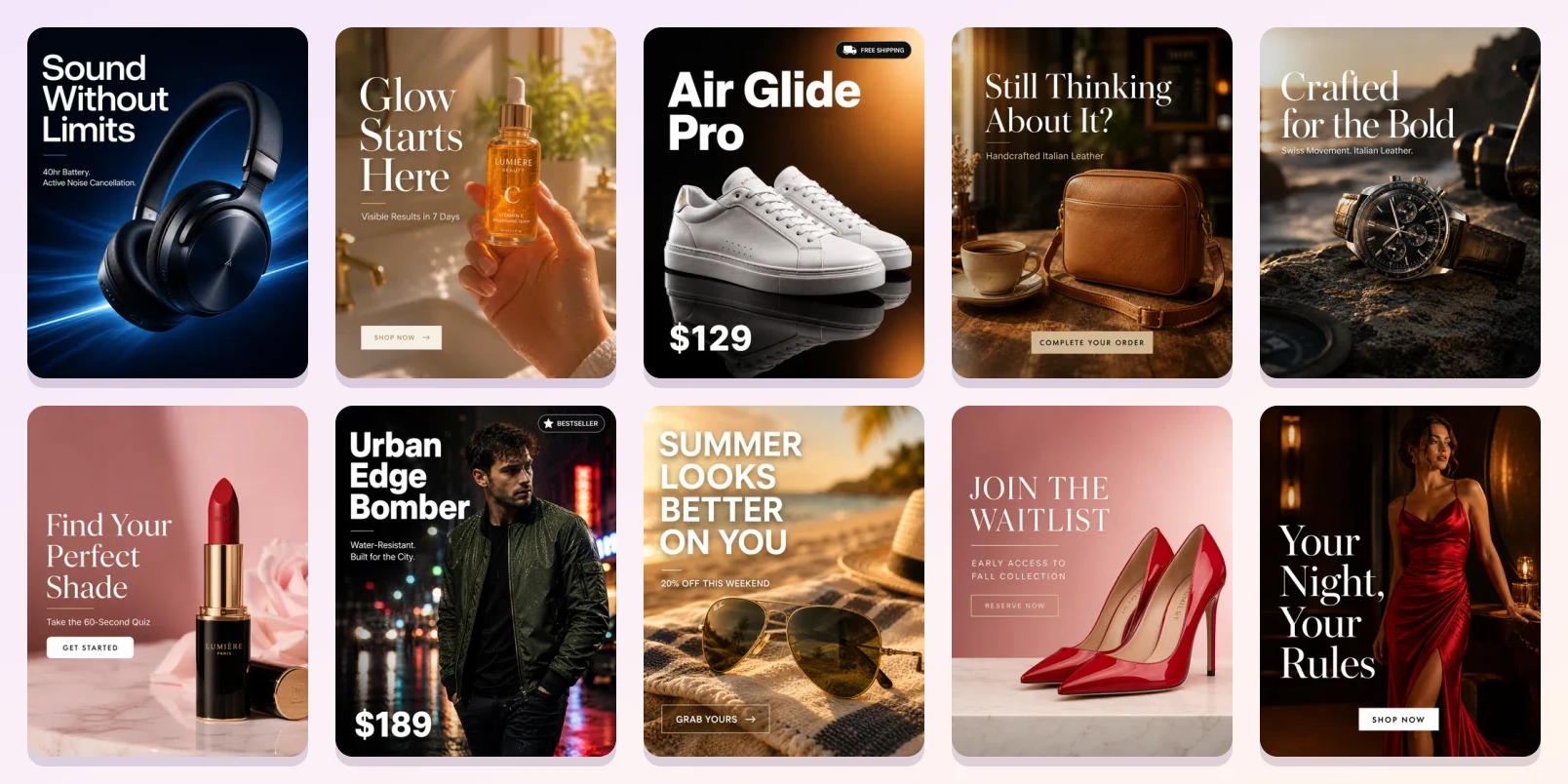
500
product photos in a single request
Per product
prompts and video scripts tailored to each item
Cost first
the credit total shows before anything runs
Is it a fit?
Who it's for, and who it isn't for
Built for
- Stores with dozens or hundreds of products that each need fresh ads
- Agencies producing creatives for a client's full catalog every month
- Brands launching a new collection or season all at once
- Brands selling in several countries that need the same ad in other languages
Not the right fit if you need
- Dynamic product ads driven by a live product feed: CamClo AI doesn't sync a product feed or a Meta catalog yet
- Fixed templates where every ad must match one exact layout: CamClo AI generates new creative for each product
- Products without a photo: every item starts from an image of the product
How it works
The workflow, step by step
1
Attach your catalog
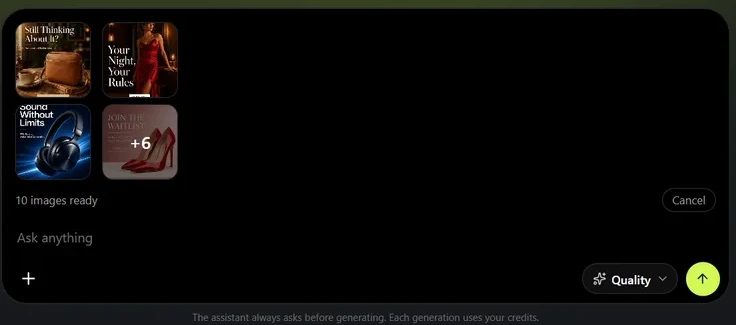
Drop up to 500 product photos into the AI assistant, one photo per product. The assistant looks at a sample of them to understand the set before it plans anything, then applies the plan to every product.
2
Describe the set once
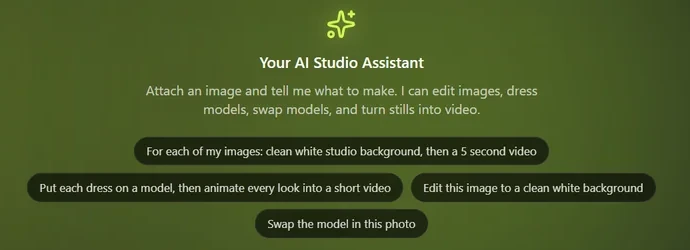
Say what every product needs in plain words, for example an on-model shot in a bright studio, a 4:5 feed ad with the headline New Season, and a five-second video. Steps can build on each other: the ad is made from the on-model shot, and the video from the ad. For one consistent look, pin a model, a background or poses, and every product uses them. Your headlines and prices appear exactly as you write them, and the assistant never invents discounts or claims.
3
Approve one plan and one price
The assistant turns your request into a single workflow card: how many products, the steps each one gets, and the total credits. Nothing starts until you approve it, and you're charged only as each step runs. With per-product prompts on, it reads every product photo and writes a prompt and video script for that item, instead of pasting one prompt across the whole catalog. Tailoring is free in Fast mode, and in Quality mode its cap is shown on the card.
4
Get every product's creatives, in every market
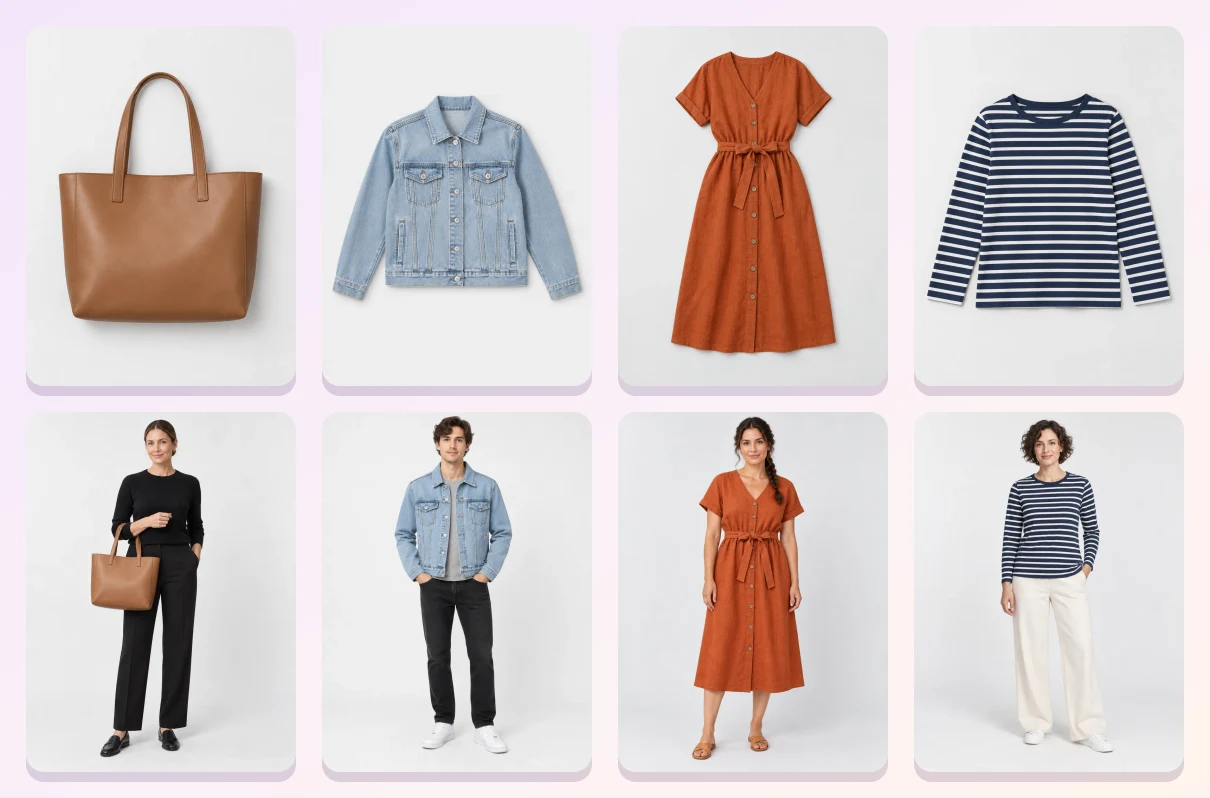
Products run in parallel, and the results land in Generations as one workflow, with a single Download all as ZIP button. The same request can also adapt the finished ad for up to 20 countries at a time: the on-image copy is translated into each country's ad language and checked, and when the ad shows a person, the model can be recast as someone local.
What you get
Everything in one account
AI assistant
One chat request for product shots, ads and videos across your catalog.
Image Ads
Ads with your headline for feed, Stories and more.
Video Ads
UGC-style, product demo and commercial formats from a product photo.
Catalogue Studio
New poses of the same product from one photo.
Virtual Try-On
Put each product on the same model for a consistent catalog.
Ad Autopilot
Launch and manage the ads on Meta and Google, with your approvals.
Pricing
What it costs
Everything runs on credits, and the workflow card shows the total before you approve. With the default image settings, one 2K ad image costs 1.5 credits, so a feed ad for 100 products is about 150 credits. Video steps cost more, depending on the model and length. Chatting with the assistant is free in Fast mode; Quality mode adds a small fee per message.
- Creator: $49 a month for 150 credits, with the full AI assistant
- Studio: $99 a month for 330 credits, plus Ad Autopilot to run the ads
- Larger plans up to 5,000 credits a month
- New customers get a 7-day free trial with 20 credits
FAQ
Questions about bulk creatives
How many products can I send to the AI assistant at once?
Up to 500 product photos in one upload, one photo per product. The assistant plans one workflow for all of them and shows the total credit cost before anything runs.
Can it make ads and videos for every product, not just photos?
Yes. A workflow chains steps for each product: for example an on-model shot, then an image ad made from that shot, then a short video made from the ad. Each step works on the result of the step before it.
Will every ad look the same, or be tailored to each product?
Your choice. Keep one treatment for the whole catalog, or let the assistant read each product photo and write a tailored prompt and video script for it. Pin a model, background or pose to keep the look consistent across products.
Does it get my headlines and prices right?
The assistant puts your exact words and numbers on the ad, and it doesn't invent discounts, claims or urgency you didn't ask for.
Can I make the same ads for other countries?
Yes. The assistant can adapt an ad for up to 20 countries per approval. It translates the on-image copy into each country's ad language and checks every translation, and when the ad shows a person it can recast the model as someone local.
Is this the same as dynamic product ads from a product feed?
No. Feed tools fill one fixed template from your product data. CamClo AI generates new creative for each product, such as new scenes, on-model shots, ads and videos, which you download or use in your campaigns. It doesn't sync a product feed or a Meta catalog yet.
Guides
Help center
Make ads for your whole catalog
Start with a 7-day free trial and 20 credits.