

Table of Contents
Ecommerce product photography is the set of images that sells a product online: a clean main shot, usually on white, plus angles, close-ups, scale, lifestyle and on-model shots that show what a shopper cannot pick up and touch. For most stores that means six to eight images per product at about 2,000 pixels or more, a pure white main image if you sell on Amazon, and a choice between a studio, a freelancer or AI tools that start from your own product photo.
This guide covers the shot list, the official image rules for Amazon, Shopify, Etsy and Google Merchant Center, what each way of getting photos costs, and a workflow for shooting a whole catalogue.
We read every spec and price on the platform's or vendor's own site. Here is how we checked.
The shots every product page needs
Shoppers use photos to answer the questions they would answer in a shop by picking the product up. Each type of shot answers one of them.
| Shot | What it answers | Where it goes | How to get it right |
|---|---|---|---|
| White background | What exactly is it? | Main image, search results, marketplaces | Whole product in frame, even light, no props |
| Angles | What do the back, sides and base look like? | Images 2 to 4 | Same distance and light as the main shot; turn the product, not the camera |
| Detail | What is it made of, and how well? | After the angles | Fabric, stitching, texture, ports, labels, clasps |
| Scale | How big is it? | Middle of the gallery | In a hand, on a person or next to a familiar object |
| Lifestyle | How would I use it? | Gallery, ads, social posts, homepage | A setting that fits your buyer, with the product still the focus |
| On-model | How does it fit and move? | Clothing, jewelry, bags, eyewear | Front, back and side views; state the model's size |
| Variants | Which colors does it come in? | Color swatches or a group shot | One photo per color, shot identically so colors compare fairly |
How many? Amazon recommends at least six images in addition to the main image, plus one video. Etsy allows up to 20 photos and 2 videos per listing. A practical set for most products is one main image, two or three angles, a close-up, a scale shot, one or two lifestyle images and, for anything worn, on-model photos.
Shot lists by product type
| Product type | Must-have shots | Watch out for |
|---|---|---|
| Clothing | On-model front, back and side; a flat lay or ghost mannequin shot; a fabric close-up | On Amazon, adult clothing main images must show a standing model, and children's underwear and swimwear must be shown flat, without a model |
| Footwear | Both sides, the sole, a top-down view and the shoe on foot | Amazon's main image is a single shoe facing left at a 45-degree angle |
| Jewelry and watches | Macro detail; on a hand, wrist or neck for scale; the clasp | Reflections and fingerprints; diffuse the light and clean every piece |
| Home and furniture | A room setting, the dimensions, a material close-up | Scale: include familiar objects so size reads at a glance |
| Beauty | Product texture, packaging open and closed, in hand | Color accuracy; shoot a gray card and correct to it |
| Electronics and gadgets | Ports and buttons, what is in the box, the product in use | Glare on glossy surfaces, and props that look as if they are included |
For clothing, our guides to flat lay photography and ghost mannequin photos cover those two shots in detail.
Marketplace image specs compared
Every platform publishes its own image rules. Here they are side by side, as listed on each platform's help pages.
| Platform | Minimum | Recommended | Maximum | File types | Background |
|---|---|---|---|---|---|
| Amazon | 500 px on the longest side | 1,000 px or more (enables zoom) | 10,000 px on the longest side | JPEG (recommended), TIFF, PNG, non-animated GIF | Main image pure white, RGB 255, 255, 255 |
| Shopify | Not stated | 2048 x 2048 px for square images | 5000 x 5000 px (25 megapixels), under 20 MB | PNG (best), then JPEG; also WebP, HEIC, TIFF and others | No rule; use one aspect ratio for main images |
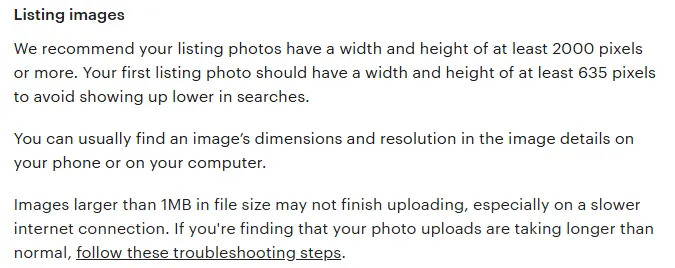
| Etsy | 635 px wide and high for the first photo | 2,000 px or more, wide and high | Not stated; files over 1 MB may not finish uploading on slow connections | JPG, GIF, PNG, SVG, HEIC; no transparent PNG | No rule; first photo landscape or square |
| Google Merchant Center | 500 x 500 px (required for all products from January 31, 2027) | 1500 x 1500 px or more | 64 megapixels, 16 MB | JPEG, WebP, PNG, GIF, BMP, TIFF | Solid white or transparent recommended; lifestyle accepted if the product is clear |
From each platform's official help pages. Amazon's rules are the ones for its US store.
One master file for all four: a 2048 x 2048 px JPEG in the sRGB color space meets every size recommendation in the table. Keep your originals larger than that, and crop a landscape version with space around the product for Etsy's first photo.
Amazon
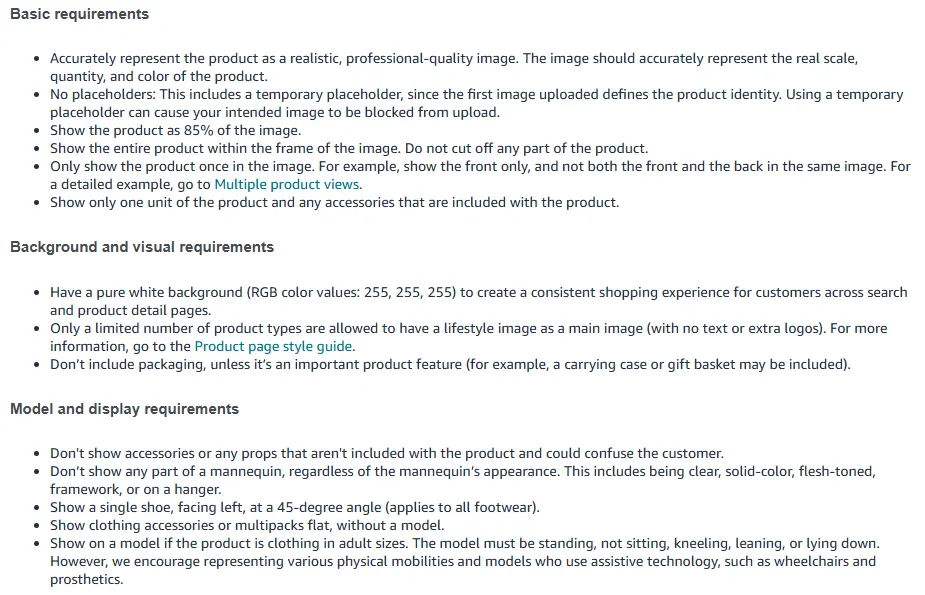
Amazon's product image guide has the strictest rules of the four, and it is the only one that dictates exactly how the main image must look:
- A pure white background (RGB 255, 255, 255), with the product filling 85% of the image and no part of it cut off.
- One unit, shown once, with no props or accessories that are not included and no packaging unless it matters to the product.
- No part of a mannequin, whatever it looks like, whether clear, solid-color, flesh-toned, a framework or on a hanger.
- Adult clothing on a standing model, clothing accessories and multipacks shown flat, and footwear as a single shoe facing left at a 45-degree angle.
- Only some product types may use a lifestyle image as the main image, and then with no text or extra logos.
For every image, not just the main one, Amazon bans nudity, images of customer reviews or star ratings, claims such as free shipping, and Amazon logos or badges such as Best seller. Images below 500 px on the longest side cannot be uploaded, and Amazon asks sellers not to artificially enlarge small images.
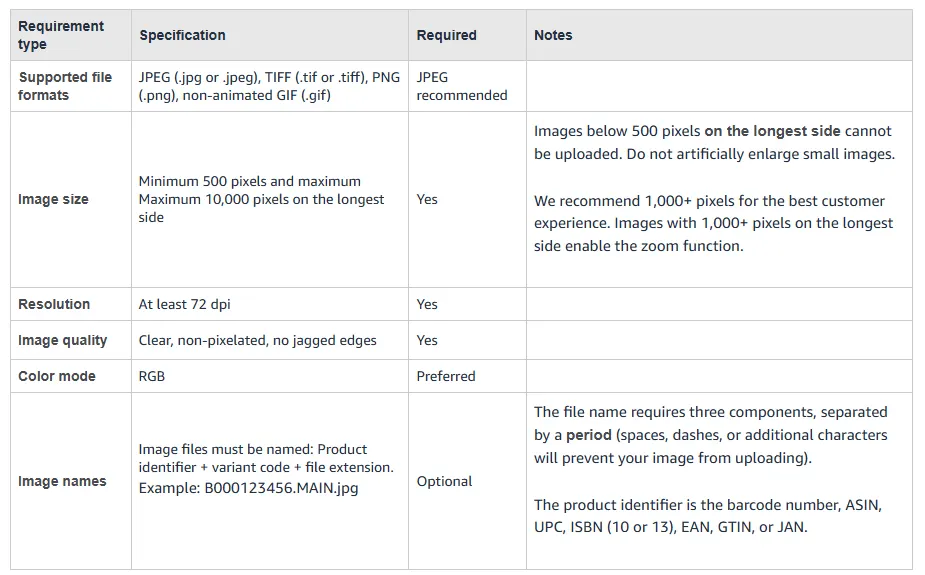
Two rules many sellers miss. First, if an image shows photorealistic people generated entirely by AI, Amazon says you must tag it before upload by adding the keyword contains-synthetic-performer to the file's dc:subject (XMP) field with an IPTC-compatible metadata editor. The tag is not needed for real people edited with AI tools, or for images with no people. Second, bulk uploads need file names made of the product identifier, a variant code and the extension, for example B000123456.MAIN.jpg, with PT01 to PT99 for additional images. For the full walkthrough, see our Amazon product photography guide.
Shopify
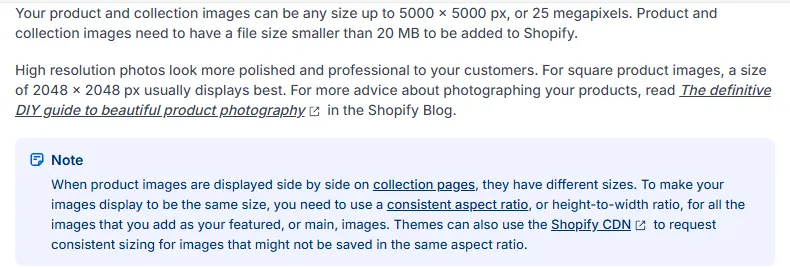
Shopify sets no background rule. Its help center says product images can be up to 5000 x 5000 px (25 megapixels) and must be under 20 MB, that 2048 x 2048 px usually displays best for square images, and that PNG is the best file type, followed by JPEG. Product videos can run up to 10 minutes and 1 GB, at up to 4K.
The rule that matters most for how your store looks: use the same aspect ratio for every product's main image. If you mix square and portrait photos, your collection pages show products at different sizes.
Etsy
Etsy recommends listing photos at least 2,000 px wide and high, and says the first photo should be at least 635 px wide and high to avoid showing up lower in searches. Three Etsy-specific traps:
- No transparent PNGs. Etsy does not support them, and transparent areas show up black. Export cut-outs on white instead.
- Thumbnails get cropped. Etsy crops listing thumbnails to square, portrait and landscape across the site, so leave space around the product. It recommends a landscape or square first photo, and the first photo's shape sets the shape of the rest.
- Original photos only. Etsy's listing image policy asks for original photos of the actual item buyers will receive, not renderings or stock photos, with limited exceptions for personalized items and some items made with production partners. Lead with real photos, and read the policy before you add AI-generated scenes.
Each listing takes up to 20 photos and 2 videos. Etsy's video help says listing videos run up to 15 seconds and play without sound.
Google Merchant Center
If your store feeds Google Shopping, Google's image_link rules apply too. Images must be at least 500 x 500 px (the new minimum for all products from January 31, 2027), with 1500 x 1500 px or more recommended, and no larger than 64 megapixels or 16 MB. Google recommends a solid white or transparent background, though staged or lifestyle images that clearly show the product are also accepted. Google warns that light-colored products on a transparent background can show up on black. Watermarks, promotional text, borders and other overlays are not allowed, and images made with generative AI must keep their AI metadata, such as the IPTC DigitalSourceType tag.
How to shoot product photos yourself
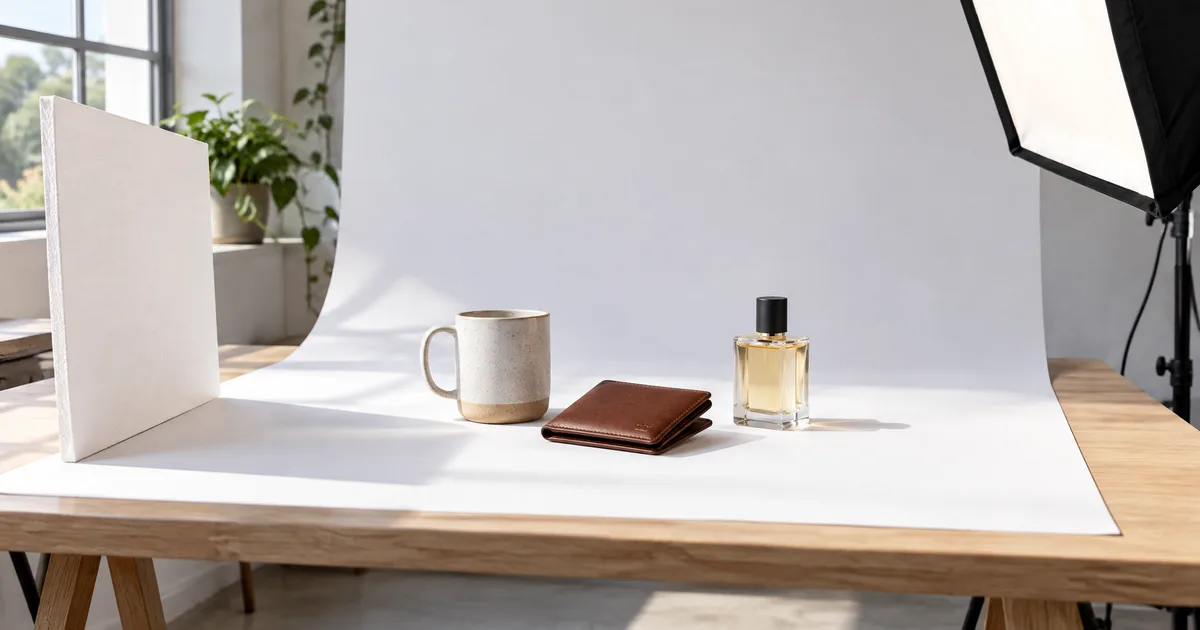
You do not need a studio for white-background, angle and detail shots. A recent phone works for most products if you control the light and keep every shot the same.
What you need
- A tripod, so every photo has the same height, angle and distance.
- A white sweep: a roll of paper or a sheet of card curved from the table up to the wall, so there is no horizon line behind the product.
- Soft light: a large window with indirect daylight, or two continuous lights with softboxes. Do not mix the two, or colors shift.
- Foam boards: a white one to bounce light into shadows, and a black one to add edges to white or glass products.
- Tape and clamps to mark where the product, tripod and lights go, and to hold clothing and labels in place.
Camera settings that matter
- Turn off the flash and any beauty or portrait filters.
- Lock focus and exposure on the product. On most phones you tap and hold on it.
- Avoid the ultra-wide lens, which distorts shape. Step back and use the main or telephoto lens.
- Keep white balance fixed so colors match from product to product.
- Frame a little wider than you need, so you can crop for each platform later.
Studio, freelancer or AI: what each costs
Cut-outs, new scenes, on-model photos and extra poses from photos you take. Plans from $49 a month.
One photographer shoots to your brief. Each freelancer sets their own rates.
You send the products; the studio shoots, retouches and delivers. From $33 per white-background photo in our checks.
| Option | White-background photo | Lifestyle or on-model | Other costs and terms | Best for |
|---|---|---|---|---|
| CamClo AI | 0.5 credits per cut-out of your own photo | New scene 0.5 credits; on-model photo 1 to 3 credits | Plans from $49/mo with 150 credits; 7-day free trial with 20 credits | Full image sets from photos you take |
| Freelancer | Quoted by each photographer | Quoted; models, stylists and locations extra | Retouching and usage rights vary by quote | One-off shoots and local products |
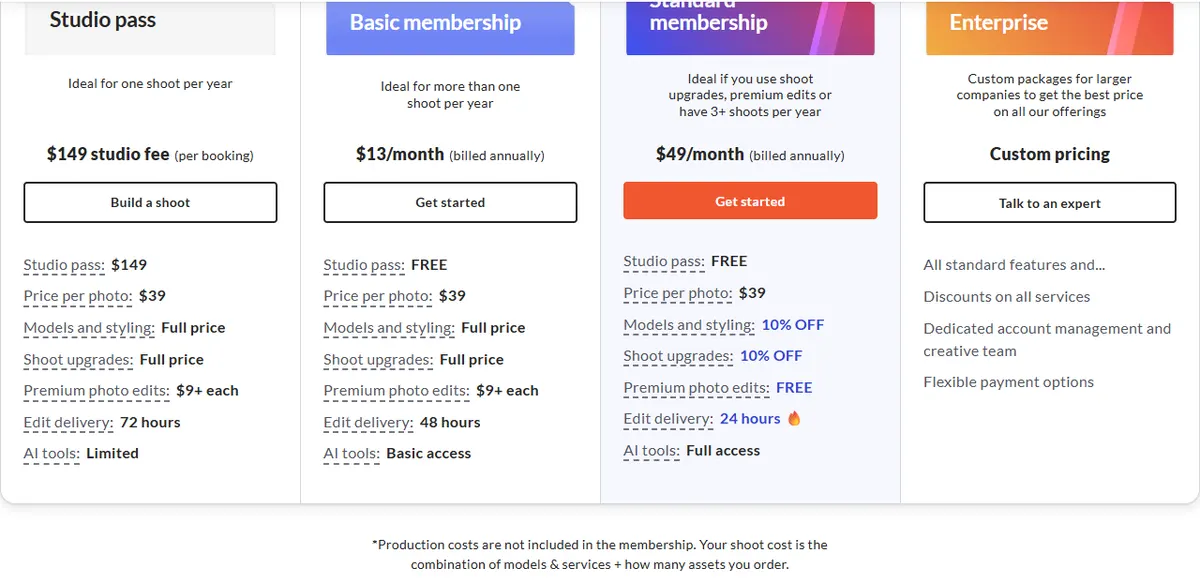
| soona | $39 per photo | Models and styling at full price (10% off on Standard) | $149 studio fee per booking, or a membership from $13/mo billed yearly; video from $93 per clip | Watching the shoot live online |
| Squareshot | From $50 per image, or $750 for a 2-hour shoot | Model shoots from $95 per image, or $2,950 for a 4-hour shoot | $300 minimum per product shoot without a membership | Mixed product and model shoots |
| ProductPhotography.com | As low as $33 per photo | Lifestyle from $195 per photo; hero shots from $115 | Ghost mannequin +$30, hand model +$35, transparent files +$9 per photo | Large white-background catalogues |
Studio prices are starting prices from each vendor's own pricing page, in US dollars, before models, styling and add-ons. CamClo AI credit costs are the standard rates on paid plans.

Worked example: 20 products
Say you have 20 products that each need six white-background images: a main shot, angles and close-ups. That is 120 images. At the lowest listed per-image rates, it comes to $3,960 at ProductPhotography.com, $4,680 at soona plus the $149 studio fee without a membership, and $6,000 at Squareshot, which also sells 2-hour shoots from $750, so ask how many images one covers.
With AI, you take the 120 photos yourself and cut them out to white in CamClo AI for 60 credits. Adding two new scenes per product (20 credits) and, if all 20 are worn, one on-model photo each in Fast mode at 2K resolution (30 credits) brings the total to 110 credits, inside one month of the Creator plan's 150 credits for $49.
The trade-off is your time and skill. A studio delivers finished, retouched photos, while the AI route is only as good as the photos you start from. Freelancers usually quote per hour, per image or per day, so ask for an all-in price per finished image, including retouching and usage rights. For more detail, see our breakdown of product photography cost.
Where AI fits in ecommerce product photography
AI does not remove the need for a real photo of the product: the tools below start from one, and the result must show the product accurately. What AI replaces is the expensive part of a shoot: models, sets, locations and reshoots for every new color or season.
CamClo AI
Best for: turning your own product photos into a full image setCamClo AI is an AI studio for ecommerce teams. You upload the product photos you took, and it produces the rest of the gallery: white-background cut-outs, lifestyle scenes, on-model photos, extra poses and short videos.
- Remove Background: upload a JPG, PNG or WebP of up to 20 MB and download the cut-out on a transparent background or on pure white, as PNG, JPG or WebP. Half a credit per image at the standard rate. See the background remover for white-background product photos.
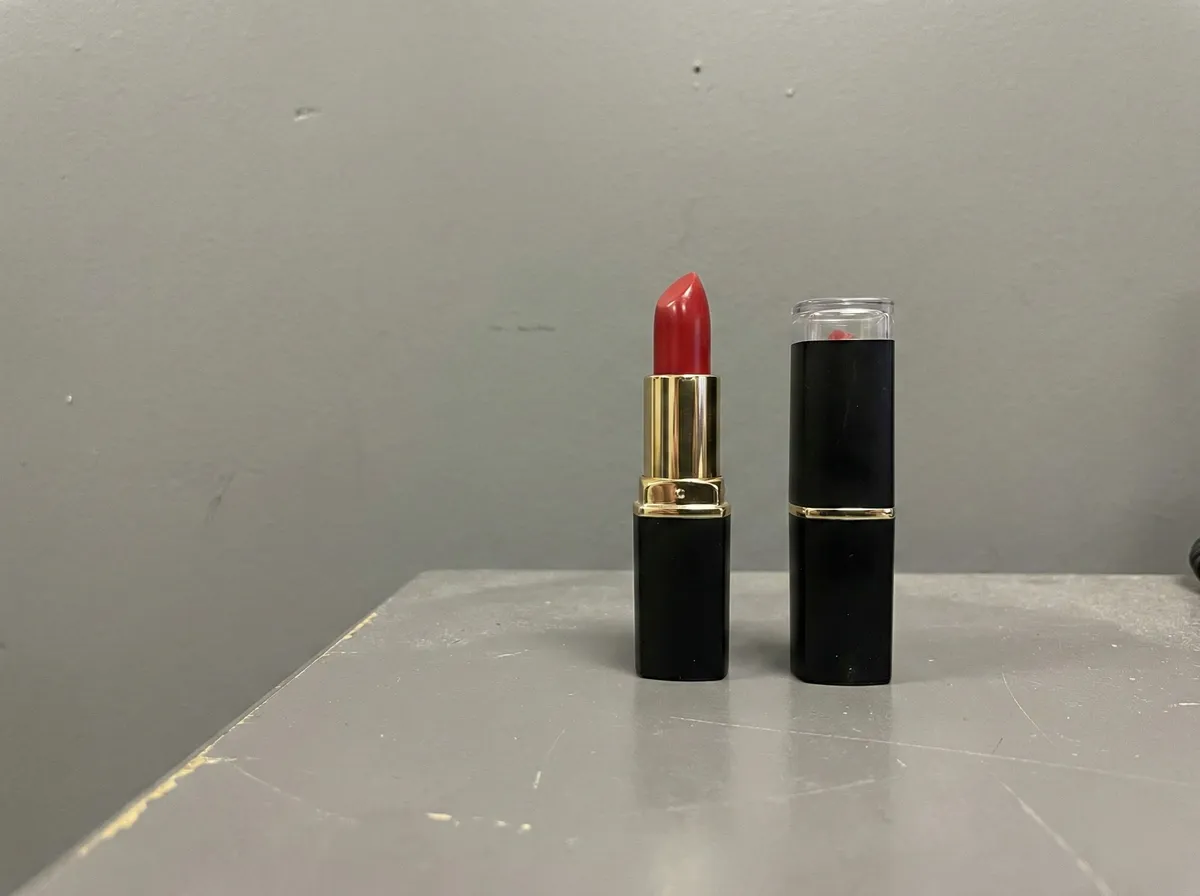
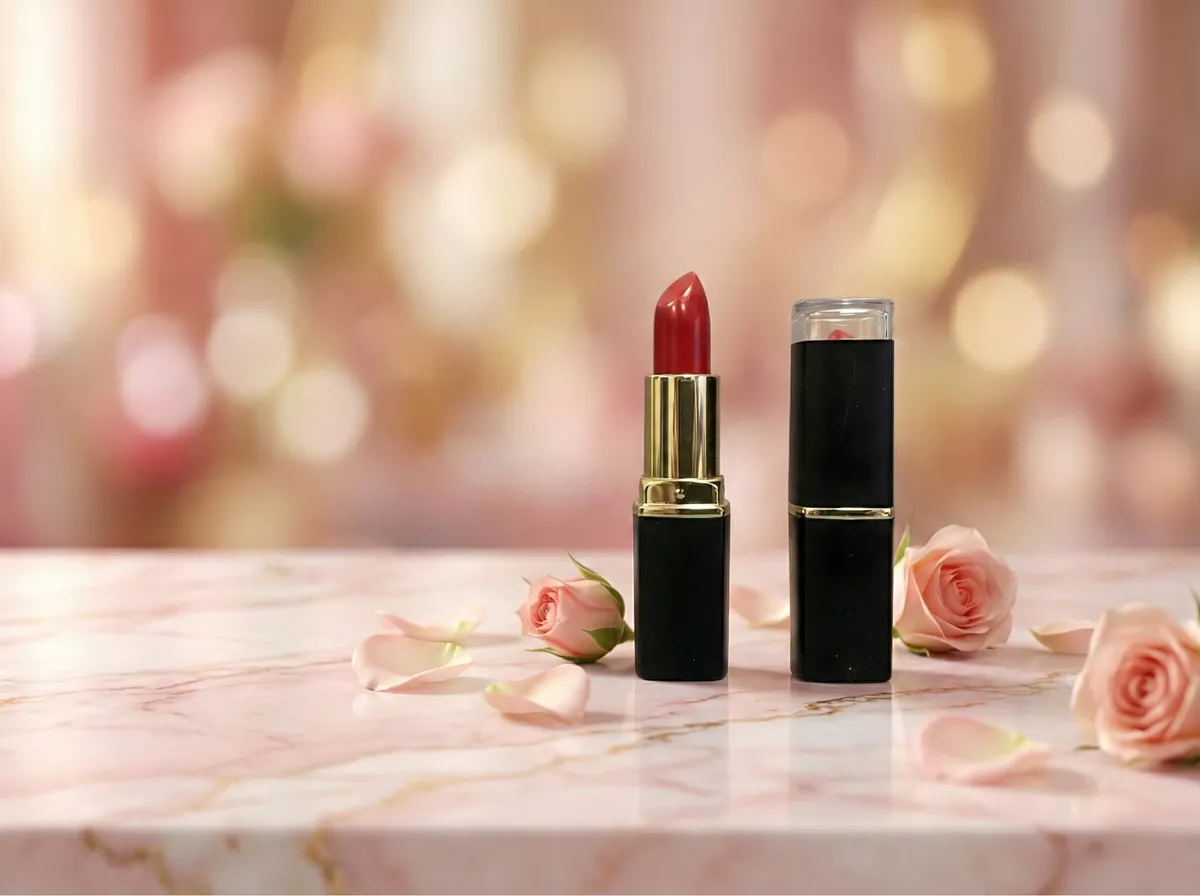
- Change Background: describe a setting in words, such as a marble shelf with soft morning light, and the product is placed in it. Half a credit per image on paid plans.
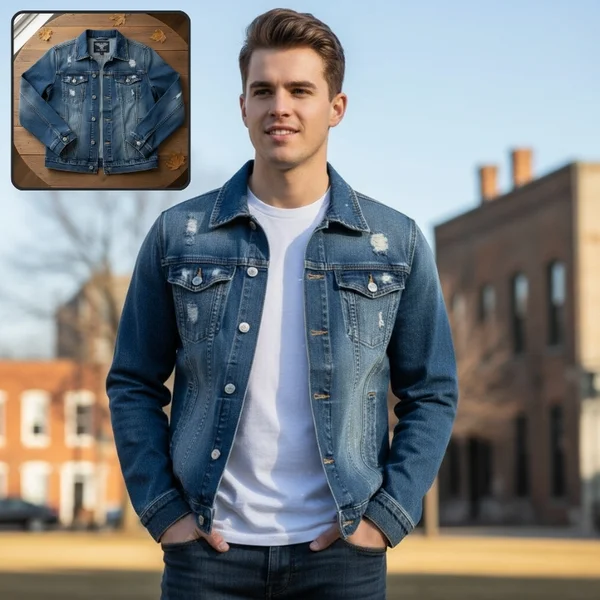
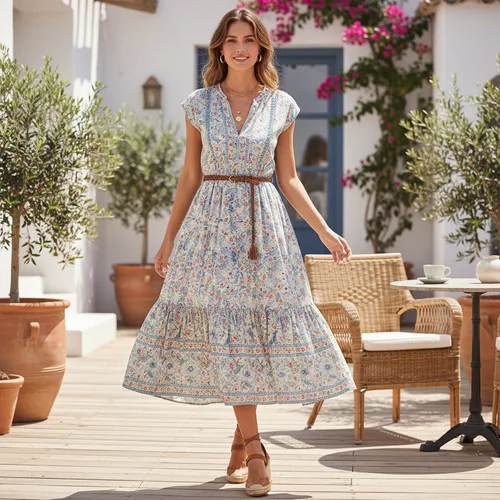
- Product to Model: turns a flat lay or product shot of clothing, accessories or jewelry into an on-model photo, in nine aspect ratios including 1:1, 4:5, 3:4 and 16:9, at 1K, 2K or 4K. 1 to 3 credits per image, depending on the mode and resolution. See AI product photography that puts your product on a model.
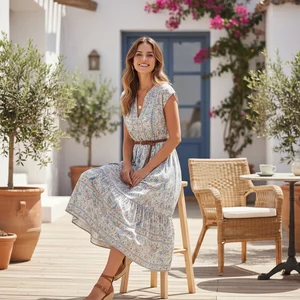
- Catalogue Studio: upload one on-model photo and get up to 12 new poses of the same model in the same outfit in one run. Pick up to 10 of 20 preset poses, including front, back, side and close-ups, describe each pose yourself, or let the AI choose. Half a credit per pose on paid plans, or 1 credit per pose in Pro mode at 1K or 2K for full-size catalogue images, plus 1 credit per run when the AI picks the poses. See the Catalogue Studio pose generator.
- AI Assistant: on paid plans, describe what you want for a batch of products in one message, approve the plan, and it runs the same steps for every product, with results grouped by product and downloadable as one ZIP.
- Image to Video: turns a product photo into a short clip for the listing video slot, from 3 to 30 seconds and in vertical, square or wide formats, depending on the model.
- Pricing: plans from $49 per month with 150 credits. Try it on the 7-day free trial with 20 credits.
For the tools around the photos, from ad makers to campaign agents, see our list of the best AI tools for ecommerce.
Strengths
- Starts from your own photos, so the product in every image is the one you sell
- White-background, lifestyle, on-model and extra poses in one place
- Aspect ratios for each channel, from square listings to vertical social posts
- Whole catalogues in one batch with the AI Assistant
Limits
- Can seem a little expensive next to a single background remover, but the credits cover on-model photos, new scenes, extra poses and video as well as the cut-out, not just one edit
For a closer look at on-model images from flat lays, read how to turn flat lays into AI model photos.
Rules for AI images on marketplaces
- Amazon: tag images of photorealistic, fully AI-generated people with the contains-synthetic-performer keyword, as described above.
- Google Merchant Center: images made with generative AI must carry metadata that says so, such as the IPTC DigitalSourceType tag. Check whether your tool writes it; if not, add it with an IPTC-compatible metadata editor before you upload.
- Etsy: listing photos must be original photos of the actual item, so lead with real photos and check the policy before you add generated scenes.
- Everywhere: compare every AI image with the real product. Check color, prints, logos, stitching and label text, because Amazon, for one, requires its main image to show the product's real scale, quantity and color.
A workflow for photographing a whole catalogue
Most of the cost of product photography is setup time. This order keeps it to a minimum and keeps every photo consistent, whether you shoot yourself or brief a studio.
- Write a shot list per product type. Use the tables above, and decide which shots you take and which you generate.
- Prepare every product first. Steam clothing, remove stickers and dust, stuff bags and shoes so they hold their shape, and clean glass and screens.
- Build one setup and lock it. Tape the positions of the product, tripod and lights, and write down the camera height, lens and white balance, so photos taken weeks apart still match.
- Shoot by shot type, not by product. Take every main image, then every back view, then every close-up. You change the setup a few times instead of once per product.
- Name files as you go. Use the SKU and the shot, for example SKU123-main.jpg. For Amazon bulk uploads, switch to the product identifier and variant code, such as B000123456.MAIN.jpg.
- Edit in batches. Cut out to white, correct colors against the real product, crop so the product fills 85% of the frame for Amazon, and export a 2048 x 2048 px sRGB master.
- Generate what you did not shoot. Lifestyle scenes, on-model photos and extra poses from your finished photos, then add the AI tags each marketplace asks for.
- Export per channel. A pure white main image for Amazon, a landscape first photo with room around the product for Etsy, one aspect ratio across Shopify, and 1500 px or more for Google.
- Check on a phone before you publish. View the gallery at thumbnail size, zoom into details, and compare colors with the product in daylight.
To scale this without hiring more people, batch the AI steps: in CamClo AI's AI Assistant you describe the steps once, approve them, and they run for every product in the batch.
Mistakes to avoid
- Mixed backgrounds and crops across one collection, which make the store look unfinished.
- Colors that differ from the product in hand. Amazon lists fewer returns from mismatched expectations as one benefit of good images.
- Enlarging small photos to reach a size limit. Amazon asks sellers not to do it; reshoot at full resolution instead.
- Transparent PNGs on Etsy, where the transparent areas turn black.
- Props that look included, which Amazon bans in main images and which can confuse buyers anywhere.
- Badges, claims, borders or watermarks. Amazon bans its own badges, star ratings and claims such as free shipping in every image, and Google Merchant Center bans watermarks, borders and promotional text.
If you only need clean cut-outs, our comparison of the best background removers covers the dedicated tools.
How we checked
We read the official image help pages of Amazon (US Seller Central), Shopify, Etsy and Google Merchant Center, and the public pricing pages of three product photography studios that appear in Google's results for ecommerce product photography: soona, Squareshot and ProductPhotography.com. We saved screenshots of the pages we quote. Upwork's pages on photographer rates would not load for us, so we have not quoted freelancer rates. Every CamClo AI feature and credit cost above was checked against the product itself. Rules and prices change, so confirm on each site before you rely on them.
Frequently asked questions
How much does ecommerce product photography cost?
At the studios we checked, a white-background photo starts at $33 at ProductPhotography.com, $39 at soona (plus a $149 studio fee per booking without a membership) and $50 at Squareshot. Lifestyle and model shots cost more, from $195 per lifestyle photo at ProductPhotography.com and from $95 per model image at Squareshot. Freelancers set their own rates. With AI, CamClo AI plans start at $49 a month for 150 credits, and cutting a product photo out to white costs half a credit.
What size should ecommerce product photos be?
A 2048 x 2048 px image meets the recommendations of Amazon, Shopify, Etsy and Google Merchant Center. Amazon needs at least 500 px on the longest side and enables zoom from 1,000 px, Shopify says 2048 x 2048 px usually displays best for square images, Etsy recommends at least 2,000 px wide and high, and Google recommends 1500 x 1500 px or more. Shoot larger than you need so you can crop for each platform.
Do product photos need a white background?
Only Amazon's main image strictly does: it must be pure white (RGB 255, 255, 255), with the product filling 85% of the image. Google Merchant Center recommends a solid white or transparent background but also accepts lifestyle images that clearly show the product. Shopify and Etsy set no background rule, so colored backgrounds work there and in secondary images, as long as you use them consistently.
How many photos should each product have?
Amazon recommends at least six images in addition to the main image, plus one video, and Etsy allows up to 20 photos and 2 videos per listing. A practical set is one main image, two or three angles, a close-up, a scale shot, one or two lifestyle images and, for anything worn, on-model photos.
Can I use AI-generated product photos?
Yes, with care. Every image must show the real product accurately. Amazon asks you to tag images of photorealistic AI-generated people with the contains-synthetic-performer keyword, Google Merchant Center requires AI-generated images to keep metadata such as the IPTC DigitalSourceType tag, and Etsy requires original photos of the actual item, so lead with real photos there.
Can I take ecommerce product photos with my phone?
Yes. Put the phone on a tripod, shoot near a large window or under two soft lights, use a white paper sweep, bounce light into the shadows with a white foam board, and lock focus and exposure on the product. Keep the setup the same for every product so the catalogue matches.
Need a full image set for every product?
Try CamClo AI on the 7-day free trial with 20 credits.
See plans and the free trial

