
CamClo AI vs FASHN
Pick CamClo AI if you are a brand that wants on-model photos plus the poses, videos, ads and campaigns built from them; pick FASHN if you mainly need a fashion image API or a studio focused on on-model images.
 Kush AFounder, CamClo AIUpdated September 29, 2026
CamClo AI
An AI studio for ecommerce and fashion brands: on-model photos, try-on, model swap, catalogue poses, edits, video, ads and Meta and Google Ads campaigns in one account.
FASHN
A fashion AI company whose agent-led web and mobile app makes on-model photos, try-ons, model swaps, edits and short videos, with most of the same tools sold as a developer API.
The short answer
For an ecommerce or fashion brand, CamClo AI is the stronger choice: the same account that puts your products on models also makes catalogue poses, videos, image and video ads, and runs Meta and Google Ads campaigns. FASHN is a focused fashion image and short-video studio with an agent, mobile apps, team seats and a developer API, which makes it the better pick for developers building try-on into their own product and for teams that only need images.
Choose CamClo AI if
- You want on-model photos, extra poses, videos and ads from the same product photo, without moving files between tools.
- You need to cover a whole catalogue: one brief can run over up to 500 product images, and you see the steps and credit cost before anything runs.
- You want longer videos: Seedance 2.5 makes 4 to 30 second clips, and Remix Ads builds finished ads up to 90 seconds.
- You want the ads to run too: Ad Autopilot plans, publishes and manages Meta and Google Ads campaigns within limits you set.
- You want to use your own face reference in Model Swap on any plan.
Choose FASHN if
- You are a developer adding try-on or model creation to your own app or site: FASHN has a REST API with TypeScript and Python SDKs and pay-as-you-go credits from $7.50.
- You want shoppers to try clothes on in a virtual fitting room on your website, which FASHN supports through its try-on API.
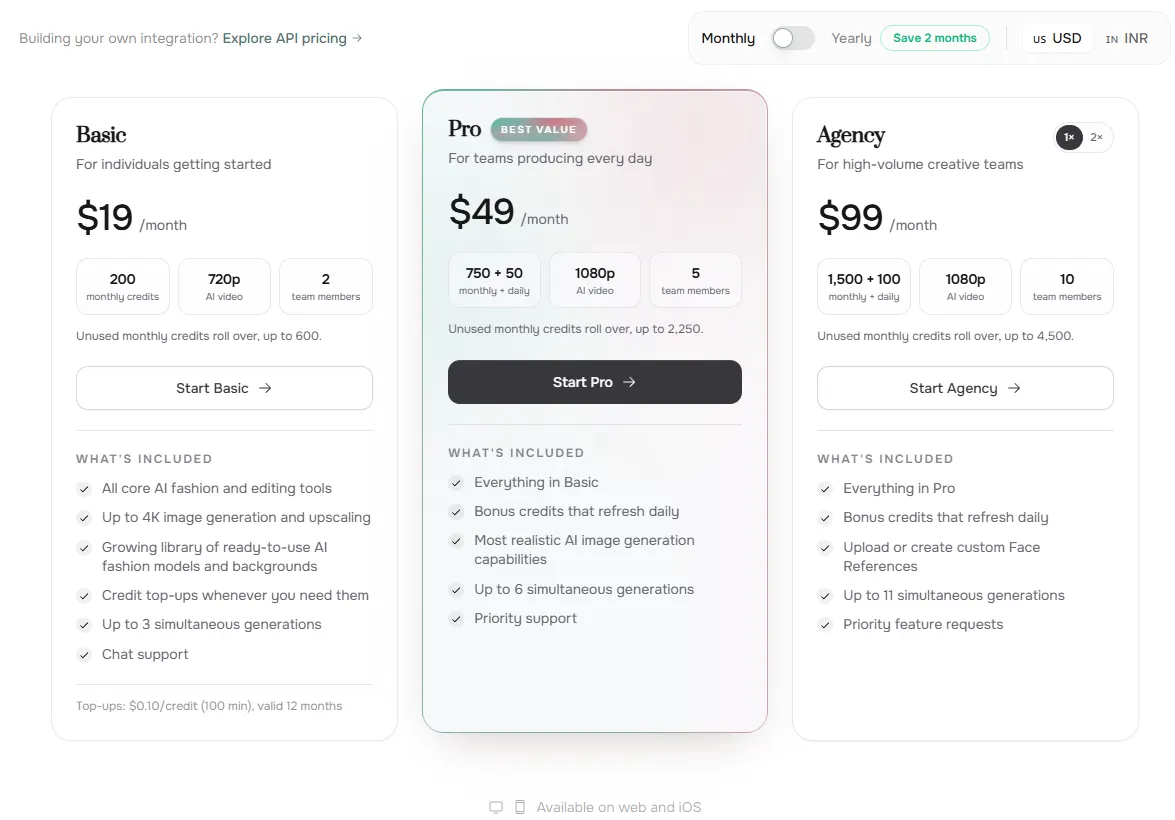
- You only need images and want a smaller starting plan: FASHN Basic is $19 a month for 200 credits.
- Your team works from phones or needs shared seats: FASHN has iOS and Android apps and includes 2 to 10 team members by plan.
CamClo AI vs FASHN at a glance
| CamClo AI | FASHN | |
|---|---|---|
| Best for | Ecommerce and fashion brands that want product photos, videos, ads and campaigns in one account | Fashion teams that want an agent-led image studio, and developers who want a fashion image API |
| What it makes | On-model photos, try-ons, model swaps, catalogue poses, edits, background changes, videos, image ads, video ads and Remix Ads | On-model photos, try-ons, packshots, model swaps, AI models, edits, reframes, face swaps, upscales and 5 or 10 second videos |
| Virtual try-on | Puts a garment or accessory on a library model or your own model photo; Fast, Balanced or Quality at 1K, 2K or 4K | Puts a product on your own model photo or a Model Element; Fast, Balanced or Quality at up to 4K; 1 to 4 images per run |
| New poses | Catalogue Studio makes up to 12 poses of one on-model photo in a run, from 20 preset poses or your own prompts | Pose changes by prompt through Edit or the Agent |
| Same model across products | Your own model photos, a face reference in Model Swap on any plan, and one pinned model across a whole batch | Face Reference with curated FASHN Faces on every plan; your own faces on Agency ($99 a month) and above |
| Whole-catalogue runs | The AI Assistant applies one brief to up to 500 product images and shows the credit cost before it runs | 1 to 4 outputs per run and 3, 6 or 11 generations at once by plan; the API for larger volumes |
| Video | Choice of models, including Seedance 2.5 (4 to 30 seconds, up to 1080p), Veo 3.1 (up to 4K), Kling 3.0 and Gemini Omni Flash | 5 or 10 second clips at 480p, 720p or 1080p (1080p on Pro and above) |
| Ads and campaigns | Image ads, video ads, Remix Ads up to 90 seconds, and Ad Autopilot for Meta and Google Ads campaigns | Images and videos you can use in ads; no ad builder or campaign management listed. Radar's AI visibility monitoring is marked coming soon |
| Developer API | Not offered; CamClo AI is a studio your team uses directly | REST API with TypeScript and Python SDKs, from $7.50 of on-demand credits |
| Apps and teams | Web app for desktop and phone browsers, with separate workspaces for each brand or client | Web app plus iOS and Android apps, with 2, 5 or 10 team members by plan |
| Starting price | Creator: $49 a month with 150 credits | Basic: $19 a month with 200 credits |
| Free trial or free credits | 7-day free trial with 20 credits | 10 free credits for every new account, no card required |
Shaded cells mark the stronger option for an ecommerce brand.
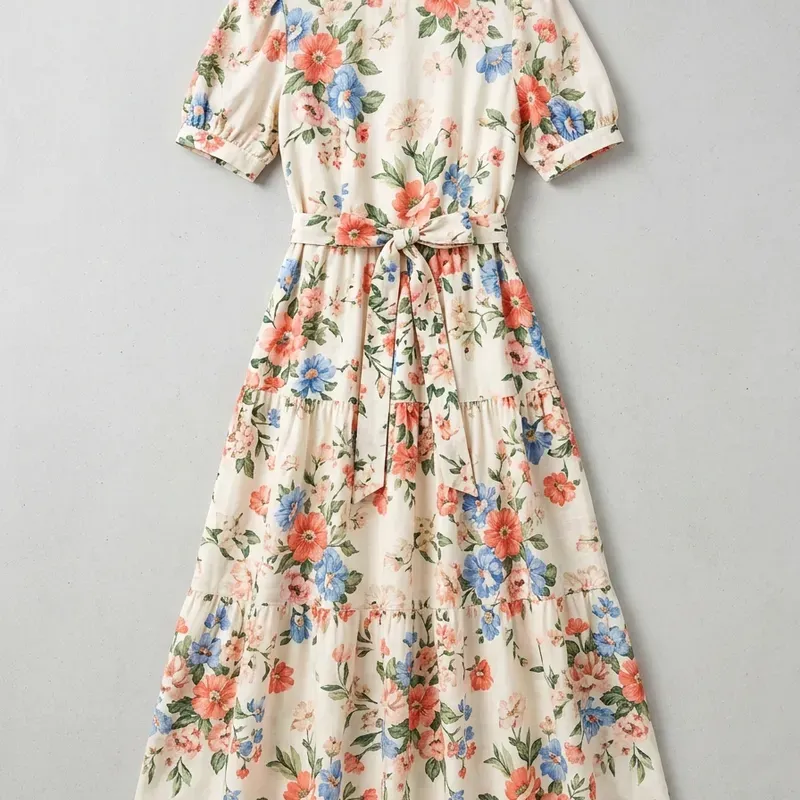
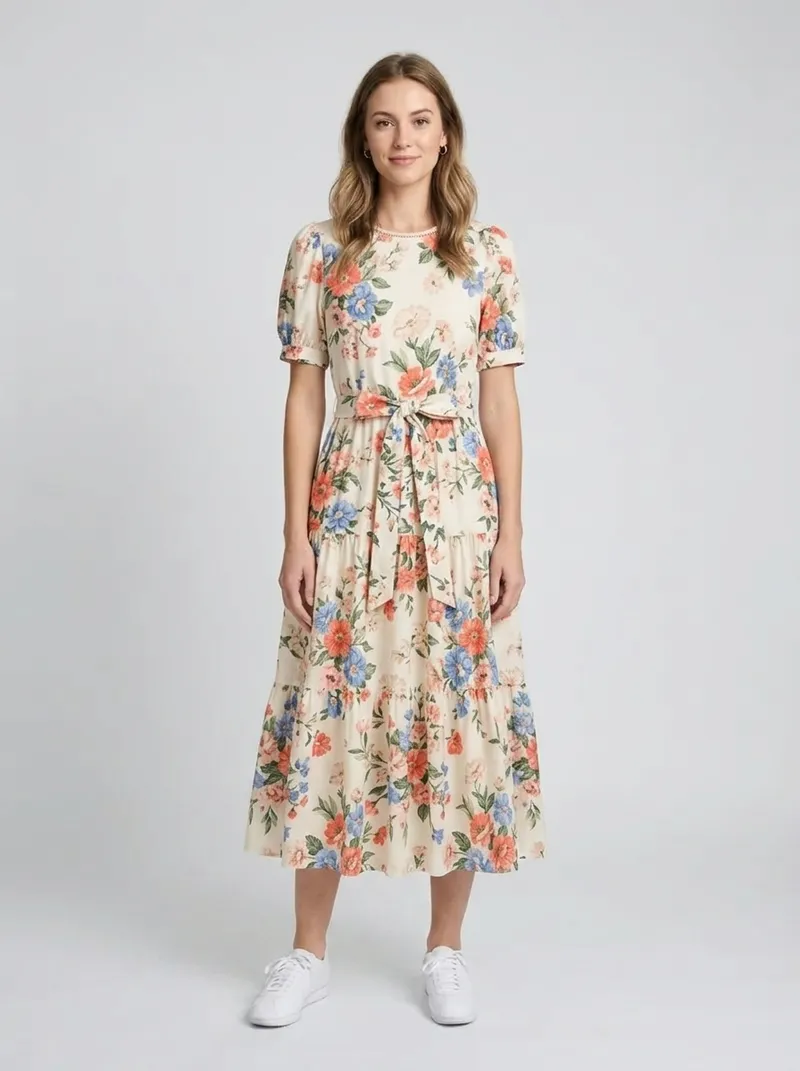
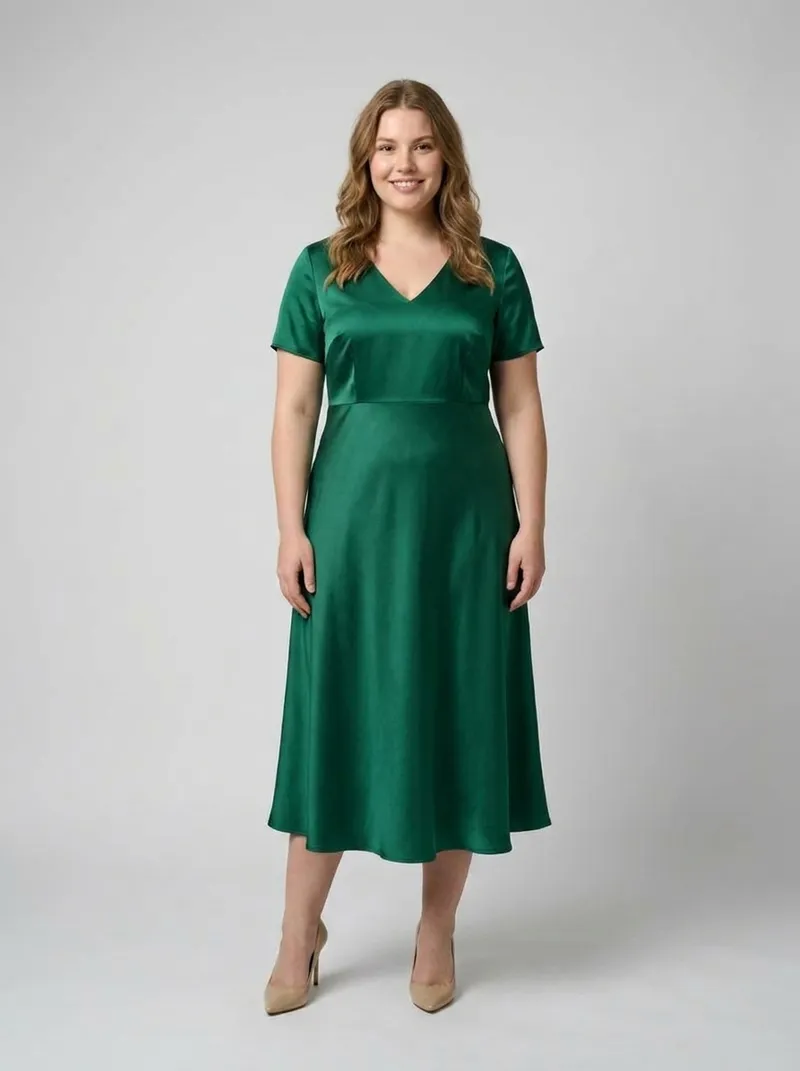
What CamClo AI makes
What CamClo AI and FASHN are built for
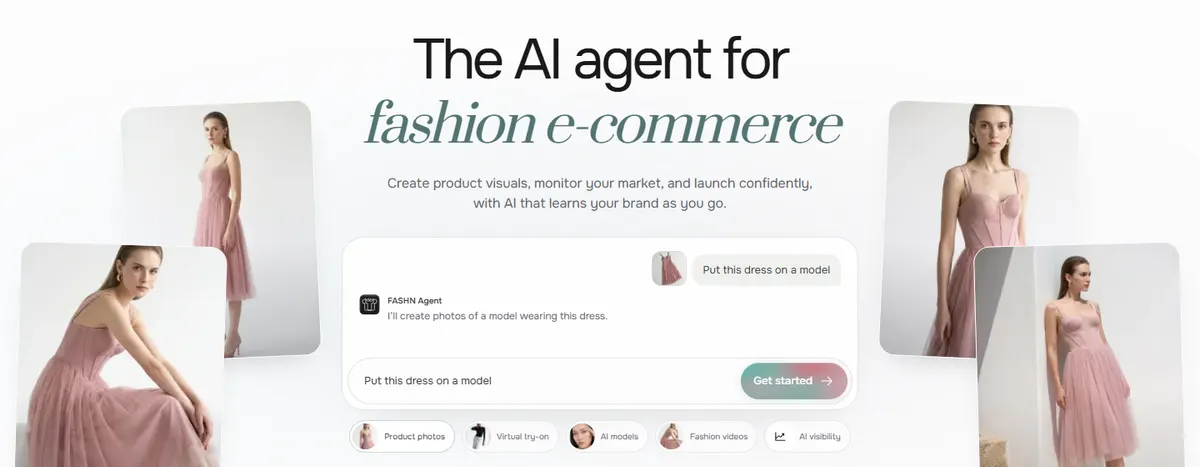
FASHN calls itself "the AI agent for fashion e-commerce". You describe a result in plain words, such as "put this dress on a model", and its Agent picks the right tool. The same tools are also available one by one in its Studio: Product to Model, Try-On, Packshot, Model Swap, Create Model, Edit, Reframe, Background Remove, Face Swap, Upscale and Image to Video. FASHN sells most of those tools as a developer API too, runs iOS and Android apps that share credits with the web app, and is building Radar, an AI visibility tracker for ChatGPT and Google AI Overviews. The Radar page says brand setup is available now and monitoring is coming soon.
CamClo AI starts from the same place, a product photo, and keeps going. AI product photography puts the product on a model, virtual try-on dresses a model you choose, Catalogue Studio adds new poses, and the same account turns those images into videos, image ads, video ads and Meta and Google Ads campaigns. It is built for a brand's own team rather than for developers.
So the real question is scope. If on-model images are the whole job, both tools cover it. If those images are the start of product pages, social posts, ads and paid campaigns, CamClo AI covers more of the work in one place.
On-model photos, try-on, model swap and poses
Both tools cover the core jobs a fashion catalogue needs. The differences are in how you run them and what sits around them.
| Job | CamClo AI | FASHN |
|---|---|---|
| Product photo to on-model image | Product Photography, with an optional prompt and aspect ratio, at 1K, 2K or 4K | Product to Model, up to 3 product images per look, with optional text prompt, image prompt, background reference and face reference, at up to 4K |
| Put a product on a model you choose | Virtual Try-On on a library model or your own model photo, for clothes, shoes, bags, jewelry, watches, eyewear and hats | Try-On on your own model photo or a Model Element, for garments, shoes, hats, scarves and other wearables |
| Change the person, keep the outfit | Model Swap by prompt or with your own face reference | Model Swap, plus Face Swap to change only the face |
| New poses of the same look | Catalogue Studio: up to 12 poses per run from one on-model photo (up to 10 when picked from its 20 preset poses), with the option to keep the background | Pose changes by prompt through Edit or the Agent |
| Clean product shots | Remove background and change background tools | A dedicated Packshot tool |
| Same model across products | Your own model photos, a face reference in Model Swap on any plan, and one pinned model across a batch | Face Reference: curated FASHN Faces on every plan, your own faces on Agency and above |
| Volume | The AI Assistant runs one brief over up to 500 product images, shows the plan and credit cost first, groups results by product and downloads as one ZIP | 1 to 4 outputs per run; 3, 6 or 11 generations at once depending on plan; the API for larger volumes |
Where CamClo AI pulls ahead
The pose and catalogue tools. Catalogue Studio takes one finished on-model photo and returns a set of new poses in a single run, from front, back and side views to seated and walking shots. The AI Assistant then applies the same steps to every product in a batch, so a new collection gets on-model photos, poses and background changes without setting up each product by hand. You can also swap the person in existing photos with Model Swap and keep the look consistent with a face reference on any plan.
Where FASHN pulls ahead
FASHN's Product to Model accepts up to three product images in one look, so a top, bottom and accessory can be styled together, and it has a dedicated Packshot tool and a separate Face Swap. Its Agent also lets you ask for a result in one sentence instead of choosing a tool first. For a wider look at try-on tools, see our guide to the best AI virtual try-on tools compared.
Video, ads and campaigns
FASHN makes short fashion videos: 5 or 10 seconds at 480p, 720p or 1080p, with 1080p on Pro and above. You can animate an image, add an end image to control the final frame, or describe a video in text in the Agent. Its help center notes that existing videos cannot be used as inputs.
CamClo AI's image-to-video tool lets you choose the model for each clip. Seedance 2.5 runs from 4 to 30 seconds at up to 1080p, Veo 3.1 makes 4, 6 or 8 second clips at up to 4K, Kling 3.0 makes 5, 10 or 15 second clips, and Gemini Omni Flash runs from 3 to 10 seconds at up to 4K. That range covers quick motion clips as well as product demos, animation and short stories.
The bigger difference is what happens after the photo and the clip:
- Video ads. CamClo AI's video ads tool writes and makes ads in formats such as UGC, product demo, unboxing and a UGC virtual try-on format, where a creator holds up the garment and then wears it.
- Image ads. Static and carousel ads sized for Meta, TikTok, YouTube, Pinterest and Google placements, and ads can be localized for other languages and markets.
- Remix Ads. Rebuilds a reference ad around your product as a finished ad up to 90 seconds long.
- Campaigns. Ad Autopilot plans, publishes and manages Meta and Google Ads campaigns within spending limits you set, and bigger changes wait for your approval.
FASHN's own pages describe its images as ready "for lookbooks, PDPs, and ads", but its website and help center listed no ad builder, ad publishing or campaign management. If you plan to run paid ads with your product photos, that work happens in another tool when you use FASHN, and inside the same account when you use CamClo AI.
API, apps and teams: where FASHN leads
FASHN is the better fit if you are building a product of your own. Its API covers Try-On Max, Try-On v1.6, Product to Model, Face to Model, Model Create, Model Swap, Edit, Reframe, Image to Video and Background Remove, with SDKs for TypeScript and Python and a dashboard that shows request history. FASHN says Try-On Max returns results in about 10 to 55 seconds and the lighter Try-On v1.6 in 5 to 17 seconds for real-time use, which is what a shopper-facing virtual fitting room on your own site needs. API credits cost $0.075 each on demand (minimum $7.50), failed predictions use no credits, and commitment tiers from $19 a month lower the price per credit.
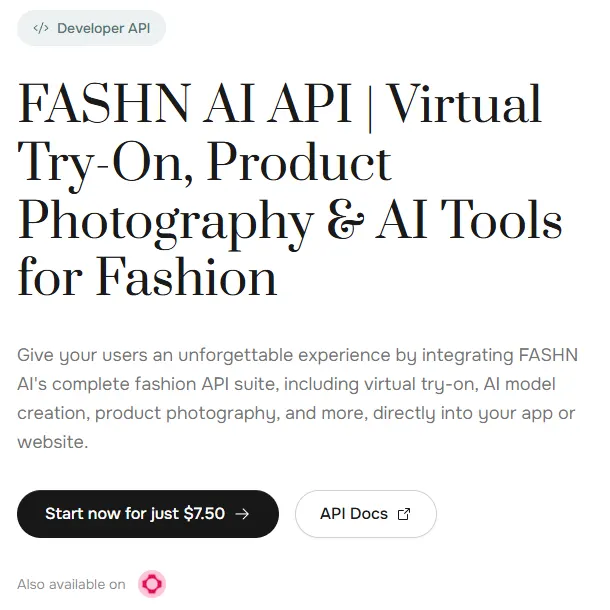
FASHN also has iOS and Android apps that share an account and credits with the web app, and its plans include 2, 5 or 10 invited team members in a shared workspace.
CamClo AI is built the other way round: a studio that the brand's own team uses in the browser, on desktop or phone, with separate workspaces to keep each brand or client's products, ads and campaigns apart. If you want to put try-on in front of shoppers inside your own app, FASHN is the tool for that job. If you want to make the brand's photos, videos and ads and run its campaigns, CamClo AI is.
What a credit buys in each tool
Both tools charge on-model images by generation mode and resolution. The table uses each company's published credit costs for its web app.
| Output | CamClo AI (credits) | FASHN app (credits) |
|---|---|---|
| On-model image, Fast (1K / 2K / 4K) | 1 / 1.5 / 2 | 1 / 1 / 1 |
| On-model image, Balanced (1K / 2K / 4K) | 1.5 / 2 / 2.5 | 1 / 1 / 2 |
| On-model image, Quality (1K / 2K / 4K) | 2 / 2.5 / 3 | 1 / 2 / 3 |
| Face reference | +2 per Model Swap | +2 per image |
| New pose of an existing photo | 0.5 per pose in Catalogue Studio on paid plans (1 in Pro mode, 2 at 4K), plus 1 per run in Auto mode | Edit, charged at the image rates above |
Two plan details matter. FASHN's Quality mode is available on its Pro and Agency plans, while CamClo AI offers Fast, Balanced and Quality on every plan. FASHN's Pro and Agency plans also add daily bonus credits, and its unused monthly credits roll over up to three times the monthly allowance.
CamClo AI can seem a little expensive next to a single image tool, but its credits cover more than a raw output: the same balance pays for poses, edits, videos, ads and campaign work in one account. See the full plan list on the CamClo AI pricing page.
Pricing: CamClo AI vs FASHN
| CamClo AI | FASHN | |
|---|---|---|
| Entry plan | Creator: $49 a month with 150 credits | Basic: $19 a month with 200 credits; unused monthly credits roll over up to 600 |
| What the entry plan includes | Credits for the AI Suite and Ad Studio tools, from try-on, product photography, model swap and Catalogue Studio to video and ads, with Fast, Balanced and Quality modes at up to 4K | All core fashion and editing tools, images up to 4K, videos up to 720p, 2 team members and 3 generations at once; Quality mode starts on Pro |
| Higher plans | Studio plans from $99 a month for 330 credits up to $999 a month for 5,000 credits | Pro $49 a month (750 monthly plus 50 daily credits), Agency $99 (1,500 plus 100), Agency 2× $199 (3,000 plus 200); a year costs the price of 10 months |
| Free trial or free credits | 7-day free trial with 20 credits | 10 free credits for every new account, no card required |
| On-model image | 1 to 3 credits, by mode and resolution | 1 to 3 credits in the app, by mode and resolution |
| Extra credits | Buy more on any active paid plan, from 50 credits | $0.10 a credit, 100 minimum, valid for 12 months |
| Developer API | Not offered | Separate API credits: $0.075 each on demand (minimum $7.50), or tiers from $19 a month; image endpoints cost 1 to 5 credits |
FASHN prices are from fashn.ai/pricing and FASHN's help center (App Subscription Plans and API On-Demand & Commitment Tiers), shown in US dollars and checked. CamClo AI prices are monthly list prices from camclo3d.com/pricing on the same date.
Switching from FASHN to CamClo AI
- 1
Export the FASHN results you want to keep from its Gallery, as original files or as WebP, JPEG or PNG, and keep the original product photos you used.
- 2
Start the CamClo AI 7-day free trial with 20 credits. Run a few best-selling products through Product Photography or Virtual Try-On first.
- 3
Keep your usual look: upload your own model photo to Virtual Try-On, or add a face reference in Model Swap, so the same model carries across products.
- 4
For a full catalogue, give the AI Assistant one brief and up to 500 product images; it shows the steps and credit cost before anything runs.
- 5
Add poses with Catalogue Studio, turn the finished photos into videos and ads, and connect your Meta or Google Ads account when you want Ad Autopilot to run campaigns.
Try CamClo AI on your own products
Start with a 7-day free trial and 20 credits.
Start your free trialFrequently asked questions
Is CamClo AI a good FASHN alternative?+
Yes, for ecommerce and fashion brands that want more than on-model images. CamClo AI covers the same core jobs (product to model, virtual try-on, model swap and new poses) and adds catalogue runs of up to 500 products, video models that run up to 30 seconds, image and video ads, Remix Ads up to 90 seconds, and Ad Autopilot for Meta and Google Ads campaigns. If you need a developer API or a shopper-facing try-on on your own site, FASHN is the better fit.
How much does FASHN cost compared with CamClo AI?+
FASHN's app plans are Basic at $19 a month (200 credits), Pro at $49 (750 monthly plus 50 daily credits), Agency at $99 (1,500 plus 100) and Agency 2× at $199 (3,000 plus 200). Its API is billed separately at $0.075 a credit on demand. CamClo AI's Creator plan is $49 a month with 150 credits, and Studio plans run from $99 a month for 330 credits to $999 a month for 5,000 credits. CamClo AI credits also cover poses, video, ads and campaign work.
Is FASHN free?+
FASHN gives every new account 10 free credits with no card required, which is enough to try its core tools. After that you need a paid plan or top-ups, and FASHN says its subscriptions and top-ups are non-refundable. CamClo AI has a 7-day free trial with 20 credits.
Does CamClo AI have an API like FASHN?+
No. CamClo AI is a studio that brands use directly in the browser, while FASHN also sells its tools as a REST API with TypeScript and Python SDKs. Choose FASHN if you are building try-on into your own app or website. Choose CamClo AI if your team wants to make the photos, videos and ads and run the campaigns itself.
Which tool makes longer fashion videos?+
CamClo AI. FASHN's videos are 5 or 10 seconds at up to 1080p. CamClo AI's image-to-video tool includes Seedance 2.5 for 4 to 30 second clips at up to 1080p, plus Veo 3.1 at up to 4K, Kling 3.0 and Gemini Omni Flash, and Remix Ads makes finished ads up to 90 seconds.
Can I keep the same AI model across all my products?+
Both tools support it. FASHN uses Face Reference, with curated FASHN Faces on every plan and your own uploaded faces on Agency ($99 a month) and above. In CamClo AI you can try products on your own model photo, add a face reference in Model Swap on any plan, and pin one model across a whole batch in the AI Assistant.
Which one handles a whole catalogue better?+
CamClo AI, if you work in the app. Its AI Assistant takes one brief and up to 500 product images in a single workflow, shows the steps and credit cost before anything runs, groups the results by product and downloads them as one ZIP file. FASHN makes 1 to 4 outputs per run and runs 3, 6 or 11 generations at once depending on plan; for larger volumes its API can be scripted.