

Table of Contents
The best AI clothes changer for product photos is CamClo AI: you upload a photo of your garment, pick a model or use your own, and get an on-model image at up to 4K for 1 to 3 credits, with plans from $49 a month and a 7-day free trial. For quick free outfit swaps without an account, Magic Hour and Krea work well, and among the paid tools built for fashion, bitStudio has the lowest monthly price at $15.
Here are 8 tools, most of them from Google's top results for this search, with what one try-on costs and which plans let you use the images on your store.
We checked every price and plan on the vendor's own site. Here is how we checked.
Quick picks by use case
Your garment photo on a library model or your own, up to 4K, with editing, video and ads on the same credits.
From $15 a month, with unlimited try-on in a low-priority relaxed mode from $39.
Try-on, product to model and model swap from $19 a month; unused credits roll over.
Combine references for clothes, shoes, hats and bags in one generation, at 2K or 4K.
A few free images a day with no watermark; 480 a month on the $19 Creator plan.
Krea says its clothes changer is free and unlimited; a commercial license starts at $9 a month.
A third-party AI Clothes Changer app by Imgkits in Canva's app directory.
AI clothes changers compared
| Tool | Best for | Paid plans from | Free option | What you upload | Commercial use |
|---|---|---|---|---|---|
| CamClo AI | Garments on models for product photos | $49/mo | 7-day free trial, 20 credits (card required) | A garment photo; library model or your own | Images made with paid credits |
| bitStudio | Low-cost fashion try-on | $15/mo | 10 credits a month, watermarked | Person photo; outfit as flat lay or on a model | Listed from Basic; its FAQ says you own free images too |
| FASHN | Fashion tools with rollover credits | $19/mo ($190 a year) | 10 credits for new accounts | A garment photo; library model or your own | In line with your plan |
| Kling | Several garments in one image | $6.99 first month, then $8.80/mo | Basic plan, no monthly credits | Model photo, several references, a text instruction | Listed from Standard |
| Magic Hour | Free swaps with no account | $19/mo ($12/mo billed yearly) | A few free images a day, no sign-up | Person and clothing photos; outfit, top or bottom | Listed on paid plans |
| Krea | Free outfit ideas | $9/mo | Free app, no sign-up | Person and clothing photos | From Basic ($9/mo) |
| FitRoom | A try-on app for your phone | $16/mo ($8/mo billed yearly) | 10 credits a month, watermarked | A clothing photo; its models or your own | Pro plan ($29/mo) |
| Canva app (Imgkits) | Outfit visuals inside Canva | See vendor site | Free with any Canva plan, per the listing | Person and garment photos | See vendor site |
Entry paid plan on each vendor's official site, in US dollars, billed monthly unless marked. Kling's first-month price is a promotion. Krea's page showed the $9 Basic plan on some visits and started at Pro ($35) on others. "See vendor site" means the price or terms are not published where we looked. Plans change often, so confirm before you buy.
Two ways AI changes clothes in a photo
Every AI outfit changer on this page works from a reference: you upload the person and the clothing, and it dresses the person in that exact item. This is virtual try-on, and it is the right method for products you sell, because the garment comes from your photo. Our explainer on how virtual try-on for clothes works covers the technology.
The other way is a text instruction in an image editor, such as "change the shirt to navy linen". That is fine for ideas, but the model invents the garment, so it will not match your product's print, logo or cut.
What one try-on costs on each plan
Plan prices hide the number that matters: how many images a month buys. This is what each vendor publishes for one clothes change on its entry plan.
| Tool | Entry plan | Credits a month | One try-on costs | Try-ons a month |
|---|---|---|---|---|
| CamClo AI | Creator, $49 | 150 | 1 to 3 credits (1.5 at the default settings) | 50 to 150 (100 at default) |
| bitStudio | Basic, $15 | 150 | 1 credit (Standard) or 2 (Max) | 150 Standard or 75 Max |
| FASHN | Basic, $19 | 200 | 1 to 3 credits | 66 to 200 |
| Magic Hour | Creator, $19 | 12,000 | 25 credits | 480 |
| FitRoom | Standard, $16 | 200 | Not published | See vendor site |
| Krea | Basic, $9 | 5,000 units | Not published for this app | See vendor site |
| Kling | Standard, $8.80 after a $6.99 first month | 660 | Not on the pricing page | See vendor site |
Try-ons a month is the monthly credit allowance divided by the cost of one image, before any retries. Output size differs by tool and plan: Magic Hour's Creator plan exports up to 1024px, while CamClo AI, FASHN and Kling offer up to 4K. The Canva app does not publish a per-image cost.
The best AI clothes changers, tool by tool
What each tool does, its price, its strengths and limits, and when to pick it instead of CamClo AI.
1. CamClo AI
Best for: putting your garment on a model for product photosCamClo AI is an AI studio for ecommerce teams. Its Virtual Try-On takes a photo of one garment or wearable, such as a flat lay or a ghost mannequin shot, and puts it on a model from the library or on your own model photo. The result is an on-model image for your store, marketplace listings, social posts and ads, with no photoshoot.
- How it works: upload the garment, pick a model (filter the library by gender, age group and region, or upload your own model photo and reuse it), add an optional styling note such as "tuck in shirt" or "roll up sleeves", then choose Fast, Balanced or Quality at 1K, 2K or 4K. There is nothing to mask or trace.
- What it covers: tops, bottoms, dresses and one-pieces, activewear, plus shoes, jewelry, watches, eyewear, hats and bags. Each generation takes one item; for a full outfit, run the top and the bottom in turn, or upload a photo of the complete outfit.
- Around the try-on: Product Photography creates the model from a text prompt when you have no model photo, Model Swap keeps the outfit and changes the person, Smart Edit changes colors, backgrounds or details from a plain-language instruction, and Image to Video turns the result into a short clip. The UGC Virtual Try-On video ad format shows someone holding up the product, then wearing it.
- Pricing: plans from $49 per month with 150 credits. A try-on costs 1 to 3 credits by mode and resolution (1.5 at the default Balanced, 1K), so 150 credits cover 50 to 150 images. There is a 7-day free trial with 20 credits. Images made with paid credits can be used commercially.
Strengths
- Starts from your garment photo, so the product on the model is the one you sell
- Save your own model photo and use it across a whole collection
- Up to 4K, with a cheap Fast mode for drafts
- The same credits cover try-on, model swap, editing, video and video ads
Limits
- Can seem a little expensive next to a single-purpose clothes changer, but the credits cover the whole product shoot, from the on-model photo to model swaps, edits and video, not just one outfit swap
See how the AI virtual try-on for product photos works, or keep the outfit and change the person with AI model swap.
2. bitStudio
Best for: low-cost fashion try-onbitStudio is an AI fashion photo studio, and its AI Clothes Changer is the first organic Google result for this search. You upload a person photo and an outfit photo (a flat lay or worn by someone else), add optional instructions and pick a quality level; bitStudio says it keeps patterns, stitching and printed text. It also sells virtual fitting rooms for your product pages.
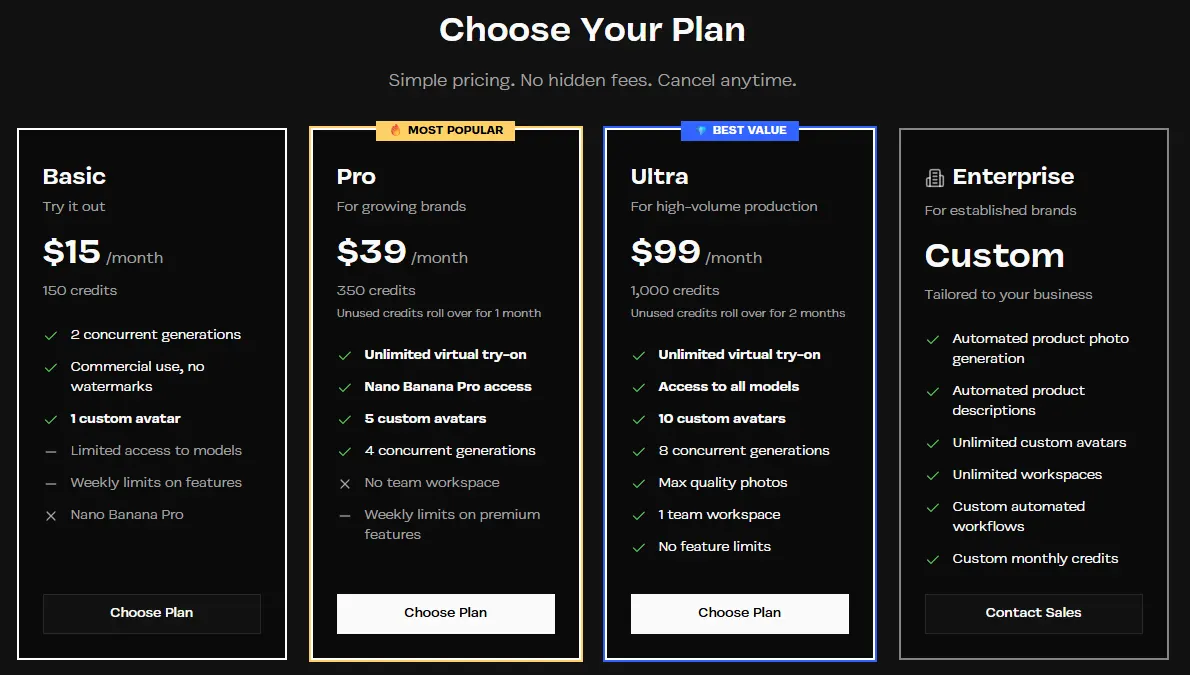
- Pricing: Basic is $15/month with 150 credits (150 Standard or 75 Max quality photos), commercial use and no watermarks. Pro is $39/month with 350 credits plus unlimited virtual try-on in relaxed mode, a low-priority queue that makes one image at a time. Ultra is $99/month with 1,000 credits.
- Free: the clothes changer works without an account, with a daily limit and a watermark. The Free plan adds 10 credits a month and 5 clothes changes a day.
Strengths
- The lowest monthly price among the fashion-focused tools here
- Takes an outfit from a flat lay or from another model photo
- Unlimited relaxed try-on on Pro and Ultra
Limits
- Basic caps Max-quality photos at 5 a week and resets credits each month
- Relaxed mode is low priority, may queue, and makes one image at a time on Pro
Pick this instead of CamClo AI if you only need try-on images, want the lowest monthly price, or want a virtual fitting room for shoppers on your own site.
3. FASHN
Best for: fashion tools with rollover creditsFASHN is an AI fashion platform on the web and iOS, with try-on, product to model, model swap, packshots and short videos. Its try-on puts clothing, shoes, bags, hats or eyewear on a library model or your own photo, up to 4K. Google's AI answer for this search called it best for ecommerce retailers.
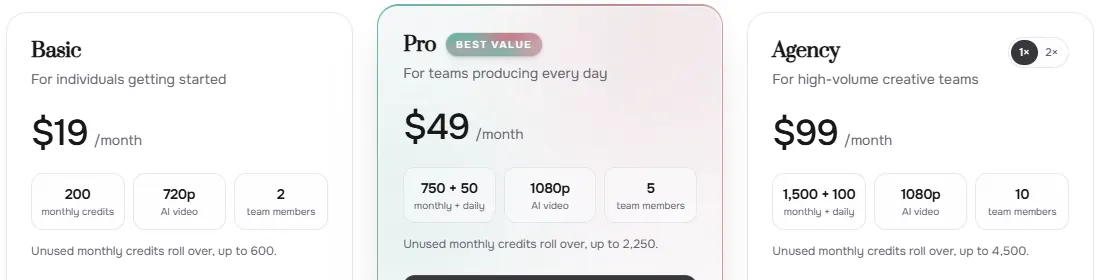
- Pricing: Basic is $19/month, or $190 a year, with 200 credits a month that roll over up to 600. Pro is $49/month with 750 monthly credits plus 50 daily credits. A try-on costs 1 to 3 credits by generation mode and resolution; Fast is 1 credit at any resolution. Extra credits on Basic cost $0.10 each (100 minimum) and last 12 months.
- Free: 10 credits for every new account.
Strengths
- Clear per-image credit costs by mode and resolution
- Unused monthly credits roll over
- An API for developers and an iOS app
Limits
- The 10 free credits are one-time, not monthly
- Uploading your own face references needs the $99 Agency plan
Pick this instead of CamClo AI if you want a fashion-only image platform with rollover credits or an API to build your own try-on.
4. Kling
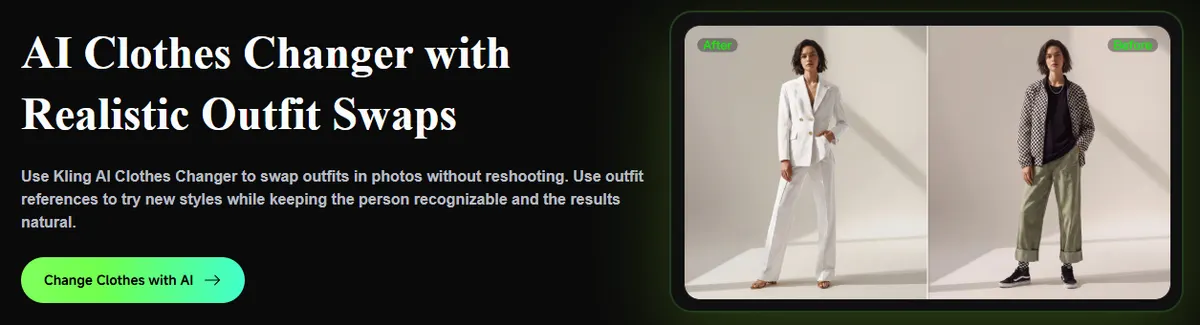
Best for: several garments in one imageKling is an AI video and image platform, and its AI Clothes Changer runs on its IMAGE 3.0 Omni model. You upload the model photo plus references for clothing, shoes, hats, bags or accessories, then tell Kling how to use each one, for example the shirt from image 2, the jacket from image 3 and the shoes from image 5. You choose the aspect ratio and 2K or 4K output. Kling says it keeps the face, hairstyle and pose recognizable.
- Pricing: Standard is $6.99 for the first month, then $8.80/month on monthly billing (list price $10), with 660 credits a month, watermark removal and commercial use. The pricing page does not list what one image costs.
- Free: a Basic plan with no monthly credits.
Strengths
- Builds one look from several reference images
- 2K or 4K output in the aspect ratio you pick
- The same credits also run Kling's video models
Limits
- You write out which reference goes where
- The cost of one image is not on the pricing page
Pick this instead of CamClo AI if you want to style a complete look from several separate product photos in one generation, or you already use Kling for video.
5. Magic Hour
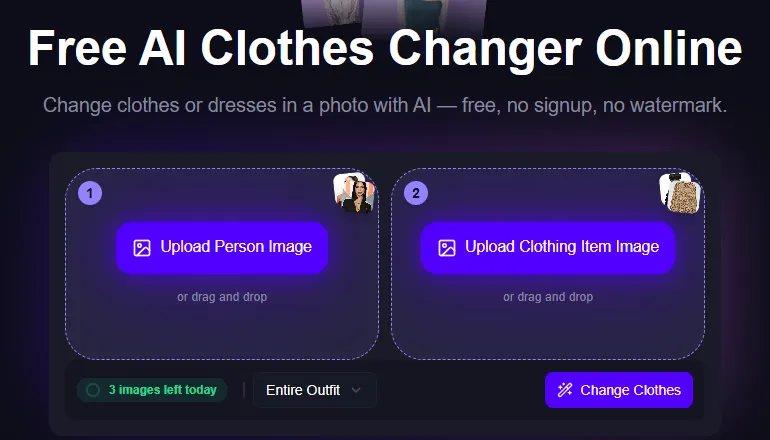
Best for: free swaps with no accountMagic Hour is an AI video, image and audio platform with a free AI Clothes Changer. You upload a person image and a clothing item image, choose entire outfit, upper body only or lower body only, and generate. The page says it is free, with no sign-up and no watermark; when we visited it showed 3 free images left for the day.
- Pricing: Creator is $19/month, or $12/month billed yearly, with 12,000 credits a month. A clothes change uses 25 credits, so Creator covers 480 a month; Magic Hour's plan table lists 5,760 a year. Exports top out at 1024px on Creator, 1472px on Pro and 4K on Business. The clothes changer API starts at $0.024 per image.
- Free: free daily images on the clothes changer, and free daily credits across the platform.
Strengths
- Free to try without an account or watermark
- Many images per plan at 25 credits each
- Swap the whole outfit, the top or the bottom
Limits
- 1024px exports on Creator are small for product zoom
- A broad creative platform, not built around catalogues
Pick this instead of CamClo AI if you want quick free swaps, or a large number of low-cost images where 1024px is enough, such as social posts.
6. Krea
Best for: free outfit ideasKrea is a generative AI platform with many image and video models, and Google's AI answer for this search says Reddit users recommend it for putting a specific garment on a portrait. You upload a person photo and a clothing photo. Krea's FAQ says the app is completely free, with unlimited try-ons and no sign-up, and that using the results for a fashion brand or store needs a subscription.
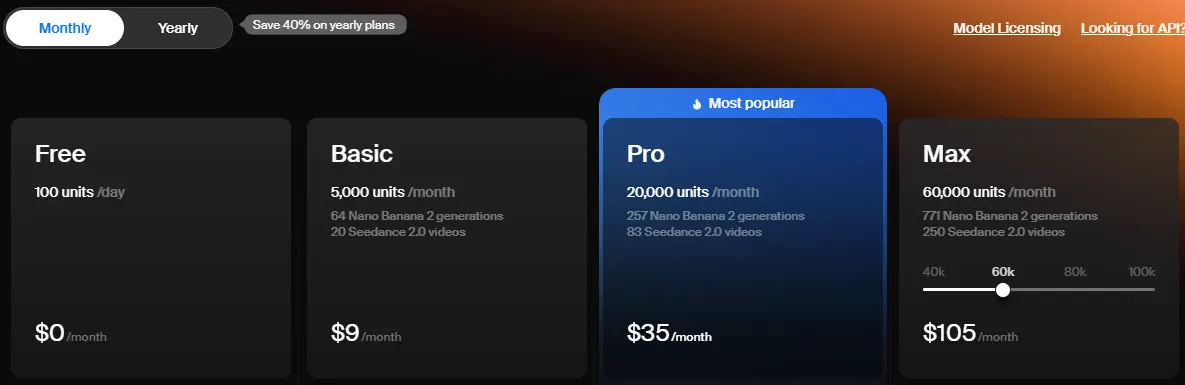
- Pricing: Basic is $9/month with 5,000 compute units and a commercial license. Pro is $35/month with 20,000 units, or $21/month billed yearly. On some of our visits the pricing page showed no Basic plan and started at Pro. The app page does not say how many units a clothes change uses.
- Free: the clothes changer app itself, and a Free plan with 100 units a day and no commercial license.
Strengths
- Free and unlimited, according to Krea
- A commercial license from $9 a month
- Many other image and video models on the same plan
Limits
- No commercial license on the Free plan
- Pitched at shoppers trying outfits, not catalogue work
Pick this instead of CamClo AI if you want to test outfit ideas for free, or you already pay for Krea and want try-on alongside its other models.
7. FitRoom
Best for: a try-on app for your phoneFitRoom, from SilverAI, is an AI clothes changer on the web and iOS. You upload an outfit or pick one of its items, choose a model from its set (women, men, kids and older adults) or your own photo, and it fits the clothing to the person. It handles tops, dresses, pants, skirts and outerwear, and says a change usually takes 10 to 15 seconds. There is also a try-on API.
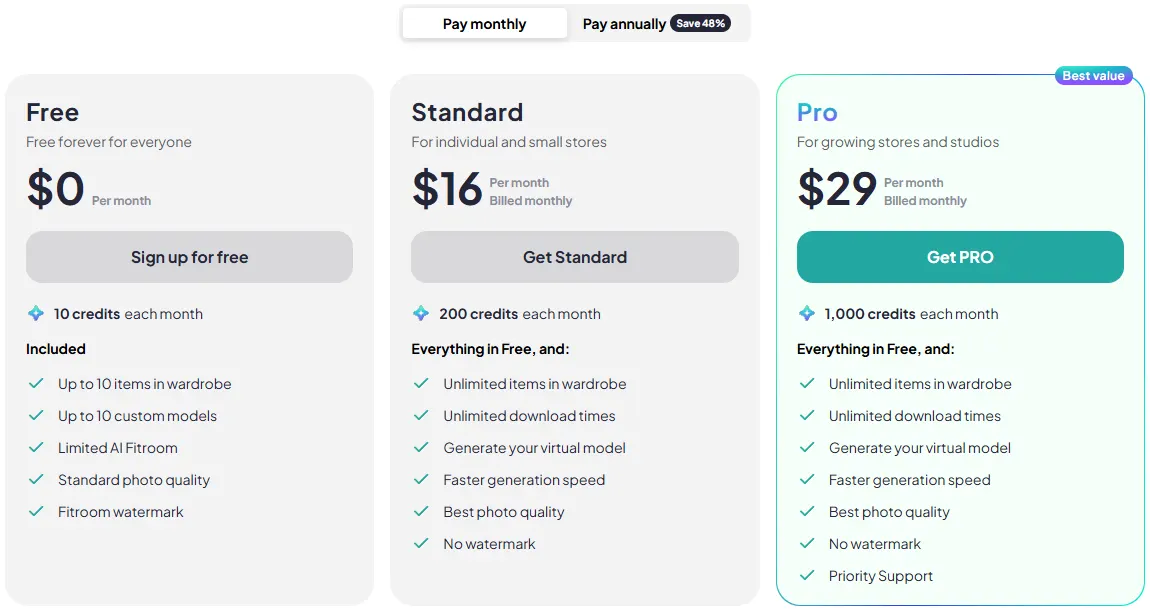
- Pricing: Standard is $16/month, or $8/month billed yearly, with 200 credits a month, its best photo quality and no watermark. Pro is $29/month, or $15/month billed yearly, with 1,000 credits. Unused credits roll over while you stay subscribed. Commercial rights are included for Pro users, according to FitRoom's FAQ.
- Free: 10 credits a month at standard quality, with a FitRoom watermark.
Strengths
- A simple iOS app as well as the web version
- A low price on yearly billing
- Credits roll over while subscribed
Limits
- Commercial rights only on the $29 Pro plan
- You cannot adjust the fit, per its FAQ
Pick this instead of CamClo AI if you mainly want a phone app for trying outfits, or a low yearly price for occasional try-ons.
8. Canva app (by Imgkits)
Best for: outfit visuals inside a Canva designCanva's app directory lists an AI Clothes Changer app made by Imgkits, a third-party developer, not by Canva. You upload a photo of a person and an image of the garment, and the app shows the person in that outfit inside your design. Its listing describes it as guidance for shopping and everyday wear.
- Pricing: the Canva listing does not show a paid tier or usage limits, so see vendor site.
- Free: the listing's FAQ says the app is free to use with any Canva plan.
Strengths
- Works inside Canva, next to your layouts
Limits
- A third-party app; usage limits are not on the listing
- No quality or resolution settings described
Pick this instead of CamClo AI if your team already designs in Canva and needs a quick outfit visual rather than catalogue images.
How to change clothes in a photo with AI
The steps are the same in most tools, including CamClo AI's virtual try-on for clothes. For product photos, the care you take in the first two steps decides the result.
- Photograph the garment on its own. A flat lay or ghost mannequin shot on a plain background, in even light, with the whole item visible. Our guides to flat lay photography and ghost mannequin photos with AI cover the setup.
- Choose the person. A library model or your own model photo: one person, facing the camera, with a simple background. Use only photos of people who agreed to it.
- Set the scope. Most tools take one item per run. Pick the whole outfit, the top or the bottom where offered, and add a styling note such as "tuck in shirt" if the tool allows it.
- Draft cheap, finish sharp. Try the look at a low setting, then make the final image at 2K or 4K if the product page has zoom.
- Check it against the real product. Compare color, print, logo placement, buttons and hem length side by side before you publish.
How to choose an AI clothes changer for product photos
- Check the output size. 1024px suits social posts; product pages with zoom want 2K or 4K.
- Check the rights on your plan. Free images often carry a watermark, and several tools grant commercial use only on paid or higher plans.
- Keep one model across a collection. Reusing your own model photo or a saved library model keeps a catalogue consistent.
- Price the usable image, not the plan. Divide the monthly credits by the cost of one try-on, then allow for retries when a logo or hem comes out wrong.
- Think past the still. If you also need on-model video or ads, one tool that does both from the same product photo saves a second subscription.
For a wider look at try-on tools, see our comparison of virtual try-on tools for clothes. If you are weighing AI against a studio shoot, our guide to ecommerce product photography covers when each makes sense.
How we checked
We pulled the live US Google results for "best ai clothes changer", "ai clothes changer" and "ai outfit changer" and took the tools that rank there or that Google's AI answers name, and that suit product images. For each one we read the official pricing, product and help pages, saved screenshots, and recorded the entry plan, the free option, the cost of one try-on, the output size and the commercial rights.
Prices are in US dollars. Magic Hour's pricing page showed another currency from our location, so its dollar prices come from Magic Hour's billing documentation. Where a vendor does not publish a number, we wrote "see vendor site" or "not published". We did not run a scored quality test, so there are no quality scores here; try your own products before you commit.
Frequently asked questions
What is the best AI clothes changer?
For product photos, CamClo AI: it puts your garment photo on a library model or your own model photo, at up to 4K, for 1 to 3 credits an image, with plans from $49 a month and a 7-day free trial. For free outfit swaps without an account, try Magic Hour or Krea. For a low monthly price, bitStudio starts at $15 and FASHN at $19. To build one look from several garments at once, use Kling.
Is there a free AI clothes changer?
Yes. Magic Hour's clothes changer gives a few free images a day with no sign-up and no watermark, and Krea says its app is free and unlimited with no sign-up. bitStudio and FitRoom include 10 free credits a month with a watermark, and FASHN gives new accounts 10 credits. CamClo AI has a 7-day free trial with 20 credits. Trial images carry a watermark, which a paid plan removes. Commercial use usually needs a paid plan, so check before you publish.
What AI can change your clothes in a photo?
Two kinds of tool can. Try-on tools take a photo of the garment and put it on the person: CamClo AI, bitStudio, FASHN, Magic Hour, Krea, FitRoom and Kling all work this way. Image editors change clothes from a text instruction, such as "make the jacket navy". For a product you sell, use a photo of the real garment, so the item in the result is the one the customer receives.
Can I use AI clothes changer images on my store and in ads?
Usually on a paid plan. CamClo AI allows commercial use of images made with paid credits, bitStudio's Basic plan and up list commercial use, Krea includes a commercial license from its $9 Basic plan, FitRoom includes commercial rights on Pro, Kling lists commercial use from Standard, and FASHN allows it in line with your plan. Check that the color, print and fit match the real product, and only use photos of people who agreed to it.
What is the best app for AI outfits?
It depends on where you work. FitRoom has a web version and an iOS app, FASHN runs on the web and iOS, and Kling has iOS and Android apps. CamClo AI, bitStudio, Magic Hour and Krea run in the browser. For product photos, pick a tool with commercial rights and at least 2K output; for trying outfits on yourself, a free web tool or FitRoom's app is enough.
Putting your products on models?
Try CamClo AI free for 7 days with 20 credits.
See plans and the free trial

