
CamClo AI vs Sellerpic
For fashion and ecommerce brands that want product photos, video ads and managed Meta and Google campaigns from one account, pick CamClo AI; for low-cost listing images sent straight to Shopify, Sellerpic is the simpler pick.
 Kush AFounder, CamClo AIUpdated September 29, 2026
CamClo AI
CamClo AI is an AI studio for ecommerce and fashion brands that makes on-model product photos, try-on and model swap images, image and video ads, and runs Meta and Google Ads campaigns.
Sellerpic
Sellerpic is an AI product image and fashion model toolkit for ecommerce sellers, with virtual try-on, model swap, short product videos, template-based ad images and a Shopify app.
The short answer
CamClo AI is the better pick for most ecommerce and fashion brands: one credit balance covers on-model product photos, virtual try-on, model swap, finished image and video ads, and Ad Autopilot, which plans and manages Meta and Google Ads campaigns. Sellerpic is a broad, lower-cost image toolkit with a Shopify app and social post scheduling, and it suits sellers who mainly need listing images and clips of up to 10 seconds.
Choose CamClo AI if
- You want on-model product photos, virtual try-on and model swap plus finished image ads and video ads from one credit balance.
- You want the ads run for you: Ad Autopilot plans, publishes and manages Meta and Google Ads campaigns, with spending caps and approval steps you control.
- You need video longer than 10 seconds: clips run up to 30 seconds on Seedance 2.5, and Remix Ads makes finished ads of up to 90 seconds.
- You want ready-made video ad formats, from UGC and unboxing to try-on reveals and TV spots, sized for Reels, TikTok, YouTube and more.
- You want a week to test it on your own products. CamClo AI offers a 7-day free trial with 20 credits.
Choose Sellerpic if
- You only need product images and want the lowest entry price: Starter is $29 a month, or $14.50 a month billed yearly, for 200 credits, and most image tools cost 1 credit per image.
- You sell on Shopify and want a native app that imports product images from your store and exports results to product drafts.
- You want built-in scheduling of organic posts to Facebook, Instagram and TikTok alongside your image tools.
- You want dedicated try-on tools for rings, earrings, necklaces, bracelets and watches, or an iOS app.
CamClo AI vs Sellerpic at a glance
| CamClo AI | Sellerpic | |
|---|---|---|
| Best for | Ecommerce and fashion brands that want product photos, video, ads and campaign management in one account | Ecommerce sellers who mainly need product images and short videos, especially on Shopify |
| What it makes | On-model product photos, try-on and model swap images, catalogue poses, image edits, image-to-video, image ads and video ads | Product images, try-on and model swap images, lifestyle scenes, image edits, 5 or 10 second videos, lip-sync videos and template-based ad images |
| Virtual try-on | Clothes, shoes, jewelry, bags and other wearables on a preset model or your own model photo, at 1K, 2K or 4K | Apparel and accessories try-on, plus separate ring, earring, necklace, bracelet and watch try-on tools; UHD downloads on paid plans |
| Model swap | Changes the person and keeps the garment, pose and background; optional face reference for a specific face | Swap Fashion Model with a library of AI models, body type and expression settings, and 1 to unlimited saved own models by plan |
| Video | Image-to-video on models including Seedance 2.5 (4 to 30 seconds), Veo 3.1 and Kling 3.0; 15 video ad formats; Remix Ads up to 90 seconds | Image-to-video of 5 or 10 seconds (5 seconds on Free); lip-sync video on Growth and Advanced |
| Image ads | Image Ads from a product link: pick a goal and placement, get up to 8 variations or a carousel of up to 5 slides with ad copy | Clone Ad matches your product photo to ad templates, then you edit by typed instruction |
| Campaign management | Ad Autopilot plans, publishes and manages Meta (Facebook and Instagram) and Google Ads (Search, Performance Max, Demand Gen) campaigns | Self-serve plans schedule organic posts; a separate sales-led ad service describes placing and adjusting ads in Facebook and TikTok Ads Manager |
| Approvals and controls | Observe, Co-pilot or Autopilot modes, daily and monthly spending caps, budget increases of 20% or less per change, one switch to pause the agent | The sales-led ad service lists budget guardrails; the help center has no setup guide for it |
| Integrations | Import a product from its page link, including Shopify stores; connect Meta and Google Ads accounts | Shopify app (import images, export to product drafts), Canva, scheduled posting to Facebook, Instagram and TikTok, iOS app |
| Starting price | Creator: $49 a month with 150 credits | Starter: $29 a month, or $14.50 a month billed yearly, with 200 credits |
| Free trial or plan | 7-day free trial with 20 credits | Free plan with 20 credits and watermarked downloads; 3-day trial of paid features with 100 credits (card required) |
Shaded cells mark the stronger option for an ecommerce brand.
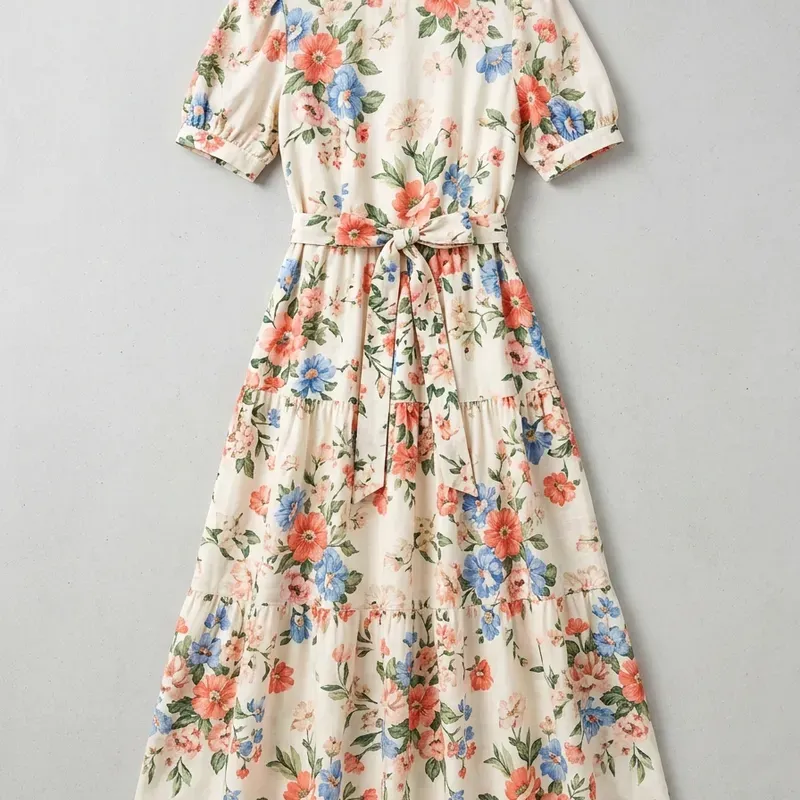
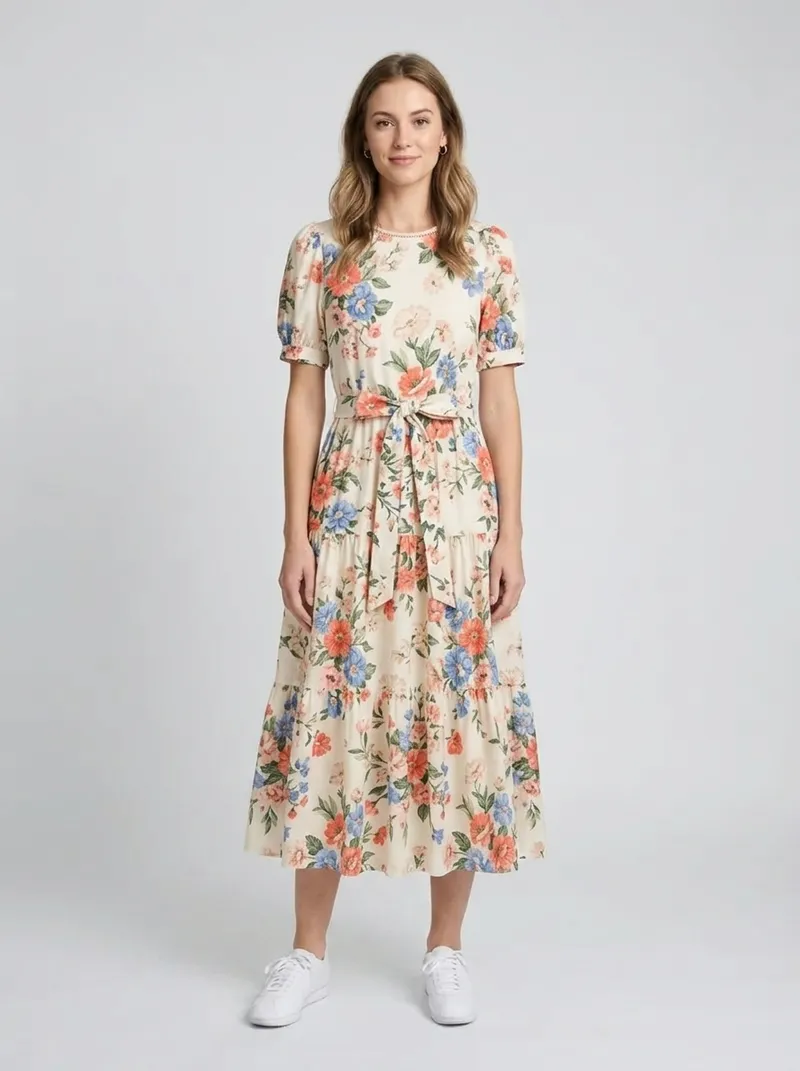
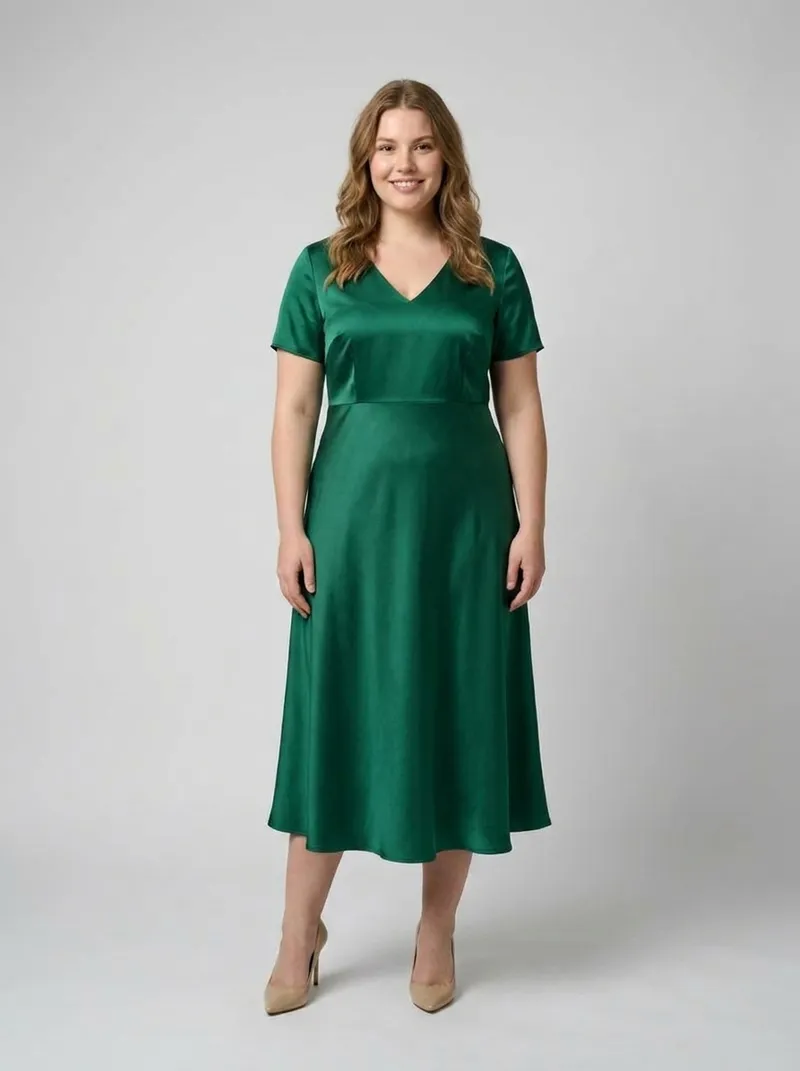
What CamClo AI makes
What each tool covers
Both tools start from a product photo and turn it into on-model and lifestyle images. The difference is how far each one goes after that.
Sellerpic is a set of single-purpose image tools for ecommerce sellers: Virtual Try-On for apparel and accessories (with separate ring, earring, necklace, bracelet and watch tools), Swap Fashion Model, a Pose Changer, Lifestyle Scene, Product Spotlight, Product in Hand, and editing tools such as Background Remover, Background Replacer, Magic Eraser, Image Extender, Image Enhancer, Color Changer, AI Image Upscaler and Instruct Edit. It also makes 5 or 10 second image-to-video clips, lip-sync videos and template-based ad images.
CamClo AI covers the same core jobs for fashion and product photos, then carries them into advertising. AI product photography turns a flat lay into an on-model photo, virtual try-on for clothes, shoes and jewelry dresses a preset or uploaded model, and AI model swap changes the person in an existing photo while the garment, pose and background stay. Catalogue Studio makes up to 12 new poses from one model photo, and Smart Edit, background change and removal, upscaling and a magic eraser handle edits. The same account makes image ads and video ads and runs ad campaigns.
| Job | CamClo AI | Sellerpic |
|---|---|---|
| Flat lay to on-model photo | Product Photography at 1K, 2K or 4K | Virtual Try-On (Apparel), UHD downloads on paid plans |
| Put a product on a model | Virtual Try-On for any wearable, on a preset model or your own model photo | Try-on for apparel, accessories, rings, earrings, necklaces, bracelets and watches |
| Change the model | Model Swap, with an optional face reference | Swap Fashion Model, with saved own models by plan |
| New poses | Catalogue Studio, up to 12 poses from one photo | Pose Changer, and Pose Variation with up to 12 poses per garment |
| Bulk work | AI assistant workflows of up to 500 product images | Batch processing on the Advanced plan |
| Edits | Smart Edit, background change and removal, upscaler, magic eraser, generative fill | Instruct Edit, Background Replacer and Remover, upscaler, Magic Eraser, Image Extender, Enhancer, Retouch, Color Changer |
| Video | Image-to-video up to 30 seconds a clip, 15 video ad formats, Remix Ads up to 90 seconds | Image-to-video of 5 or 10 seconds, lip-sync video |
| Ads and campaigns | Image Ads, Video Ads, Remix Ads, Ad Autopilot for Meta and Google Ads | Clone Ad images, organic post scheduling, a sales-led ad service |
For a wider look at this category, see our guide to the best AI fashion model generators for ecommerce.
How the workflow differs
Sellerpic works tool by tool. You open a tool, upload a product image (from your computer or, with its Shopify app, from your store's listings), pick a model or scene, and many tools return two or four images per run at 1 credit each, according to its help center. Results can go back to Shopify as product drafts, or into its Publisher, which schedules organic posts to linked Facebook, Instagram and TikTok accounts.
CamClo AI works in two connected places. The AI Suite holds the photo tools, and the AI assistant can chain them: describe the job, review a plan with the credit cost and time, and nothing runs until you approve. One workflow takes up to 500 product images. Ad Studio holds the ad side: add a product by pasting its page link or uploading photos, save a brand kit with your logo and colors once, then generate image ads or video ads for a goal and a placement.
The practical difference: with Sellerpic you leave with images and short clips to post or upload yourself. With CamClo AI the same product can go from a flat lay to an on-model photo, a video ad and a managed Meta or Google Ads campaign without switching tools.
Video, ads and campaign management
Video
Sellerpic's Image to Video makes 5 or 10 second clips from a product photo in Standard or Master mode, and its pricing page lists 10 seconds as the maximum video length on every paid plan (5 seconds on Free). LipSync Video, on the Growth and Advanced plans, animates a model's lips to a voiceover. Several video links on Sellerpic's homepage, including UGC video and video replication, open on a separate site, Nexscope.
CamClo AI's image-to-video tool offers a choice of models, including Seedance 2.5 for clips of 4 to 30 seconds, Veo 3.1, Kling 3.0 and Gemini Omni Flash, with 4K output on some of them. Video Ads turns a product into a finished ad in 15 formats, such as UGC, unboxing, a try-on reveal, before and after, ASMR and a TV spot, sized for Reels, TikTok, YouTube, Facebook, LinkedIn and Pinterest. Remix Ads takes an ad that is already running well, or one you upload, and remakes it for your product, with finished videos of up to 90 seconds.
Image ads
Sellerpic's Clone Ad matches your product photo to ad templates and lets you change text, colors or backgrounds by typing an instruction, then post, schedule or download the result. CamClo AI's AI image ad generator starts from a product link: pick a goal such as sales, traffic or retargeting and a placement, and it designs up to 8 variations, or a carousel of up to 5 slides, with ad copy for each, sized with safe zones for Instagram, Facebook, TikTok, YouTube, LinkedIn, Pinterest and Google Display.
Running the campaigns
This is the widest gap between the two. Ad Autopilot, CamClo AI's AI media buyer, plans a campaign from your website and goal, publishes it to Meta (Facebook and Instagram) or Google Ads (Search, Performance Max and Demand Gen), then watches results and proposes or makes the next move within limits you set: Observe, Co-pilot or Autopilot modes, daily and monthly spending caps, budget increases of 20% or less per change, and one switch that pauses the agent across the account.
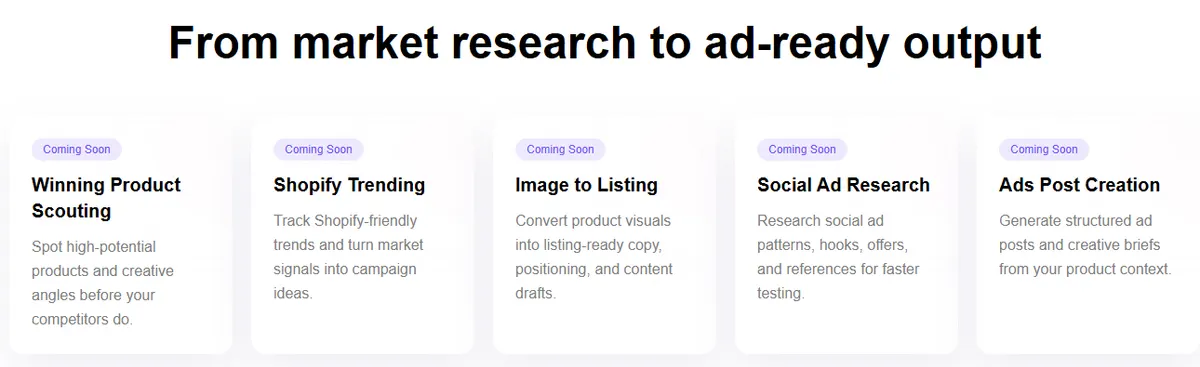
Sellerpic's self-serve plans include a Publisher that schedules organic posts, 5 to 10 a day on paid plans. Its AI ad generator page also describes a separate, sales-led advertising service, priced from $398 for 10 content assets a month, that pushes creatives to Facebook and TikTok Ads Manager with budget guardrails and AI suggestions to pause, scale or refresh creatives; its help center had no setup guide for that service when we checked. Its Sellerpic Claw agent lists five skills, from Winning Product Scouting to Ads Post Creation, each marked coming soon.
What the credits buy
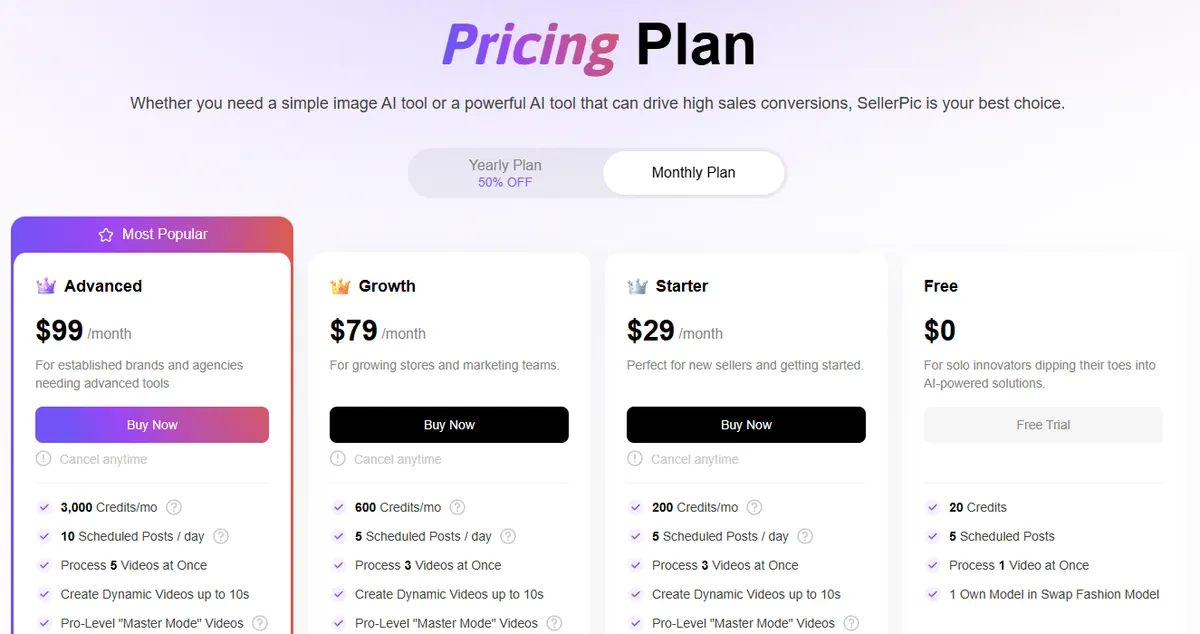
Sellerpic is cheaper if all you need is a steady stream of product images. Its pricing page lists Starter at $29 a month for 200 credits, Growth at $79 for 600 and Advanced at $99 for 3,000, and yearly billing halves each monthly price. Its help center lists 1 credit per image for try-on, model swap and most image tools, 10 to 75 credits per image-to-video clip depending on length and mode, and 40 credits per lip-sync video. Unused subscription credits expire at the end of each month.
CamClo AI prices the whole workflow. The Creator plan is $49 a month with 150 credits, and Studio plans run from $99 a month for 330 credits to $999 a month for 5,000. An on-model photo, try-on or model swap image costs 1 to 3 credits depending on the mode and resolution you pick (a face reference on a model swap adds 2), an image ad costs 1 credit, and a 5-second 720p video ad on Seedance 2.0 costs 7 credits. Ad Autopilot is billed in credits too, never as a share of your ad spend. See CamClo AI plans and credits for the full table.
CamClo AI can seem a little expensive next to a single image tool, but the credits cover more than a raw output: the same balance pays for finished video ads, ad copy and an agent that manages the campaign, work that would otherwise need more tools or an agency. For a sense of what a traditional shoot costs, see how much product photography costs.
Pricing: CamClo AI vs Sellerpic
| CamClo AI | Sellerpic | |
|---|---|---|
| Entry plan | Creator: $49 a month, 150 credits | Starter: $29 a month, or $14.50 a month billed yearly, 200 credits |
| What the entry plan includes | 150 credits a month for the photo tools, Image Ads and Video Ads; the same credits pay for Ad Autopilot | 200 credits a month, UHD downloads without watermark, commercial use, videos up to 10 seconds, 3 saved own models, 5 scheduled posts a day |
| Higher plans | Studio from $99 a month (330 credits) up to $999 a month (5,000 credits); yearly billing offered | Growth $79 a month (600 credits), Advanced $99 a month (3,000 credits); yearly billing is half the monthly price |
| Free trial or free plan | 7-day free trial with 20 credits | Free plan with 20 credits and watermarked downloads; 3-day trial of paid features with 100 credits, card required |
| Cost of a product image | 1 to 3 credits for an on-model photo, try-on or model swap image, by mode and resolution (a model swap face reference adds 2); 1 credit per image ad | 1 credit per image for try-on, model swap and most image tools; a 4K download costs 2 credits |
| Cost of a video | Depends on model, length and resolution; a 5-second 720p video ad on Seedance 2.0 is 7 credits | 10 credits for 5 seconds or 15 for 10 seconds (Standard), 50 or 75 in Master mode; lip-sync video 40 credits |
| Ad campaign management | 80 credits per managed campaign a month, or 3 credits for each day the agent works; not a share of ad spend | Sales-led service: $398 for 10 content assets a month, $6,000 for 200 assets over six months, Enterprise on request |
Sellerpic prices come from sellerpic.ai/pricing (USD, monthly and yearly views), its help center article on credit rules and its AI ad generator page, all checked. The help center article, dated December 2025, lists different monthly credit totals from the pricing page; we used the pricing page. CamClo AI prices are from camclo3d.com/pricing on the same date.
Switching from Sellerpic to CamClo AI
- 1
Download the Sellerpic images and videos you want to keep, and note the models, poses and scenes you use most.
- 2
Start CamClo AI's 7-day free trial with 20 credits.
- 3
In Ad Studio, add your products by pasting each product page link or uploading photos, and save your brand kit with logo and colors once.
- 4
Recreate your on-model shots with Product Photography or Virtual Try-On (upload your own model photo to keep the same look), and use Model Swap with a face reference to keep a consistent face.
- 5
Turn the best images into image and video ads, then connect your Meta or Google Ads account and let Ad Autopilot run the campaign in Co-pilot mode, approving each change before it happens.
Try CamClo AI on your own products
Start with a 7-day free trial and 20 credits.
Start your free trialFrequently asked questions
Is CamClo AI a good Sellerpic alternative?+
Yes, especially for fashion and ecommerce brands that want more than product images. CamClo AI covers the same core jobs (on-model product photos, virtual try-on, model swap and new poses) and adds finished image and video ads plus Ad Autopilot, which plans and manages Meta and Google Ads campaigns from the same account. If you only need low-cost listing images sent to Shopify, Sellerpic's Starter plan is the cheaper fit.
How much does Sellerpic cost compared with CamClo AI?+
Sellerpic lists Starter at $29 a month with 200 credits, Growth at $79 with 600 credits and Advanced at $99 with 3,000 credits, with yearly billing at half those monthly prices, plus a Free plan with 20 credits. CamClo AI's Creator plan is $49 a month with 150 credits, and Studio plans run from $99 to $999 a month. Most Sellerpic image tools cost 1 credit per image; a CamClo AI photo costs 1 to 3 credits, and the same credits also pay for video ads and campaign management.
Is there a free Sellerpic alternative?+
CamClo AI offers a 7-day free trial with 20 credits. The trial credits work across the photo tools, video and ads, so you can test a full product-to-ad workflow on your own products. Sellerpic has a Free plan with 20 credits and watermarked downloads, and a 3-day trial of its paid features with 100 credits that needs a card.
Can Sellerpic run Facebook or Google Ads campaigns?+
Sellerpic's self-serve plans schedule organic posts to Facebook, Instagram and TikTok. Its AI ad generator page describes a separate, sales-led service, from $398 for 10 content assets a month, that places ads in Facebook and TikTok Ads Manager and suggests pausing, scaling or refreshing creatives; Google Ads is not mentioned. CamClo AI's Ad Autopilot plans, publishes and manages Meta and Google Ads campaigns inside the same account, with spending caps and approval steps.
Which is better for virtual try-on and model swap, Sellerpic or CamClo AI?+
Both cover the core jobs, so choose on scope. Sellerpic has separate try-on tools for rings, earrings, necklaces, bracelets and watches, and saves your own models by plan. CamClo AI's try-on takes any wearable on a preset model or your own model photo at 1K, 2K or 4K, its model swap can match a face reference, and the results flow straight into image ads, video ads and campaigns. Test both on your own products before you decide.
How long can product videos be in Sellerpic and CamClo AI?+
Sellerpic's Image to Video makes 5 or 10 second clips, and its pricing page lists 10 seconds as the maximum video length on paid plans. CamClo AI makes clips of 4 to 30 seconds per generation on Seedance 2.5, and Remix Ads makes finished ads of up to 90 seconds.
Does Sellerpic or CamClo AI work with Shopify?+
Sellerpic has a Shopify app that imports product images from your store and exports results back to product drafts. CamClo AI's Ad Studio imports a product from its page link, including Shopify store pages, and uses it for image ads, video ads and campaigns; you download the finished images and add them to your store.