
CamClo AI vs Photoroom
Pick CamClo AI if your product photos also need to become on-model shots, ads and live Meta and Google campaigns; pick Photoroom if you only need cheap, high-volume cutouts and batch edits.
 Kush AFounder, CamClo AIUpdated September 29, 2026
CamClo AI
CamClo AI is an AI studio for ecommerce brands that turns one product photo into cutouts, new scenes, on-model photos, image and video ads, and runs the campaigns on Meta and Google.
Photoroom
Photoroom is an AI photo editor for product photos, with background removal, AI backgrounds, AI fashion models, batch editing, mobile apps and an API.
The short answer
CamClo AI is the better choice for ecommerce and fashion brands, because one product photo becomes a cutout, a new scene, a 4K on-model photo, image and video ads, and a campaign on Meta or Google in the same place. Photoroom is the stronger pick if you mainly need fast background removal and batch edits at a low price per image, on a phone app or through an API.
Choose CamClo AI if
- You want on-model product photos at up to 4K on every plan, plus model swaps and up to 12 poses of the same model and outfit from one photo.
- Your product photos also need to become image ads sized for each platform, video ads of up to 30 seconds per clip, or remixed ads of up to 90 seconds.
- You want the same tool to plan, publish and manage your Meta and Google Ads campaigns with Ad Autopilot, inside spending caps you set.
- You work through whole catalogues: the AI assistant runs the same steps on up to 500 product photos in one batch.
Choose Photoroom if
- You mainly need cutouts, white backgrounds and resizing at volume: Photoroom's core tools are unlimited on every paid plan within fair use, from $12.99 a month.
- You edit on a phone: Photoroom has iPhone, iPad and Android apps next to its web app.
- You need a developer API: Photoroom's background removal API costs $0.02 per image and its Image Editing API $0.10 per image.
- You want a Shopify integration (Max plan and up) or up to 50 people sharing one plan.
CamClo AI vs Photoroom at a glance
| CamClo AI | Photoroom | |
|---|---|---|
| Best for | Ecommerce and fashion brands that want photos, ads and campaigns from one product photo | Sellers who need fast cutouts, AI backgrounds and batch edits |
| What it makes | Cutouts, new backgrounds, on-model photos, catalogue poses, upscaled images, product videos, image ads and video ads | Cutouts, AI backgrounds and shadows, AI fashion models, virtual try-on, product videos and resized images |
| Background removal | Half a credit per image; JPG, PNG or WebP up to 20 MB; transparent PNG or white background | Unlimited on paid plans within fair use; each download counts toward the monthly export limit |
| New backgrounds and scenes | Describe any scene in words; half a credit per image on paid plans | AI Backgrounds Studio; Pro's credits cover up to 4,000 basic generations a month |
| On-model photos | 1K, 2K or 4K on every plan, 1 to 3 credits per image; model swap and up to 12 poses | AI Fashion Models at 1K on Pro, 2K from Max, 4K on Ultra; virtual try-on |
| Batch editing | Up to 500 photos per batch through the AI assistant | Batch on web and mobile; advanced AI tools on up to 250 images at once |
| Video | Video ads in 15 formats, up to 30 seconds per clip; Remix Ads up to 90 seconds; models include Seedance 2.5, Veo 3.1 and Kling 3.0 | Video Generator on Max and Ultra, from 1 to 4 product images and 300+ templates |
| Ads, channels and approvals | Image and video ads sized for Instagram, Facebook, TikTok, YouTube, Pinterest and LinkedIn, plus Google Display for image ads; Ad Autopilot runs Meta and Google Ads campaigns with caps and approvals | Ad visuals and resizing for Meta, Google, display and email; no campaign management described |
| Apps and integrations | Web app on desktop, tablet and mobile; imports products from a product page URL; publishes to Meta and Google Ads | iPhone, iPad and Android apps, web app, Shopify integration (Max and up) and a public API |
| Starting price | Creator: $49 a month with 150 credits | Pro: $12.99 a month, or $7.50 a month billed yearly |
| Free trial or plan | 7-day free trial with 20 credits | Free plan for personal, non-commercial use (100 exports a month); 7-day trial often offered on a first subscription |
Shaded cells mark the stronger option for an ecommerce brand.
What CamClo AI makes
Background removal and new backgrounds
Both tools remove backgrounds well enough for store listings, and both can put a product into a new scene. The difference is in how you pay for it.
Photoroom
Photoroom treats background removal as a core tool. Its pricing page lists Background Remover, Retouch, AI Product Fixer, preset AI Shadows, AI Fill, AI Expand and Resize, and Image Enhancer as included on every paid plan, with no credit cost, within fair-use limits. What caps you is the export allowance: every image you save, from the editor, Batch or a Shopify sync, counts as one export, and Pro includes 1,000 a month, Max 3,000 and Ultra 10,000.
New scenes come from AI Backgrounds Studio, which draws on your monthly AI credits. Photoroom's page says Pro's 8,000 credits cover up to 4,000 basic background generations, or 1,000 in HD, if you spend them all on that one tool.
CamClo AI
The CamClo AI background remover takes JPG, PNG or WebP files up to 20 MB and gives you a transparent PNG or a clean white background, for half a credit per image. Change Background works from a written prompt: describe the scene, from a plain studio to a sunlit street, and the product is placed in it with matched lighting and shadows, for half a credit per image on paid plans. The Image Upscaler then takes the result to 1K, 2K or 4K.
The one trade-off: for cutouts alone, CamClo AI can seem a little expensive next to a single background remover, but the same credits also cover on-model photos, new scenes, ads and video of your product, not just a raw cutout.
If cutouts are all you need, our round-up of the best background removers compares the dedicated tools.
On-model photos, poses and 4K
This is where fashion and apparel brands feel the difference most. Both tools can put a garment on an AI model. They differ in which resolutions each plan unlocks and in what else you can do with the result.
| On-model photos | CamClo AI | Photoroom |
|---|---|---|
| 1K | Every plan, 1 to 2 credits | Pro and up (Pro's credits cover up to 1,600 a month) |
| 2K | Every plan, 1.5 to 2.5 credits | Max and up (Max's credits cover up to 185 a month) |
| 4K | Every plan, 2 to 3 credits | Ultra only (Ultra's credits cover up to 310 a month) |
| Same model, new poses | Catalogue Studio, up to 12 poses from one photo | Custom models saved in Brand Kit for reuse |
| Other garment tools | Model swap, virtual try-on, Smart Edit | Ghost mannequin, flat lay, recolor, virtual try-on |
Photoroom's figures are its own "maximum generations possible using all your credits on a single feature", from its pricing page. CamClo AI's credit costs depend on the mode (fast, balanced or quality) and the resolution you pick.
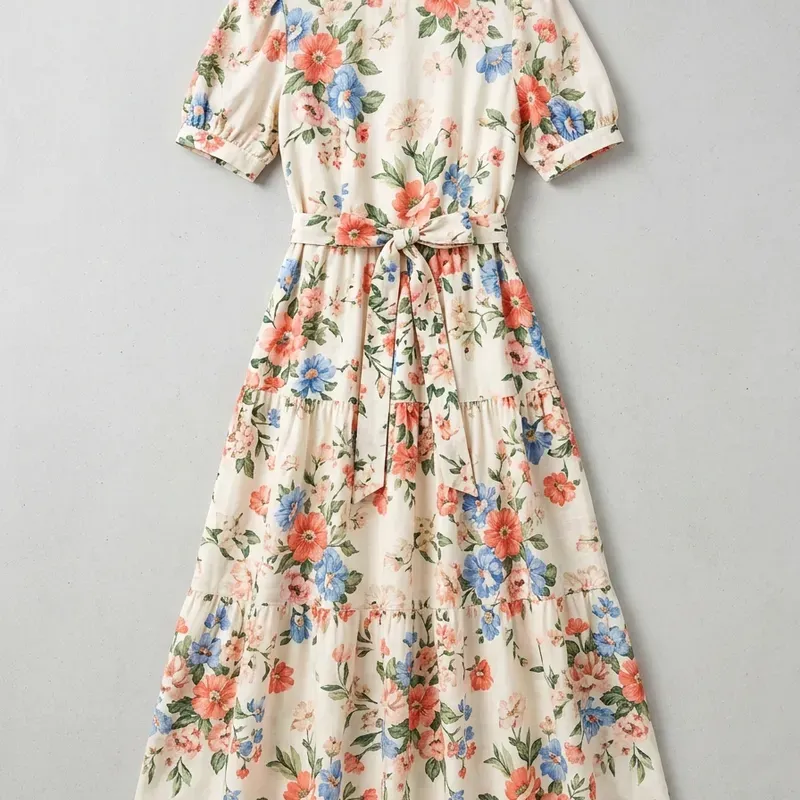
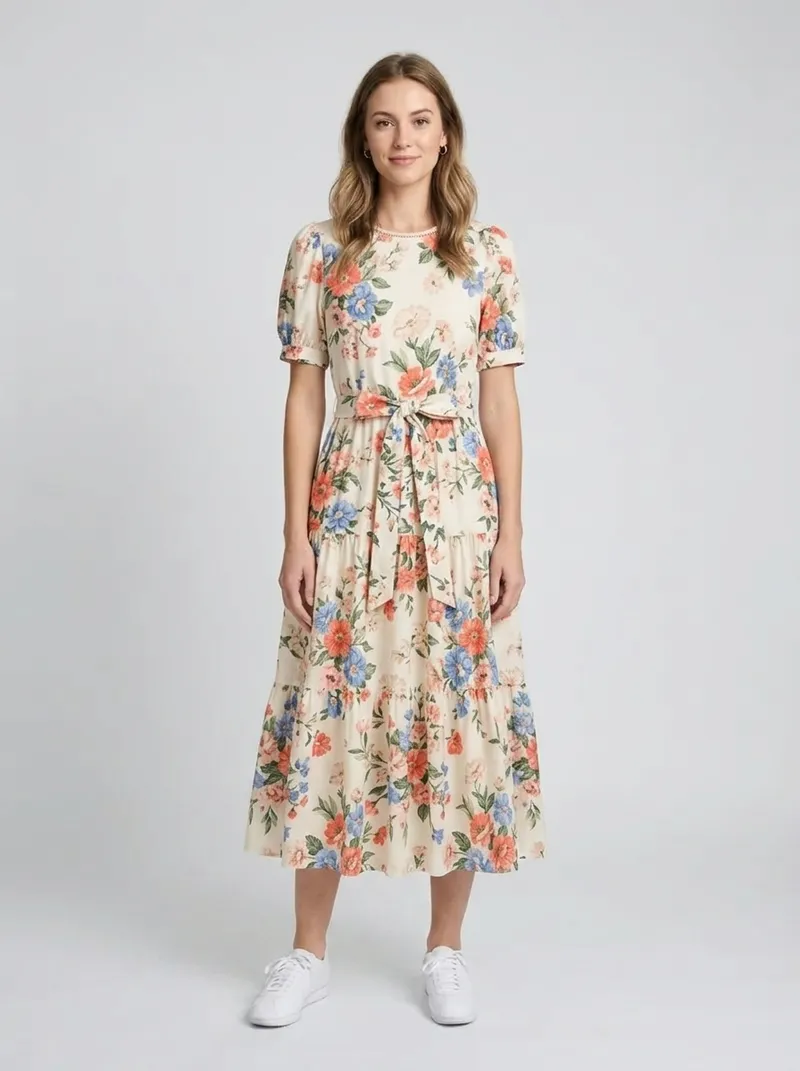
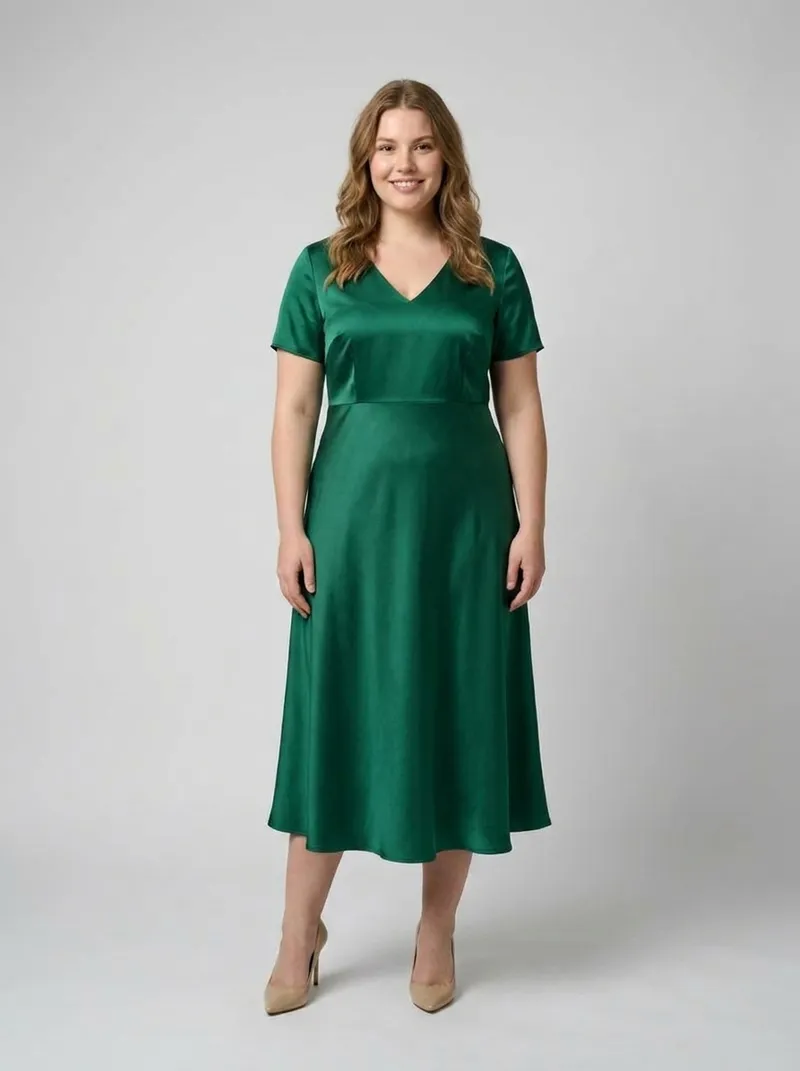
CamClo AI product photography turns a flat lay or product shot into an on-model photo, and Catalogue Studio then gives you up to 12 poses of the same model and outfit, so a product page gets a consistent set rather than one image. Photoroom is strong here too, with ghost mannequin, flat lay and recolor tools that it can run across a batch, and a virtual try-on that stores can add to their own product pages through its API.
For a wider look at this category, see our guide to ecommerce product photography.
Batch editing, apps and the API
Photoroom's clearest advantages are reach and plumbing. It runs as an iPhone, iPad and Android app as well as on the web, it has a Shopify integration on Max and above, and every paid plan allows up to 50 seats in one Space, sharing its monthly AI credits.
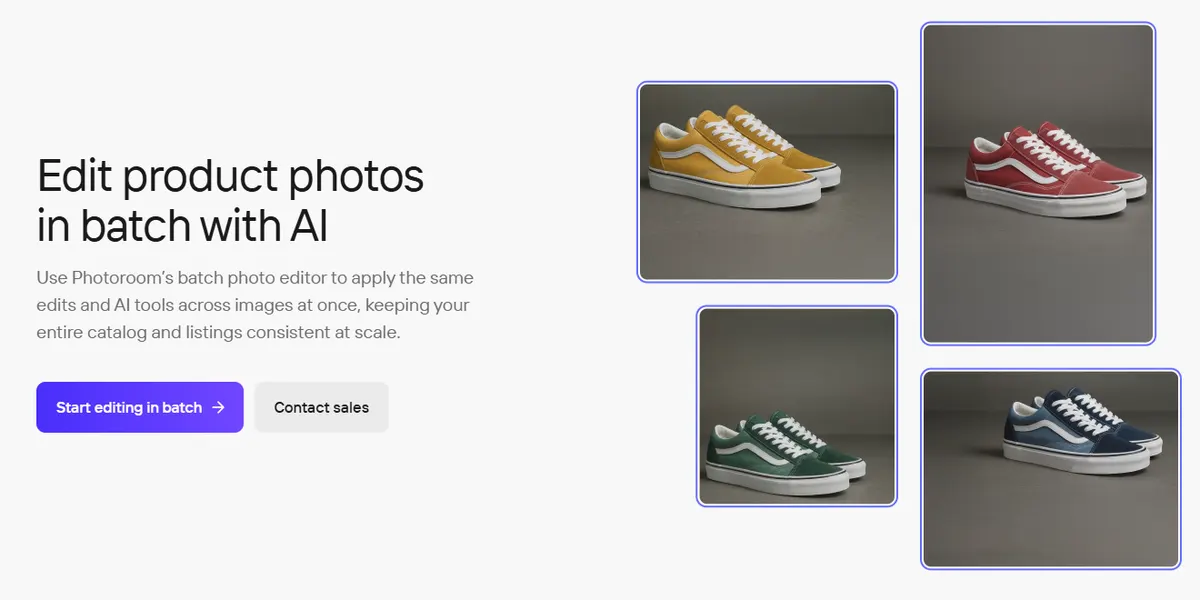
Its Batch page says you can apply advanced AI tools such as Ghost Mannequin, Virtual Model, Recolor, Flat Lay, Product Staging and Edit with AI to one image or up to 250 images at once. Each image in a batch still counts as one export.
CamClo AI handles bulk work through its AI assistant: upload up to 500 product photos in one batch, describe what you want, approve the plan, and it runs the same steps on every photo, such as a cutout, an on-model photo, an edit or a short product video.
For developers, Photoroom sells an API that is billed separately from the app plans. Background removal costs $0.02 per image (from $20 a month for 1,000 images) and the Image Editing API, with AI backgrounds, shadows, ghost mannequin and virtual try-on, costs $0.10 per image (from $100 a month). Plans are monthly and unused images do not roll over. CamClo AI is used through its web app rather than a public API.
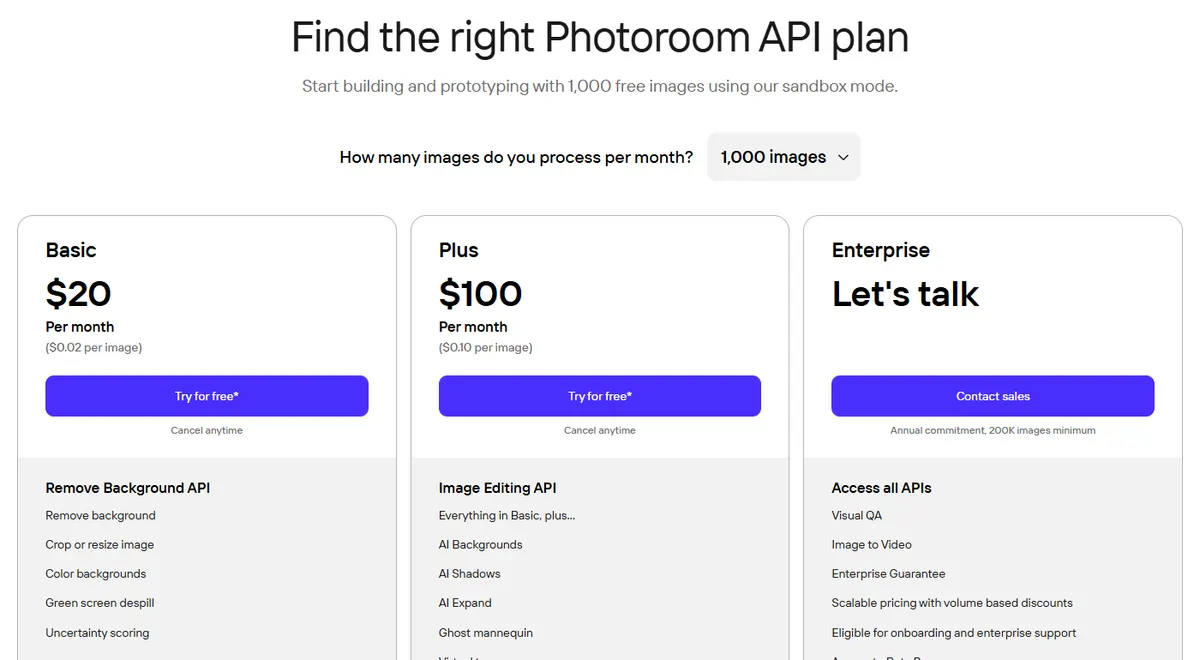
Our Photoroom pricing guide goes through every plan, the Ultra tiers and the API volume steps.
From product photo to ads and live campaigns
Photoroom's ads page describes making ad visuals at scale: set rules for images, text and brand assets once, then produce formatted variations for Meta, Google, display and email, with AI resize and expand to fit each placement. Its Video Generator, on the Max and Ultra plans, turns 1 to 4 product images into a short MP4 using 300+ templates or a prompt; the page does not state a clip length. Its ads and marketing pages describe making, resizing and exporting ad visuals, not buying media or managing campaigns.
CamClo AI carries the same product photo through to the ad and the campaign:
- Image ads. Paste a product page URL and CamClo AI's image ad generator reads the product, then makes up to 8 variations or a carousel of up to 5 slides, for 1 credit per image. You pick a goal (sales, traffic, lead generation, retargeting, catalog sales, awareness or engagement) and a placement, from Instagram and Facebook feeds and stories to TikTok, YouTube, Pinterest, LinkedIn and Google Display, and your brand kit's logo and colors are applied.
- Video ads. 15 formats, including UGC, product showcase, unboxing, try-on and POV, with clips of up to 30 seconds at up to 1080p. For product videos, the model picker includes Seedance 2.5, Veo 3.1, Kling 3.0 and Gemini Omni Flash.
- Remix Ads. Pick a reference ad, found in public ad libraries or uploaded, and CamClo AI makes a new ad for your product that follows its structure, with finished ads of up to 90 seconds.
- Ad Autopilot. It plans, publishes and manages campaigns on Meta (Facebook and Instagram) and Google Ads (Search, Performance Max and Demand Gen). Campaigns publish paused unless you choose to start them right away, you set daily and monthly spending caps, budget changes move in steps of 20% or less, and bigger changes wait for your approval. When an ad tires, it can make a fresh one from your product photos.
So the practical split is simple: Photoroom prepares visuals for you to take elsewhere, while CamClo AI takes the product photo all the way to a running campaign.
Pricing: CamClo AI vs Photoroom
| CamClo AI | Photoroom | |
|---|---|---|
| Entry plan | Creator: $49 a month with 150 credits | Pro: $12.99 a month, or $7.50 a month billed yearly ($89.99 a year) |
| What the entry plan includes | 150 credits a month for every tool: cutouts and new backgrounds (0.5 each), on-model photos at up to 4K (1 to 3), image ads (1 per image), video ads and product videos | 8,000 AI credits and 1,000 exports a month; unlimited core tools; AI Fashion Models at 1K; no Video Generator, 4K or Shopify integration |
| Higher plans | Studio plans from $99 a month (330 credits) up to $999 a month (5,000 credits) | Max $34.99 a month ($20.99 billed yearly) with 25,000 credits and 3,000 exports; Ultra from $99 a month ($82.50 billed yearly) up to $990 a month; Enterprise custom |
| Free trial or free plan | 7-day free trial with 20 credits | Free plan for personal, non-commercial use with 100 exports a month; a 7-day free trial is often offered on a first subscription |
| Background removal | 0.5 credits per image | Included on paid plans within fair use and the export limit; API from $0.02 per image |
| On-model photo | 1 to 3 credits per image, by mode and resolution (1K to 4K) | Paid from AI credits: up to 1,600 a month at 1K on Pro; 2K from Max (up to 185); 4K on Ultra (up to 310) |
Photoroom prices are the US dollar prices on photoroom.com/pricing and photoroom.com/api/pricing; Photoroom says VAT and GST are included and that credit allowances can vary by country. CamClo AI prices are from its pricing page on the same date. Confirm current prices before you buy.
Switching from Photoroom to CamClo AI
- 1
Start the CamClo AI 7-day free trial with 20 credits.
- 2
Download the original product photos you still need from Photoroom (each download counts toward its monthly export limit) and upload them to CamClo AI as JPG, PNG or WebP files up to 20 MB.
- 3
Add each product to the ad studio by pasting its product page URL, and set up a brand kit with your logo and colors so ads stay on brand.
- 4
Recreate your usual looks: cutouts on transparent or white, a written scene for new backgrounds, and on-model photos at 1K, 2K or 4K. For a whole catalogue, give the AI assistant up to 500 photos in one batch.
- 5
Turn your best photos into image and video ads, then connect Meta or Google Ads if you want Ad Autopilot to publish and manage the campaigns.
Try CamClo AI on your own products
Start with a 7-day free trial and 20 credits.
Start your free trialFrequently asked questions
Is CamClo AI a good Photoroom alternative?+
Yes, for ecommerce and fashion brands that need more than cutouts. CamClo AI removes and changes backgrounds, makes on-model photos at up to 4K on every plan, and turns the same product photo into image ads, video ads and Meta and Google Ads campaigns. If you only need cheap, high-volume background removal on a phone or through an API, Photoroom is the better fit.
How much does Photoroom cost compared with CamClo AI?+
Photoroom's US prices are Pro at $12.99 a month ($7.50 a month billed yearly), Max at $34.99 a month ($20.99 billed yearly), Ultra from $99 a month and custom Enterprise pricing, with its API billed separately from $0.02 per image. CamClo AI's Creator plan is $49 a month with 150 credits, and Studio plans run from $99 to $999 a month. Photoroom is cheaper for cutouts alone; CamClo AI's credits also cover on-model photos, ads and video.
Is there a free version of Photoroom?+
Yes. Photoroom's free plan costs nothing and allows 100 exports a month, but its help center says free accounts are for personal, non-commercial use only, with no batch mode and no API. CamClo AI offers a 7-day free trial with 20 credits.
Is Photoroom worth the money?+
For cutouts, white backgrounds and resizing at volume, yes: its core tools are unlimited on paid plans within fair use, and Pro includes 1,000 exports a month. It costs more once you need video (Max and up), 2K fashion models (Max and up), 4K (Ultra, from $99 a month) or the API, which is billed on top. If your catalogue needs on-model photos, new scenes and ads, compare what a finished image costs rather than the entry price.
Can Photoroom make on-model photos like CamClo AI?+
Yes. Photoroom's AI Fashion Models puts products on AI models at 1K on Pro, 2K on Max and 4K on Ultra, and it also has a virtual try-on. CamClo AI makes on-model photos at 1K, 2K or 4K on every plan for 1 to 3 credits each, and adds model swaps and up to 12 poses of the same model and outfit from one photo.
Can Photoroom run Facebook or Google ads?+
Photoroom's ads and marketing pages describe making ad visuals for Meta, Google, display and email, resizing one asset for each placement and exporting the files for ad platforms, but they do not describe buying media or managing campaigns. CamClo AI's Ad Autopilot plans, publishes and manages Meta and Google Ads campaigns, with daily and monthly spending caps, budget changes in steps of 20% or less, and approvals for bigger changes.
Which is better for batch editing, Photoroom or CamClo AI?+
Both handle catalogues. Photoroom's Batch works on web and mobile, and applies AI tools such as Virtual Model, Ghost Mannequin and Product Staging to up to 250 images at once. CamClo AI's assistant takes up to 500 product photos in one batch and runs the same steps on each, such as a cutout, an on-model photo, an edit or a short video.