


Table of Contents
For ecommerce ads automation, shortlist Meta Advantage+ plus Google Performance Max for a native-first stack, Adwisely for retargeting, Optmyzr for multi-platform management, and our Ad Autopilot for connected creative production and campaigns. Adwisely’s Self-Serve pricing is 10% of managed spend, with a $49 monthly minimum and $3,250 maximum. Our Studio plan pricing starts at $99/month with included credits; platform ad spend is additional.
Our Ad Autopilot connects creative production with Meta and Google advertising. A free account-level access request comes before Meta onboarding, independently of subscription plan. Choose a tool by the campaign actions it supports, its spending controls and your team’s creative workload. All prices below are in US dollars.
Best ecommerce ads automation tools: quick picks and comparison
Start with the work you need to automate: campaign management within each platform, ecommerce retargeting, management across a broader advertising portfolio, or creative production connected to campaigns.
Compare five things: channel coverage, campaign actions, available controls, setup requirements and total cost. Actions and approval controls vary by channel. Before launch, agree on the checks your team must complete, regardless of the software you choose.
| Option | Meta coverage | Google coverage | Primary job | Best fit |
|---|---|---|---|---|
| 1. Native stack | Advantage+ campaign solutions | Performance Max | Campaign setup and native optimization within each platform | Teams comfortable managing two accounts |
| 2. Adwisely | Facebook and Instagram retargeting | Google and YouTube retargeting | Ecommerce retargeting campaigns | Supported stores prioritizing remarketing |
| 3. Optmyzr | Supported advertising platform | Supported advertising platform | Multi-platform advertising account management | Marketers with broader advertising portfolios |
| 4. Our Ad Autopilot | Campaign execution with account approval before onboarding | Campaign execution in the product offering | Product imagery, finished ads and campaign execution | Teams connecting product imagery with campaigns |
Adwisely’s retargeting offering supports Shopify, WooCommerce and BigCommerce stores. Optmyzr’s platform coverage includes both Meta and Google. Performance Max operates across Google inventory.
| Option | Store compatibility and setup | Recommended pre-launch approval | Cost structure |
|---|---|---|---|
| Native stack | Ad accounts, billing, tracking and catalogue data where needed | Sign off on settings and assets in each platform | Platform ad spend; external services if added |
| Adwisely | Shopify, WooCommerce or BigCommerce; connected advertising accounts | Approve audiences, creative and spending before activation | Self-Serve: 10% of managed spend, $49 minimum and $3,250 maximum monthly; ad spend additional |
| Optmyzr | Access to supported advertising accounts | Assign an owner for each permitted campaign action | Plan, managed spend and billing cycle determine fees, per Optmyzr’s billing guidance |
| Our Ad Autopilot | Product photo or URL; account-level approval and Meta connection | Approve assets, measurement and spending before activation | Studio from $99/month with 330 credits; platform ad spend additional |
Agencies should also compare client separation and approval ownership alongside channel coverage.
What advertising automation replaces and what it does not
Ecommerce automation replaces repetitive store and marketing tasks with software-managed processes. Ecommerce ads automation focuses on paid advertising. IBM’s marketing automation definition describes software managing routine marketing processes across channels.
| Software category | Work it can automate | Boundary |
|---|---|---|
| Creative generation | Images, copy, video and placement variations | Produces assets for an execution tool to publish |
| Native platform automation | Campaign delivery, bidding and other supported platform decisions | Operates within its own advertising system |
| Third-party execution | Supported launches, targeting, budget changes and reporting | Actions and controls vary by channel |
| Attribution software | Measurement and outcome reconciliation | Measures outcomes; publishing requires execution software |
| Lifecycle automation | Email, SMS, cart reminders and post-purchase messages | Supports customer messaging alongside paid campaigns |
Match the workflow to the job: prospecting introduces products to new customers, catalogue campaigns need accurate feeds, and remarketing re-engages eligible audiences. Purchaser exclusions keep remarketing relevant; creative approval keeps replacement ads accurate.

Example: a browse-abandonment workflow
Assume a shopper views an available product and leaves without buying. Use this sequence with tools that support audience synchronization and purchase-triggered exclusions:
- Create eligibility. A product view without a subsequent purchase adds the shopper to the eligible remarketing segment, subject to your audience and consent settings.
- Synchronize the audience. Send that segment to the advertising platform and serve approved product ads.
- Remove purchasers. A purchase updates the segment, removes remarketing eligibility and synchronizes the purchaser exclusion.
- Refresh approved creative. Review replacement assets for product accuracy, approve them and introduce the approved versions into the campaign.
This workflow reduces repetitive work, speeds up handoffs and keeps assets and settings more consistent.
1. Meta Advantage+ and Google Performance Max: best for a native-first stack
Use native tools when you can manage Meta and Google separately. Meta Advantage+ includes AI tools and campaign solutions for sales, app and leads campaigns. Google Performance Max uses advertiser goals and Google AI across Google channels.
The strength is automation inside each platform. Each account has its own setup, permissions, reporting and procedures for intervening when something goes wrong.
You still need working billing, appropriate account permissions, approved assets and conversion tracking. Catalogue-based advertising also needs suitable product data. Budget for platform ad spend, plus any external creative, software or implementation services you add.
2. Adwisely: best for ecommerce retargeting
Adwisely suits supported stores that want to automate retargeting. Its offering covers Facebook, Instagram, Google and YouTube for Shopify, WooCommerce and BigCommerce.
Its focus on ecommerce remarketing makes it a clear fit for that job. Pair it with a creative approval workflow, and prepare compatible store access, advertising-account connections and reliable purchase measurement before launch.
Adwisely Self-Serve costs 10% of managed spend, with a $49 monthly minimum and $3,250 maximum. Adwisely’s Concierge pricing also lists 10%, with a $249 minimum and $3,250 maximum. These software fees are paid in addition to platform ad spend.
3. Optmyzr: best for multi-platform management
Optmyzr suits marketers managing a wider advertising portfolio. Its supported-platform list includes Google Ads, Microsoft Ads, Amazon Ads, Meta Ads, LinkedIn Ads and Yahoo! Japan Ads.
That breadth is its main strength. Managing more platforms also means coordinating permissions, tracking and the people responsible for intervention. You need access to the advertising accounts your team will connect.
Optmyzr pricing depends on plan type, ad spend and billing cycle. Get a quote for your account portfolio to establish the software fee.
4. Our Ad Autopilot: best for connected creative and campaigns
Our Ad Autopilot fits ecommerce teams that want product imagery, finished ads and supervised campaign execution in one studio. Our AI Assistant coordinates catalogue workflows, while Ad Studio applies brand-kit colors, fonts and tone to image and short-form video ads.
The AI Assistant supports workflows for up to 500 products and lets you review generations before they use credits. Bulk production still needs a defined product-accuracy approval process.
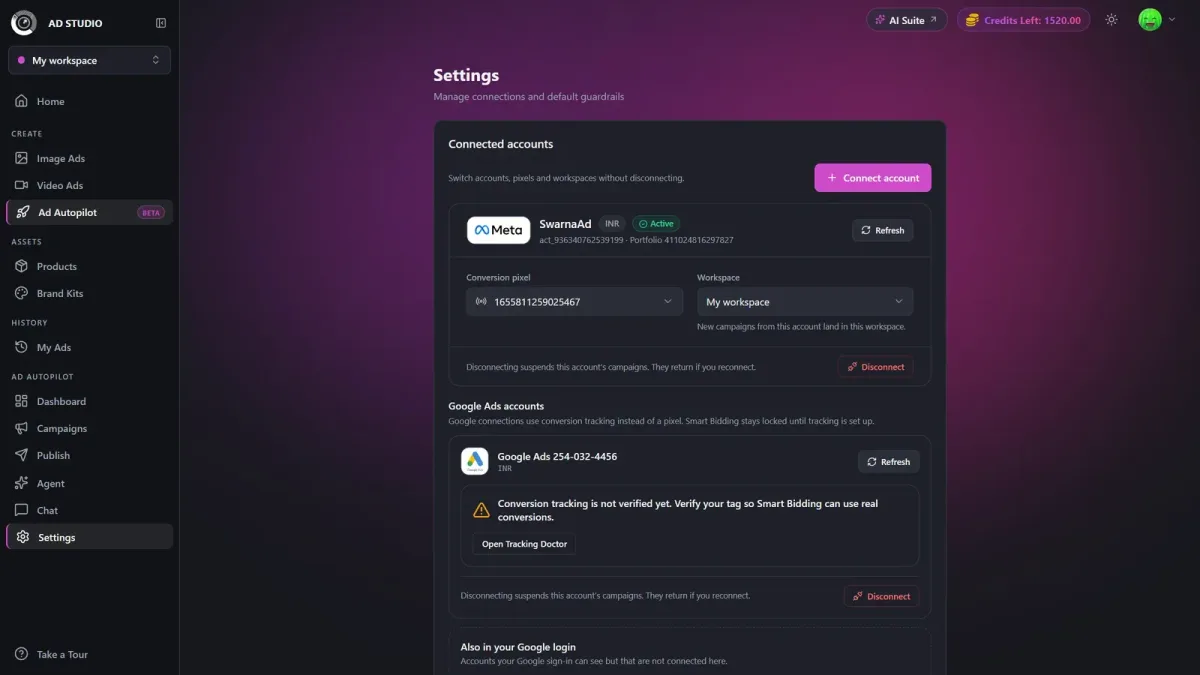
Access requests are free, reviewed per account and independent of subscription plan. Approved users connect a Meta account.
Our Creator plan is $49/month with 150 credits and excludes Ad Autopilot. Studio starts at $99/month with 330 credits. Creative generation uses the credit balance; platform ad spend is an additional cost.
Our current trial offer is seven days for $1. Campaign-account approval is still required during the trial. Displayed campaign metrics and the 5× ROAS target are illustrative, not promised results.
How can I automate launching and optimizing ecommerce campaigns across Meta and Google Ads?
Use native automation or an execution tool that supports the actions you need on each channel. Before launch, validate products, approve creative, verify purchase tracking and authorize spending. After launch, review optimization decisions with conversion delays in mind.
You need store and catalogue access, ad-account permissions, working billing, approved assets and conversion diagnostics. The key skills are product-feed checking, creative quality assurance, event validation and budget interpretation. Setup time depends on account readiness and tracking complexity.
- Validate products and destinations. Check availability, prices, variants, feed data, landing pages and the checkout path.
- Approve assets. Compare garment shape, color, texture, logos and details with the source product. Review claims, copy and placement framing.
- Verify purchase tracking. Inspect event sources, values, currencies, identifiers and duplicate-event handling. Reconcile a test purchase with the store order.
- Establish budget controls. Record approved spend, permitted changes, approvers, account timezones and delivery-pause ownership.
- Launch deliberately. Review platform-specific settings. Publish paused where supported, and activate only after creative, measurement and spending checks pass.
- Review optimization decisions. Log the action, reason, data window, approval and follow-up outcome. Account for delayed conversions before judging performance.
Example: taking a fashion product from photo to campaign
Assume a store is launching one black jacket from an approved source photo. Approve the generated image against the jacket’s seams, fastening and silhouette, then approve placement-ready ads and their destination. Reconcile a test purchase, review the paused campaign and authorize activation. After launch, record each optimization decision and the data window used to make it.
The launch-and-control worksheet
Use this worksheet to approve launches, record interventions and check reporting. When sending ecommerce value data, set currency at the event level, as recommended by Google’s ecommerce measurement guidance. For Meta Conversions API, review event-match metrics, deduplication and data freshness using Meta’s Conversions API guidance.
| Check | Record | Passing condition | Owner | Intervention |
|---|---|---|---|---|
| Event source | Checkout purchase event and receiving destinations | Test order reaches intended systems | Tracking lead | Hold launch if missing |
| Value and currency | Order total, value basis and currency code | Matches agreed store-order basis | Tracking lead | Stop automated scaling if mismatched |
| Identifiers and duplicates | Transaction/event IDs and browser-server handling | One purchase is counted once | Tracking lead | Repair deduplication before scaling |
| Conversion delay | Observed reporting delay and review window | Performance review accommodates delayed purchases | Media buyer | Defer premature performance changes |
| Attribution and timezone | Each account’s window and timezone | Reporting comparisons use aligned periods | Analyst | Reconcile before budget decisions |
| Creative and destination | Source product/SKU, approved asset version and destination URL | Product matches; variant is available | Creative approver | Pause incorrect ads; approve replacements |
| Spending exposure | Average daily budget, platform limits and planned total | Exposure is authorized | Budget approver | Pause delivery outside approved exposure |
| Allowed changes | Permitted actions and named approver | Changes stay inside authorization | Media buyer | Freeze unauthorized changes |
| Rules and decision log | Active rule owners and shared log location | Each decision has one active rule owner | Automation owner | Disable overlapping rules |
| Freeze procedure | Agent-freeze instructions and responsible owner | Automated changes stop | Automation owner | Verify frozen state |
| Delivery pause | Platform pause instructions and responsible owner | Advertising delivery stops | Account owner | Verify campaign status separately |
| Restart approval | Incident fix and approval record | Tracking, assets and spending revalidated | Launch approver | Resume only after sign-off |
Budget limits, delayed conversions and human intervention
Authorize spending exposure before activation, and allow for your account’s conversion delay when judging results. Google’s conversion-delay reporting can estimate conversions that have not yet been reported.
Average daily budgets and daily spending limits
For most Google Ads campaigns, the daily spending limit is 2× the average daily budget, according to Google’s spending-limit guidance. The monthly limit is 30.4×, according to Google’s average-budget guidance.
Example: authorizing a $50 average daily budget
Assume a Google campaign has an unchanged $50 average daily budget. Daily exposure is $50 × 2 = $100. Monthly exposure is $50 × 30.4 = $1,520. Approve both amounts before activation.
Require approval for any increase above the $50 average daily budget. Review delivery and tracking daily, but evaluate performance only after the account’s observed reporting delay has passed. Broken purchase events, duplicate purchases or unavailable products require immediate intervention, regardless of ROAS.
Freeze automated changes and pause delivery separately
Freezing an agent stops automated changes; pausing a campaign stops delivery. Our Ad Autopilot control settings include Observe, Co-pilot and Autopilot modes, and let you freeze automation per campaign or account-wide while ads keep delivering and spending.
- Stop changes when needed. Freeze the responsible automation and verify that conflicting rules are also disabled.
- Stop delivery when needed. In Meta Ads Manager, turn off the affected campaign. In Google Ads, set the affected campaign status to Paused. The platform-account owner verifies status in each platform.
Common mistakes include judging results before conversions are fully reported, treating average budgets as hard caps, enabling overlapping rules and skipping garment review. Tracking mismatches, duplicate events, multiple stores or currencies, and complex permissions warrant help from a tracking or paid-media specialist.
Frequently asked questions
How do I make 100 ads for my ecommerce brand without losing product accuracy?
Build variations from approved source images, and check every finished asset against the actual product before publishing. Use 10 approved product photos × 5 messaging hooks × 2 placement formats to create 100 ad variations. Keep garment shape, color, texture, logos and details fixed while varying messaging and framing. Approve replacement versions before they enter live campaigns.
What is the 80/20 rule in ecommerce?
The 80/20 rule is a way to prioritize the smaller set of products, customers or activities contributing most of your results. Your store’s results do not have to follow an exact 80%/20% split. Use your own revenue, margin and advertising data to identify priorities rather than forcing results into that ratio.
What are the five C’s of ecommerce?
A practical five-C framework for ecommerce is customer, content, commerce, conversion and customer care. Frameworks differ, so use these as a checklist rather than a universal standard. For advertising, that means understanding buyers, producing accurate content, maintaining product and checkout operations, measuring purchases, and supporting customers after the sale.
Choose the scope, then approve the launch
Choose native tools for platform-specific workflows, Adwisely for store retargeting, Optmyzr for broader management, or our studio for connected creative and campaigns. Before activation, confirm costs and access, approve assets, verify purchases, authorize spending exposure and assign intervention owners.
If connected production and campaign execution fit your team, explore our Ad Autopilot workflow.


