

Table of Contents
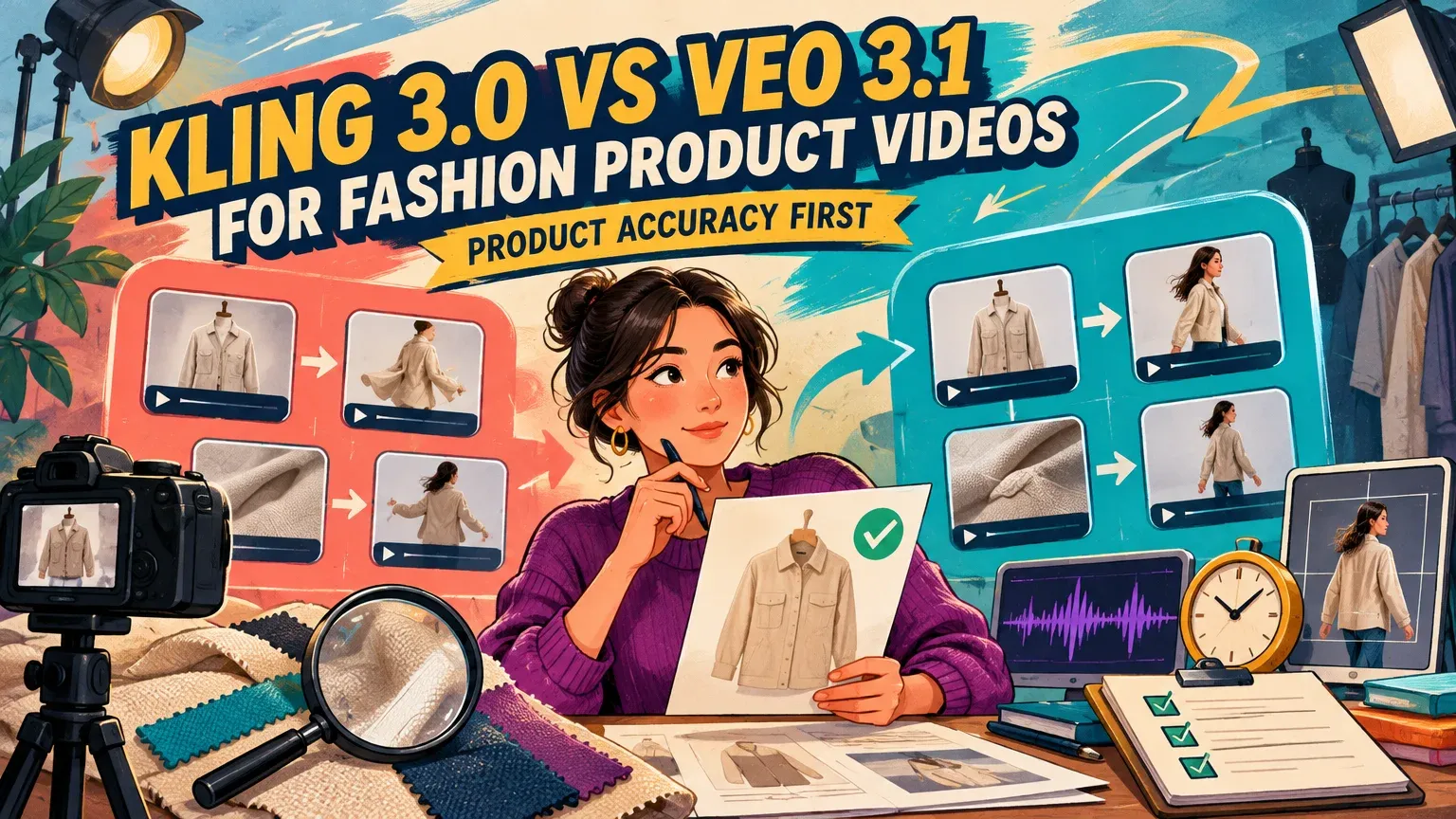
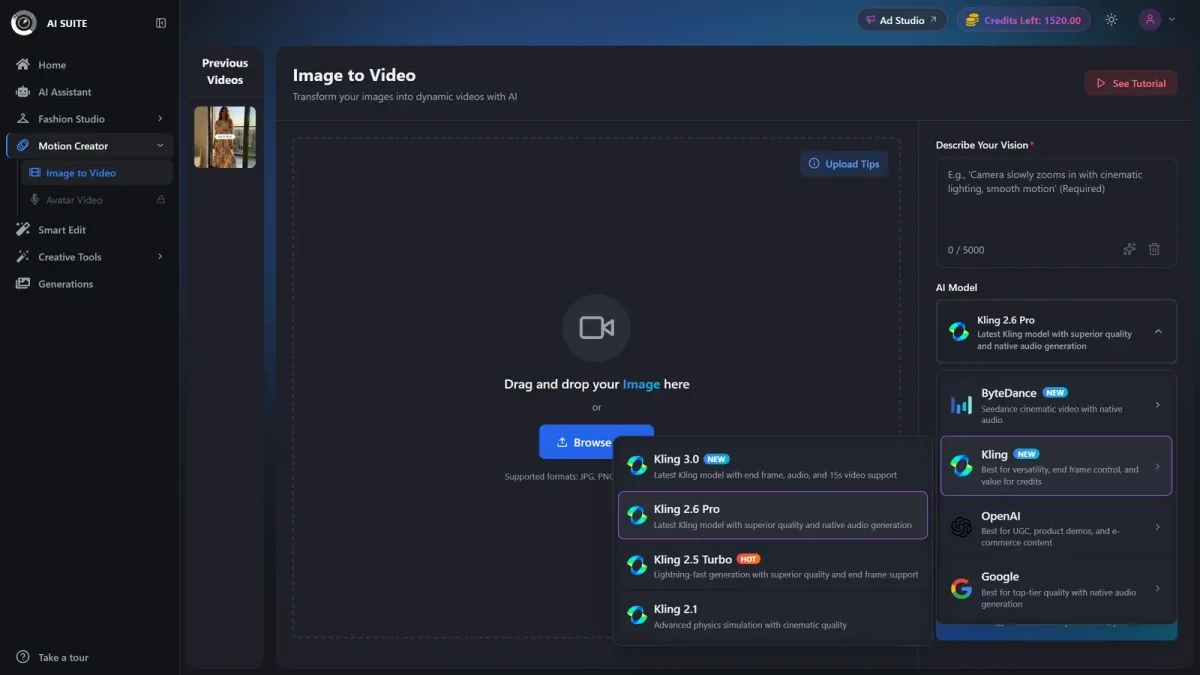
Start with Kling 3.0 for longer takes: Kling’s duration guide specifies 3–15 seconds for this version, versus Veo 3.1’s 4, 6, or 8 seconds in Google Cloud’s specification. Our Image to Video supports both, with audio-on examples of 7 credits for five-second Kling Pro and 20 for eight-second Veo Quality. These are different durations and tiers, not a like-for-like price comparison. Start with Veo for our up-to-4K workflow, but test both for garment accuracy.
Kling 3.0 vs Veo 3.1: the starting choice for four fashion jobs
Choose your starting model around the shot, then approve the product before judging cinematic polish. These choices help you plan the first trial; the finished clips determine which model preserves the garment best.
| Fashion job | Motion brief | Delivery needs | Reject if | Starting choice |
|---|---|---|---|---|
| Product-page loop | Locked camera, subtle movement | Gallery crop, clean loop join | Print, fit, or garment shape changes | Test both; restraint matters more than duration |
| On-model walk | Slow steps and gentle turn | Full-body framing | Feet slide, hands distort, or drape changes implausibly | Kling when the native take needs more than eight seconds |
| Social ad with sound | One action and a planned sound cue | Placement crop and usable soundtrack | Product changes or speech fails | Test both with the required audio controls |
| Fabric/detail close-up | Slow, restrained push-in | Readable texture and fastening detail | Weave, seams, buttons, or lettering mutate | Veo for the up-to-4K workflow; compare fidelity |
Kling also supports native 4K according to its updated credit guide. For close-ups, choose the interface that provides your required resolution. Use the image-to-video pricing comparison alongside your delivery brief.
Specifications, delivery settings, and current access routes
As of October 30, 2026, compare Kling VIDEO 3.0 with Google’s generally available veo-3.1-generate-001. Kling VIDEO 3.0 Omni adds reference capabilities through interfaces that support that variant.
| Setting | Kling 3.0 | Veo 3.1 |
|---|---|---|
| Developer | Kuaishou | |
| Vendor variant | VIDEO 3.0; Omni is distinct | veo-3.1-generate-001, generally available |
| Inputs | Text or starting image; additional Omni inputs | Text, image, or subject-reference workflow |
| Native duration | 3–15 seconds | 4, 6, or 8 seconds |
| Resolution | 720p, 1080p; native 4K also supported | 720p, 1080p, or 4K, workflow-dependent |
| Audio | Native-audio and no-native-audio modes | Native video-and-audio generation |
| Aspect-ratio control | Supported ratios selected in the interface | Landscape or portrait generation, route-dependent |
| References | Omni images/elements | Subject-reference images |
| Scene controls | Custom multi-shot construction | First/last frames and extension workflows |
| Access | Kling’s interface; third-party platforms | Google Cloud, Flow, third-party platforms |
| Billing | Kling credits or platform-specific units | Cloud billing counts, Flow credits, or platform-specific units |
Our pricing examples use the labels Kling 3.0 Pro and Veo Quality. Settings include duration, aspect ratio, resolution, end frame, and audio where supported by the selected model.
Native duration and resolution versus delivery requirements
Veo reference-image generation requires eight seconds; its 1080p and 4K workflows also require eight seconds. Veo output can reach 37 seconds through extension on Gemini Enterprise Agent Platform, according to Google’s video extension documentation.
Kling VIDEO 3.0 supports 720p and 1080p and native 4K generation. Native generation creates the output at the selected resolution; upscaling enlarges an existing output. Approve logos and construction before choosing the final resolution. Plan for the actual crop: your store’s gallery dimensions, portrait feed, tall stories/reels, or landscape assets. Generation ratios and final placement crops may differ.
Access after the Gemini API Preview shutdown
Google’s Gemini API notice states that Veo 3.1 Generate, Fast, and Lite Preview endpoints shut down on October 22, 2026. Google Cloud still lists the Generate model as generally available. For new Gemini API video work, Google’s current video guidance recommends Gemini Omni Flash.
Reference images, framing, multi-shot control, and sound
A starting frame sets the opening composition; an end frame targets the closing composition. Additional subject references supply identity or product details throughout the clip.
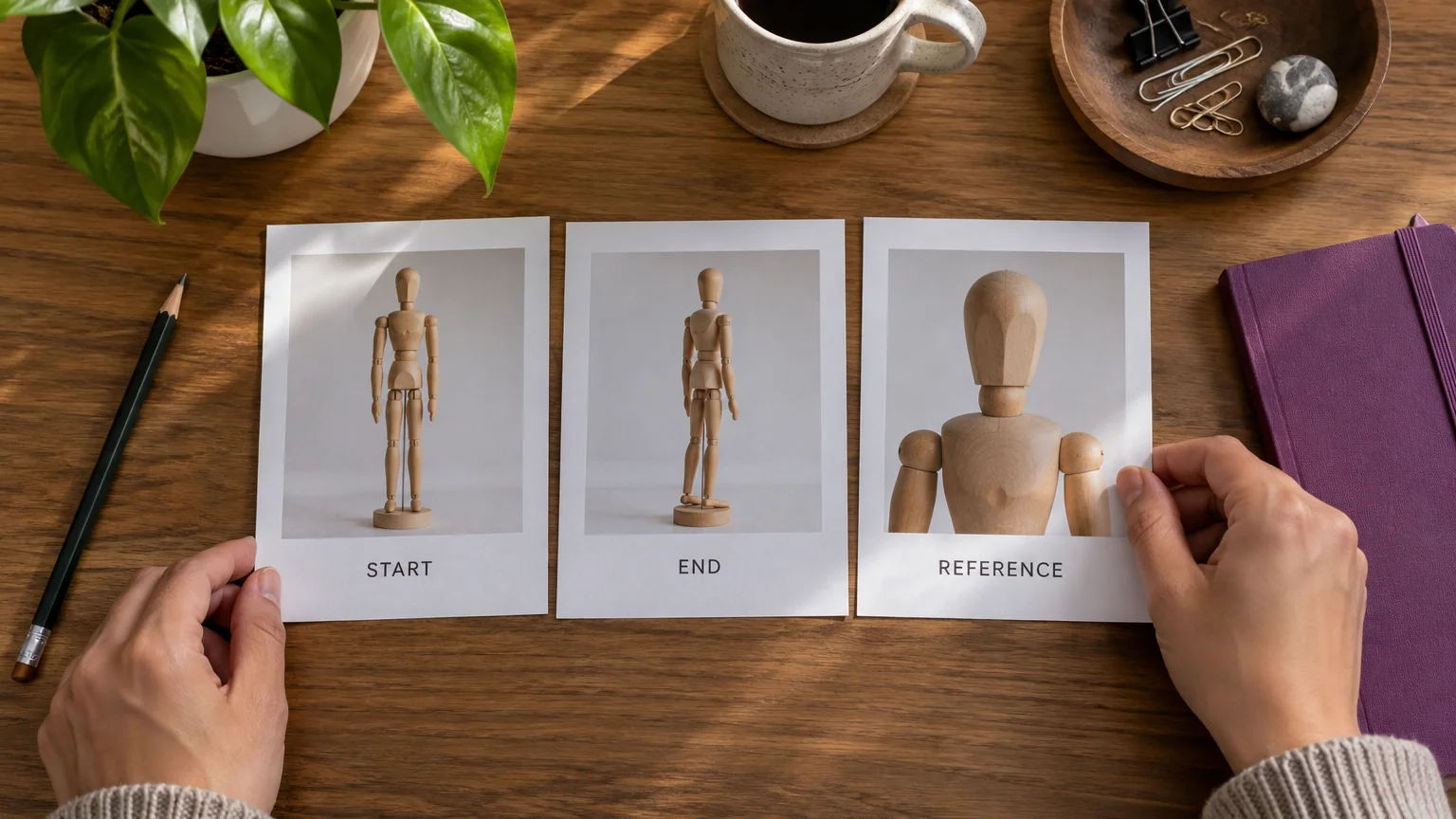
The Kling Omni guide permits up to seven images or elements without video input. Google’s subject-reference workflow accepts up to three images of one person, character, or product, with eight-second generation. Inspect identity continuity throughout each output.
For Kling multi-shot work, its custom-shot guidance calls for each shot’s duration, framing, action, dialogue or voice-over, and camera movement. Veo’s first/last-frame workflow targets opening and closing compositions, while extension continues an existing clip. Keep camera movement restrained for detail-sensitive garments and inspect continuity across every cut.
Both families support native sound in supported workflows, including dialogue and scene audio. Listen separately for speech accuracy, lip synchronization, effects, and ambience: Google DeepMind acknowledges continuing work on synchronization and incoherent speech.
If you will assemble the soundtrack during editing, generate without audio where the interface allows it. Add licensed music, brand voice-over, captions, and mixing during ad production.
Garment preservation and motion: the approval criteria
Choose the garment-preservation winner with a same-photo trial. Reject material product changes before scoring motion or visual appeal.
- Product accuracy: compare logos, lettering, print scale and alignment, color, weave, seams, button count, closures, silhouette, and fit against the approved photo.
- Drape: folds can move, but fabric weight and garment construction must remain credible.
- Motion: look for planted feet, believable stride and joints, stable body proportions, and natural hands.
- Occlusion continuity: follow a seam, print boundary, or fastening behind a hand and through a turn. The same construction must reappear.
- Placement: inspect hems, sleeves, shoes, logos, and detail areas in the actual delivery crop.
- Loop: reject framing jumps, garment-shape changes, or abrupt motion and sound resets at the join.
Inspect the opening, highest-motion moment, occlusion transitions, and final frame at full size, then watch at normal speed. A good landscape take may fail its portrait crop.
Generation prices versus cost per approved clip
Compare prices only after matching platform, variant, duration, resolution, and audio. A cheaper attempt can become the more expensive finished asset when retries increase.
Keep vendor charges and our studio credits separate
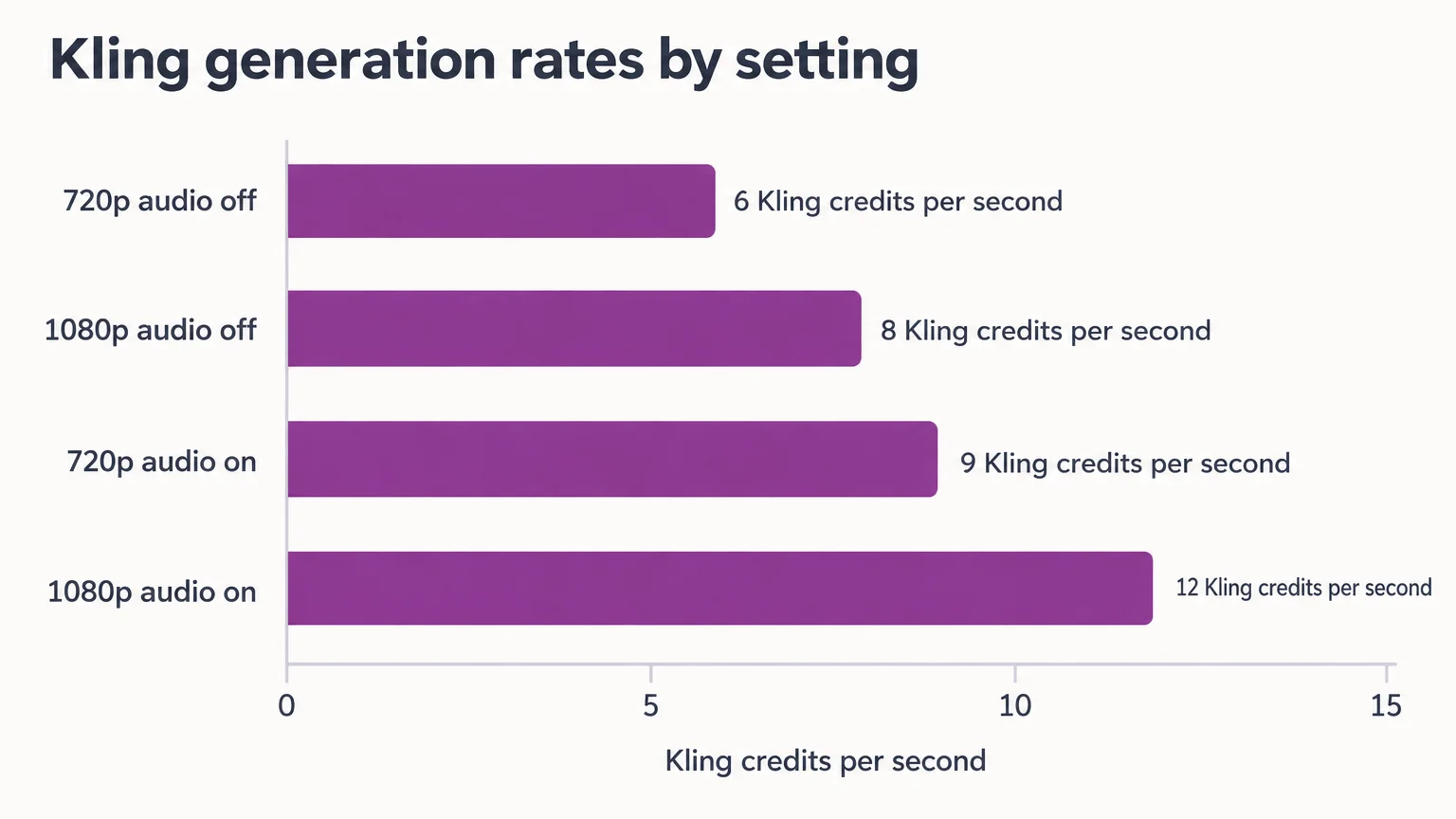
Kling’s VIDEO 3.0 model guide gives these direct-service rates.
| Kling VIDEO 3.0 setting | Kling credits/second | Five-second cost |
|---|---|---|
| 720p, audio off | 6 | 5 × 6 = 30 credits |
| 1080p, audio off | 8 | 5 × 8 = 40 credits |
| 720p, audio on | 9 | 5 × 9 = 45 credits |
| 1080p, audio on | 12 | 5 × 12 = 60 credits |
Kling charges 30 Kling credits/second for native 4K. Google Cloud’s pricing table lists Veo 3.1 video plus audio at $0.40 per 1 count for 720p/1080p and $0.60 per 1 count for 4K. Google bills these rates by count.
The examples below use our studio credits. The Generate button shows the exact live cost for the selected configuration.
| Mode | Duration | Audio | Our credits |
|---|---|---|---|
| Kling 3.0 Pro | 5 seconds | On | 7 |
| Kling 3.0 Pro | 15 seconds | On | Up to 21 |
| Veo 3.1 Quality | 4 seconds | On | 10 |
| Veo 3.1 Quality | 8 seconds | On | 20 |
Kling credits, Cloud counts, Flow credits, and our studio credits are separate billing units. For budgeting context, see Kling plans and credit costs.
Include retries and review labor
Generation-only cost per approved clip is generation spend divided by accepted clips. For total production cost, add review and editing labor before dividing. Include failed, blocked, or rejected attempts whenever they incurred charges.
Example: retry costs reverse the cheaper-attempt advantage
Assume ten attempts for each option: $1 per attempt with two approvals for option A, and $2 per attempt with five approvals for option B.
- A: 10 × $1 = $10; $10 ÷ 2 = $5 per approved clip.
- B: 10 × $2 = $20; $20 ÷ 5 = $4 per approved clip.
Run a same-photo comparison before choosing
Use identical approved photos and equal attempt allowances, then compare acceptance rates and total cost.
- Match prompt, crop, lighting intent, delivery resolution, duration, and audio wherever supported.
- Set the attempt allowance before generation. Retain every output.
- Reject clips with material product changes first, then assess the remaining clips against the checklist below.
- Record approvals against all charged attempts and track review and editing time.
Reuse these motion briefs, adjusting only the garment description:
- Loop: Locked camera, subtle fabric movement, unchanged construction, return toward the opening pose.
- Walk: Two slow steps and a gentle quarter turn, stable framing, natural hands, unchanged fit and print.
- Social ad: One restrained action with a specified spoken line or sound cue; preserve details and leave space for added copy.
- Detail: Slow push toward the fabric or fastening; preserve pattern, weave, seam, and closure.
| Check | Pass requirement |
|---|---|
| Product accuracy | No material product changes |
| Motion | Believable body and fabric movement |
| Identity | Consistent person throughout |
| Crop | Required product areas remain visible |
| Loop | Clean join if required |
| Audio | Accurate speech and usable sound, if required |
For side-by-side review, place the approved product photo above the clips, with Kling on the left and Veo on the right. Synchronize playback and compare matching detail crops. Record the date, model identifier, interface, mode, duration, resolution, audio, references, framing controls, full prompt, attempt numbers, charges, approvals, and review time.
A winning motion take can also be combined with separately assembled audio or other approved shots.
Choose Kling for longer takes; choose Veo for the required workflow
Choose Kling for native takes longer than eight seconds. Its five-second Pro example also costs fewer studio credits than the eight-second Veo Quality example. Choose Veo for our up-to-4K output. At vendor level, Veo offers first/last-frame and subject-reference workflows through supporting interfaces. Its shorter clips and workflow-specific restrictions affect planning, so match the workflow to your delivery needs.
Before publishing, verify the selected plan’s commercial-use permission, watermark conditions, reference-image rights, model consent, and soundtrack rights. Permissions depend on the selected platform and plan.
Start a same-photo trial with our AI marketing studio, then keep the model with the lowest total cost for approved fashion assets.


