


Table of Contents
Prepare Black Friday Facebook ads around one clear offer, tested purchase tracking and controlled spending. In 2026, Black Friday is November 27 and Cyber Monday is November 30, according to timeanddate.com's Black Friday calendar and Cyber Monday calendar. Starting November 6, prioritize checkout, tracking and inventory before expanding creative or budgets.
Before you begin, you need working knowledge of Ads Manager, an ecommerce store, Meta business and ad-account access, a Facebook Page, a connected Instagram account where used, product assets, purchase tracking and billing. Preparation time depends on catalogue size and readiness. Use the November 6–30 schedule to assign work and keep the launch on track.
1. Put your Black Friday Facebook ads on a dated schedule
Plan around these five phases, with an owner for each deliverable.
| Phase | Objective and deliverable | Creative release | Measurement check | Fallback |
|---|---|---|---|---|
| November 6–12 | Audit store, tracking and stock; choose offer | Initial concept tests | Purchase events match orders | Narrow product selection |
| November 13–19 | Validate messages; prepare audiences and optional signups | Previews and product benefits | Check purchase or signup quality | Keep a compact launch set |
| November 20–26 | Launch on your chosen date; approve destinations | Approved offer assets | Check delivery, approvals and discounts | Retain proven assets |
| November 27–29 | Manage purchase economics and stock | Weekend reserve if needed | Review CPA, purchases and availability | Remove unavailable products |
| November 30 | Run the planned Cyber Monday offer | Accurate final-day messaging | Verify account-time-zone cutoff | Stop expired messaging |
If you start late, complete tracking, checkout, billing and offer checks first. Use fewer products, one sales campaign and a smaller creative set. Use our fashion ad creative guide to organize the brief.
2. Match one clear offer to ready-to-buy audiences
Choose a discount or bundle that preserves contribution and features products with dependable size and color availability.
Assume selected knitwear is 20% off until November 30, with the ad account configured to UTC:
Selected knitwear, 20% off. Excludes collaborations and gift cards. Ends November 30 (UTC), subject to availability. Shop now.
Check qualifying products, exclusions, discount application, stock conditions and destination-page copy. Where prices appear, use the shopper's currency and localize language, availability and delivery information.
- Prepare permitted customer lists, website visitors and product-engagement audiences.
- Build anticipation with styling benefits, best sellers, genuine reviews and optional early-access signups.
- Choose acquisition or qualified-signup objectives that contribute directly to the sale.
If the promotion includes Cyber Monday, say so from the start. Honor the advertised deadline; introduce a new Monday offer with fresh messaging. The Competition Bureau of Canada's fake urgency guidance reinforces truthful sale durations. Check applicable local requirements.
3. Choose the simplest campaign structure your budget can support
Start with one consolidated Sales campaign when budget or purchase volume is limited, optimizing for purchases once measurement works.
Meta's streamlined setup training uses Advantage+ sales campaigns, formerly Advantage+ shopping campaigns. Use them as the campaign framework for your audience inputs.
| Component | Role | Consolidated starting option | Separate when justified |
|---|---|---|---|
| Prospecting | Reach new shoppers | Broad acquisition; suitable lookalikes where useful | Distinct markets or acquisition controls |
| Warm retargeting | Return interested shoppers | Use available audience inputs | Sufficient audience and tailored messaging |
| Existing customers | Relevant repeat purchases | Include appropriate customer signals | Exclusive offer or retention budget |
| Catalogue ads | Show relevant available products | Use within acquisition or retargeting | Product-set or spending controls |
Avoid splitting small audience pools across overlapping campaigns. Catalogue ads can serve both acquisition and retargeting.
Keep an existing campaign when the offer fits its objective, market and measurement. Create a separate campaign for a ring-fenced budget, exclusive offer or operational control. Confirm destinations, schedules and product selection, and coordinate landing pages with email, SMS and organic activity.
4. Build concepts first, then produce placement-ready ads
Start with three concepts, two hooks per concept and two placement adaptations: six messages and twelve exports. Scale this production plan to your budget.
Meta's sales campaign training emphasizes data integration, creative diversification and effectiveness testing. For the knitwear offer, test distinct reasons to buy:
| Product and need | Offer and on-model treatment | Hooks and copy | Format and placement | Test hypothesis |
|---|---|---|---|---|
| Everyday knit; outfit versatility | 20% off selected knitwear; same garment styled differently | “One knit, different plans” / “Your everyday layer”; add offer and deadline | Short styling video; feed and Stories/Reels | Versatility strengthens purchase intent |
| Textured knit; detail confidence | Same offer; clear on-model image plus fabric detail | “See the texture” / “A closer look”; add offer and deadline | Product-image ad; feed and Stories/Reels | Visible detail reduces uncertainty |
| Knitwear collection; easier choice | Same offer; consistent poses across eligible styles | “Find your knit” / “Choose your next layer”; add offer and deadline | Carousel or collection; placement-compatible adaptations | Coherent selection aids discovery |
Prepare a four-to-five feed composition and a nine-to-sixteen Stories/Reels composition. Preview crops and interface overlays. Check silhouette, color, fabric, logos, fit, offer legibility and destination accuracy.
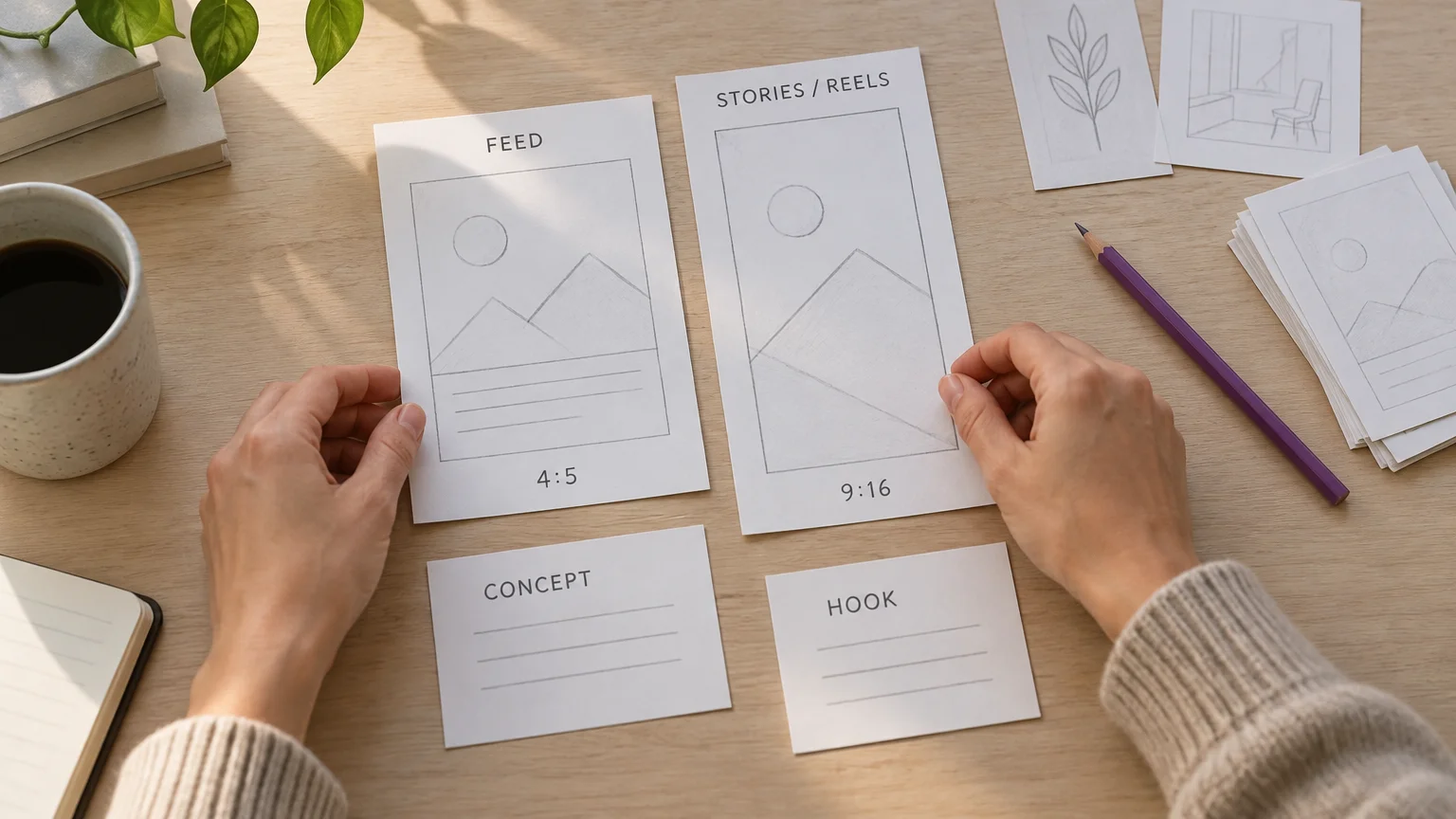
A concept changes the proposition or visual story; a hook changes the opening message; an export changes placement framing. Smaller budgets should prioritize meaningful concepts over superficial variants. Prepare launch assets, a weekend reserve and accurate Cyber Monday copy before peak trading.
Our image and video ad tools can turn product imagery into Image Ads or Video Ads using brand-kit colors, fonts and tone. Review garment fidelity and brand consistency before approving any output.
5. Set spending limits from contribution, not historical benchmarks
Set your allowable CPA from order contribution, then authorize a test budget you can afford to lose. Auction competition can raise costs, so keep spending tied to purchase economics.
Example: calculate a knitwear order's allowable CPA
Assume US-dollar inputs: $100 net revenue after discount, excluding tax; $35 product cost; $10 fulfillment and shipping subsidy; $5 payment and variable fees; and $10 expected returns allowance.
- Calculate contribution before advertising: $100 − $35 − $10 − $5 − $10 = $40.
- Retain $10 per order: $40 − $10 = $30 allowable CPA.
- Plan for ten acquired orders: 10 × $30 = $300 advertising spend.
The SBA's break-even guide explains the revenue-minus-variable-cost principle. Fixed overhead remains outside this threshold.
Assume a $3,000 authorized campaign budget, allocated as staged spending ceilings:
| Phase | Ceiling, USD | Release condition |
|---|---|---|
| November 6–12 | $300 | Tracking and checkout verified |
| November 13–19 | $450 | Useful audience and message evidence |
| November 20–26 | $900 | Offer live; stock sufficient |
| November 27–29 | $1,050 | Purchase economics support continued spend |
| November 30 | $300 | Monday offer and fulfillment remain viable |
Set daily limits within these ceilings. Keep unspent money unspent when economics fail.
For historical context, Triple Whale's BFCM snapshot reports these Meta metrics for 2025:
| Metric | 2025 value |
|---|---|
| Meta share of ad spend | 67.6% |
| ROAS | 2.3 |
| Median average order value, USD | $78 |
Spend share, ROAS and median AOV measure allocation, attributed return and order value respectively. Check market, category and attribution-window comparability before applying these aggregate results to a fashion account. They are context, not spending targets.
6. Complete a tracked mobile purchase before launch
Launch only after a test purchase agrees with the order, payment and tracking records.
Verify purchase tracking and catalogue delivery
- Inspect Pixel and Conversions API diagnostics. Verify purchase value and currency; investigate duplicate purchases and browser/server event matching.
- With Shopify's Facebook and Instagram integration, Shopify's Conversions API sends purchase events between Shopify and Facebook servers. Verify the integration against actual order records.
- Check catalogue identifiers, destinations and availability. Shopify product-detail changes sync automatically to Facebook; each variant needs size and color information. Inspect the live catalogue anyway.
- Confirm UTMs, account access, billing capacity, schedules and ad approval status.
Test the actual customer journey
- Verify pricing, eligibility, discount application, size and color selection, shipping, delivery expectations and returns.
- On a real mobile device, check landing-page loading and usability. Inspect image weight, variant selection and obstructive overlays before completing checkout.
- Test desktop and mobile checkout, following Shopify's test-order guidance. Deactivate payment-gateway test mode afterward.
- Show the full order cost in the cart, including all fees and per-item costs, and keep totals consistent through checkout, following Baymard's cart guidance. Check currency, language and destination-specific shipping for every market.
Use a tracking specialist for persistent duplication, missing purchases or custom checkout integrations. Bring in a media buyer when account complexity or spending exposure exceeds your team's capacity.
7. Monitor, refresh and automate within explicit controls
Monitor purchase economics and inventory using a consistent reporting window, allowing for normal reporting lag.
| Decision | Evidence | Action |
|---|---|---|
| Monitor | Purchases, spend and stock remain healthy | Continue within authorized limits |
| Hold | Sparse conversions or reporting lag; tracking works | Wait within the agreed risk ceiling |
| Refresh | Sustained response decline; checkout stable | Release a new concept |
| Reduce or pause | Economic limit reached, stock depleted or checkout broken | Stop exposure and resolve the cause |
Release the next authorized portion of your budget when purchase evidence, adjusted for reporting lag, remains within allowable CPA, tracking is stable, and stock and fulfillment support more orders. Change one spending variable at a time, reassess after the relevant conversion and reporting window, and stop further increases if economics deteriorate.
For the $30 allowable CPA, you could review an ad with no purchases once it spends $30 × 3 = $90, after normal reporting lag. This rule limits exposure while evidence develops.
Rising CPM with stable click response suggests auction pressure. Falling click response warrants a review of creative and frequency. Stable traffic with falling purchase conversion points toward offer, checkout or stock. Avoid fixed-timer refreshes, rushed approvals and margin-destroying discounts.

To automate campaign management, move approved assets into our Ad Autopilot. Review the plan, goal, budget and market. Campaigns publish paused; you choose activation. Campaign management operates within your selected limits.
Our budget-step guardrail caps increases at 20% per step, at least 24 hours apart. You retain responsibility for offer accuracy, garment fidelity, inventory, compliance and spending authorization.
8. Launch only what you can measure and fulfil
Confirm your schedule, offer, campaign structure, approved creative, purchase test and spending ceiling. Complete the first unfinished readiness task before expanding. Keep deadlines honest and stop promoting unavailable products. If you need campaign-management support, review our Ad Autopilot controls before authorizing activation.