

Table of Contents
Choose AdCreative.ai for variations and pre-launch scoring, and Creatify for avatar-led or product-link video production. As of October 20, 2026, Creatify’s official pricing lists Standard at $15 monthly, or $12 monthly-equivalent with annual billing, with 55 monthly credits. AdCreative.ai’s current plans list Starter at $39 monthly with 20 credits and one brand. For mixed workloads, compare finished assets and editing effort: an image, an avatar performance, and an assembled ad are not interchangeable purchases.
AdCreative.ai vs Creatify: which should a fashion brand use for product image ads and short video ads?
AdCreative.ai is the stronger starting point for approved-photo variations and scoring; Creatify is the stronger starting point for avatar-led and product-link video workflows. Both platforms offer image and video tools, so match the workflow to your monthly asset list.
| Your workload | Starting point | Inputs | Remaining work |
|---|---|---|---|
| Image-heavy campaigns | AdCreative.ai | Approved garment photos and brand direction | Check layouts, copy, product fidelity, and placement crops |
| Creator-style videos | Creatify | Product link or image, presenter direction, and script | Check performance, product shots, captions, and CTA |
| Mixed campaigns | Trial both | The same product brief and asset list | Compare complete exports, editing time, and cost per accepted output |
The tools overlap: Creatify advertises image-ad batches of up to 20 visuals from text, images, or product links. AdCreative.ai advertises both avatar videos and fashion photoshoots.
| Deliverable or control | AdCreative.ai | Creatify |
|---|---|---|
| Static variations | Variations and pre-launch scoring | Image ads, including batches |
| Product-photo inputs | Photo upload | Image, text, or product link |
| New on-model imagery | Uploaded-clothing fashion shoots | Test suitability for on-model imagery during the trial |
| Avatar clips | Photo, avatar, and script | Avatar-led generation, including Aurora 2.0 with model-level pricing |
| Assembled video ads | Video and UGC tools | URL-to-video workflow |
| Brand controls | Brand customization; Starter supports one brand | Background and messaging customization |
| Music | Check whether music is included during the trial | URL-to-video customization includes music |
| Voice-over | Scripted-avatar workflow; evaluate voice options during the trial | Avatar-performance workflow; evaluate voice options during the trial |
| Editing | Asset customization | Background, music, and messaging changes |
| Exports | Downloaded creatives; test export settings during the trial | Exports; free exports watermarked; test export settings during the trial |
| Campaign handoff | Downloaded creative handoff; confirm campaign-launch access in the selected plan | Exported creative handoff; confirm campaign-launch access in the selected plan |
From product photo to exported ad: compare the production steps
Both workflows need checks on source assets, creative approval, and export review. A generated presenter clip can still require product shots, captions, music, an offer, and an end card before it meets your brief.
AdCreative.ai: photos, layouts and avatar scripts
- Choose the production path. Start with approved photos for ad variations, clothing images for fashion photoshoots, or a product photo for an avatar video.
- Approve the content. Check product details, copy, script, brand styling, and the selected avatar where applicable.
- Revise and export. Inspect garment representation, text, cropping, and the complete video sequence before downloading.
Creatify: product links, scripts and video assembly
- Supply the source. Use a product link for URL-to-video, or text, images, and links for image ads.
- Check the material. Verify selected assets and product claims, then approve messaging, script direction, and presenter choice.
- Customize and export. Adjust supported backgrounds, music, and messaging. Check captions, product visibility, and CTA before accepting the output.
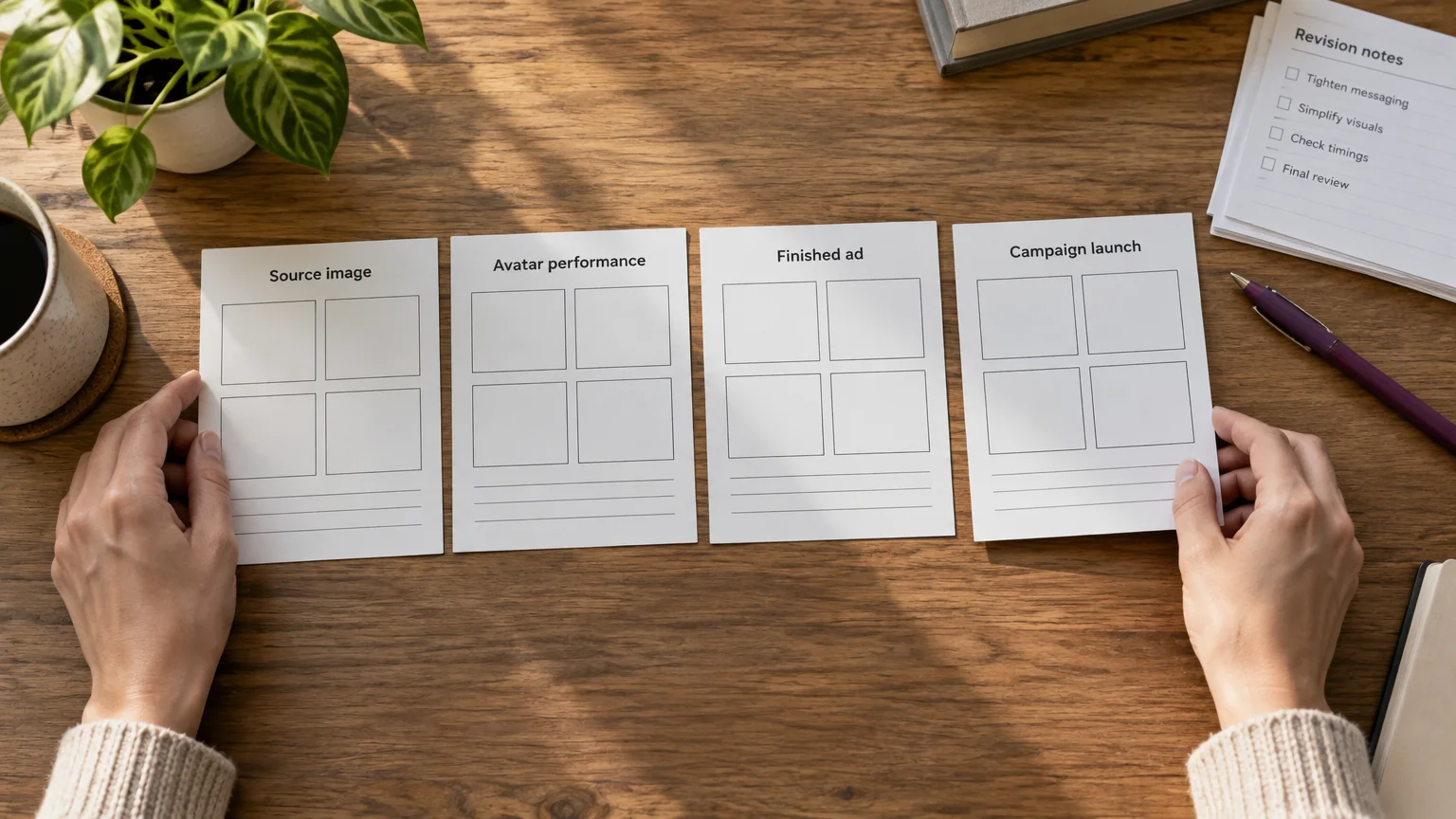
Approve each stage in order: the source image, the avatar performance, the assembled ad, then campaign launch. Launching a campaign also requires targeting, tracking, budgets, and optimization.
Fashion fidelity: approved-photo layouts versus new on-model imagery
Use approved garment photos when you need layouts; evaluate new on-model imagery when you need to show the product on a model. Replacing an already approved photo introduces another accuracy check.
AdCreative.ai’s fashion-photoshoot tool generates imagery from clothing images. Review generated garment details and motion against the approved source, including when a speaking avatar is used.
- Garment accuracy: compare color, print alignment, logos, cut, closures, texture, and stitching with the source.
- Fit representation: check length, proportions, drape, and how the item sits on the body.
- Consistency: check model identity and the complete outfit across poses, variations, and video frames.
Keep listing photography separate from promotional layouts. Google Merchant Center’s requirements say the primary product image must show the exact item sold without promotional overlays. Its image-portfolio guidance also recommends detail photographs showing texture, fabric, or stitching, useful references for reviewing generated imagery.
Approve the garment first, then assess the hook, offer, and CTA. A visually polished ad still needs a persuasive message.
Subscription prices, credits and trial limits on October 20, 2026
The entry plans use different production units, so their credit allowances are not directly comparable. Prices below are in USD; checkout terms and applicable taxes can vary by location.
Paid entry plans and what the units mean
| Plan | Billing | Allowance | Relevant restriction |
|---|---|---|---|
| AdCreative.ai Starter | $39 monthly | 20 credits | One brand; verify specialized-tool access |
| Creatify Standard | $15 monthly | 55 monthly credits | Usage varies by model, feature, and output |
| Creatify Standard, annual | $12 monthly-equivalent, annual billing | 55 monthly credits | Annual commitment |
AdCreative.ai’s credit definition charges a credit when a generated ad creative is downloaded and says plan credits renew monthly. For advanced tools, check the tool-specific rate and access terms. Creatify’s pricing FAQ makes usage dependent on the model, feature, and output type.
Free access and subscription checks
| Platform | Free access | Watermark | What to verify |
|---|---|---|---|
| AdCreative.ai | Seven-day trial, 20 credits for ads, banners, videos, and UGC videos | Check for watermarks during the trial | Eligible tools, downloads, renewal charge, and cancellation deadline |
| Creatify | Free plan replenishes 10 credits monthly | Watermarked exports | Eligible models, features, and export restrictions |
For both platforms, confirm unused-credit expiry, rollover, advanced-tool charges, and renewal terms before subscribing.
How much does a 15-, 30- or 60-second Aurora 2.0 clip cost at 720p?
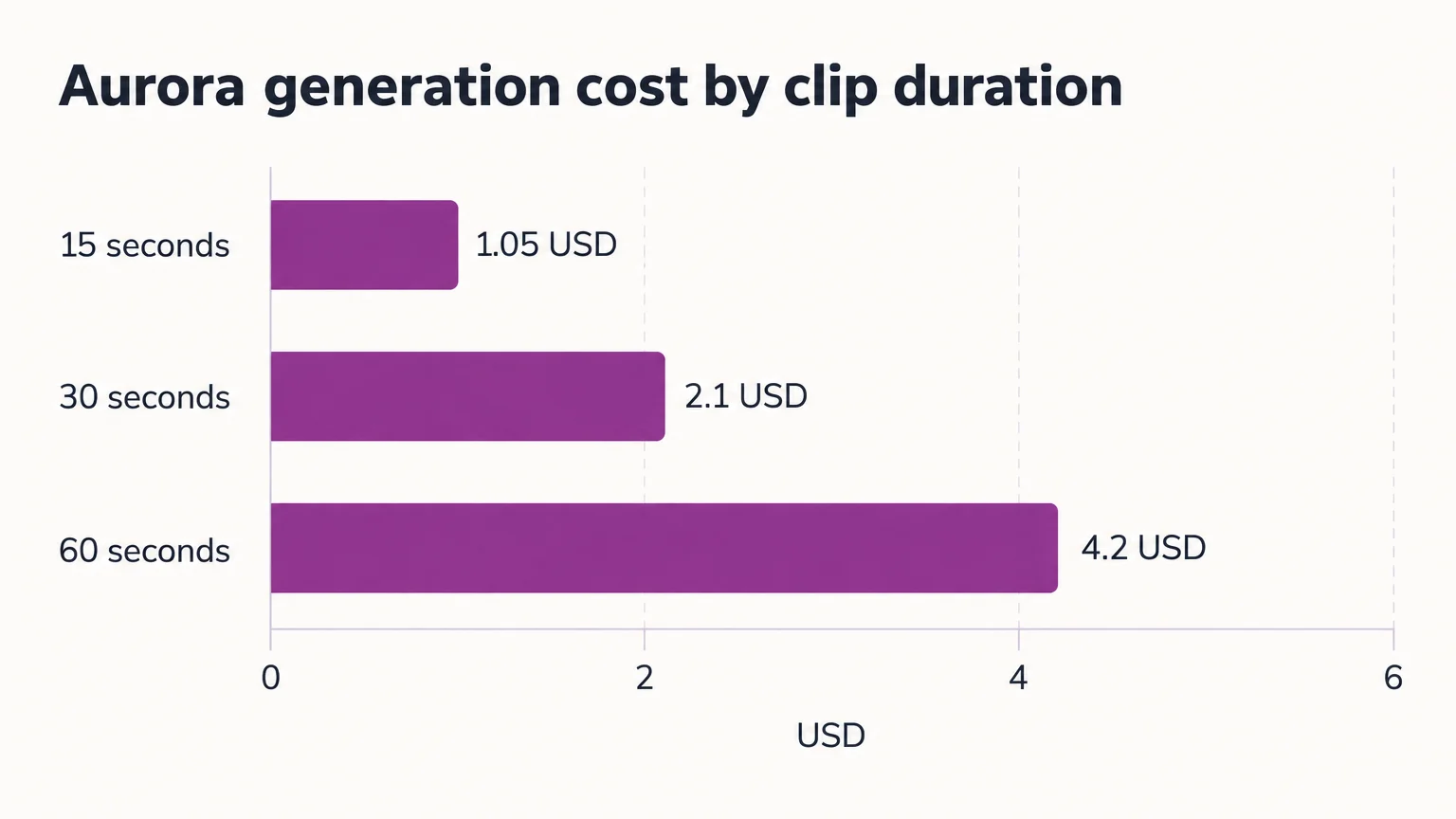
A 15-second clip costs $1.05, a 30-second clip costs $2.10, and a 60-second clip costs $4.20 at 720p. Creatify’s Aurora 2.0 generation pricing is $0.07 per output-second. Aurora 2.0 supports up to 60 seconds of continuous performance. These prices cover raw model output; a finished fashion ad can require additional production work.
| Duration | Calculation | Raw generation cost |
|---|---|---|
| 15 seconds | 15 × $0.07 | $1.05 |
| 30 seconds | 30 × $0.07 | $2.10 |
| 60 seconds | 60 × $0.07 | $4.20 |
Budget Aurora generation at this dollar rate, and check subscription-credit usage in the tool you select.
Example: three attempts at a 30-second Aurora performance
Assume you need three 30-second attempts to obtain one accepted performance. At $2.10 per attempt, raw generation costs $6.30 before any additional production work.
For a finished ad, record whether scripts, voices, product visuals, music, captions, assembly, and exports are included or cost extra. Count plan-included components once.
Cost per accepted ad = (allocated subscription cost + incremental production charges + editing hours × hourly labor rate) ÷ accepted ads.
Include rejected generations and revisions in the usage total, and track manual assembly time alongside generation charges. This lets you compare the cost of an approved, ready-to-run ad rather than just a low-priced clip.
Run a same-product trial before subscribing
Trial both tools with the same garment, offer, audience, and placements, then compare accepted exports. Where access permits, request one approved-photo static variation, one creator-style performance, and one complete short-form ad.
Use this scorecard for each platform:
| Check | Record |
|---|---|
| Product fidelity | Pass or fail for color, print, logo, cut, texture, and fit |
| Consistency | Model and outfit changes across outputs |
| Editorial control | Whether required copy, crop, script, and timing changes are possible |
| Video completeness | Lip sync, audio, captions, product shots, offer, and CTA |
| Export readiness | Resolution, aspect ratio, legibility, and watermark status |
| Production effort | Accepted outputs, rejected attempts, units charged, editing minutes, and extra software |
Do not choose AdCreative.ai on scoring alone when garment accuracy or detailed video editing is your main bottleneck. For Creatify, budget product-link videos and avatar production from the units and editing minutes recorded in your trial.
Avoid either platform if the required revisions exceed your team’s editing capacity. For agencies, also confirm brand limits, collaboration, and account access before committing.
Our studio: connect product imagery, ads and campaign execution
Our studio connects new on-model imagery, finished ads, and campaign execution. The workflow runs from our AI Suite source visuals → our Ad Studio image/video ads → our Ad Autopilot Meta/Google campaigns.
Our AI Suite creates and edits source visuals; our Ad Studio creates finished ads. Both use one shared credit balance. Our Ad Studio workflow accepts up to five photos or a product URL, includes platform copy, and offers free product registration and an optional Brand Kit. Image ads cost one credit each; video ads start at three credits, varying by duration and resolution.
Our video ads support music and voice-over, with voice-over applying to talking formats. Our current introductory offer is seven days for $1, cancel anytime. Apply the same fidelity and cost-per-accepted-output checks when assessing our workflow.
Choose by your asset list and editing capacity
Choose AdCreative.ai if approved-photo variations, brand customization, and pre-launch scoring dominate your workload. Choose Creatify if avatar performances and product-link videos dominate, and the selected plan supports your required outputs.
For mixed campaigns, compare accepted static and video deliverables, editing time, and total cost. If you also need source imagery and campaign execution, explore our Ad Studio workflow and assess it against the same requirements.


