

Table of Contents
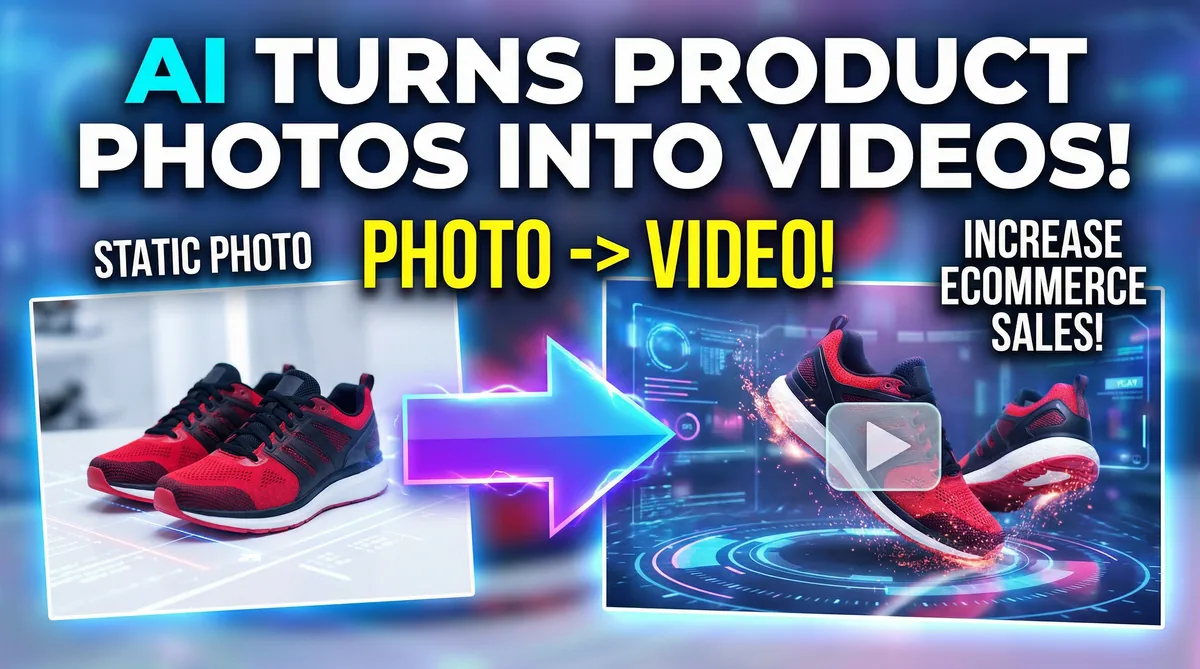
You have a digital store. You sell products. You use static photos to show these products to your customers. Photos work well, but they have limits. The internet moves fast. Static images do not grab attention like they used to. Video content is the future of digital marketing.
We will show you how to turn a product photo into an ecommerce video with AI. This process requires zero video editing skills. You will not need expensive software. You will not need technical knowledge. You will use advanced AI models to bring your images to life. We will guide you through every step.
The Data Behind Video Marketing
We do not base our strategy on guesses. We look at the numbers. The numbers show that video beats static images in every category.
First, videos get ten times more engagement than static images. People scroll past photos. People stop to watch videos. Motion catches the human eye. You will use motion to make people stop scrolling.
Second, people remember 85 per cent of the video content they watch. They forget static text. They forget plain images. If you want customers to remember your brand, you will use video.
Third, video content converts up to 200 per cent better. Conversions mean sales. People want to see how a product looks in real life. Video gives them a better idea of the product. This gives them the confidence to click the buy button.
Why Choose Image to Video AI
Creating videos used to take a lot of time. You needed a camera. You needed lights. You needed actors. You needed editors. That process costs a lot of money. AI changes the rules. You will experience six main benefits when you use our Image to Video platform.
Boost Engagement
Video content receives 1200 per cent more shares than text and images combined. People share things that look interesting. AI turns flat photos into interesting scenes. You will increase your reach when people share your content. More reach means more potential buyers.
No Skills Required
Professional video creation used to require years of training. You do not need that training anymore. You do not need to learn complex editing software. You will upload your image. You will let the AI do the work. The system handles the complex tasks for you.
Capture Attention
Social feeds are crowded. Everyone posts pictures. You need to stand out in the feed. Video content stops users mid-scroll. The motion grabs their focus. You will keep them engaged on your post.
Scale Without Limits
You will create multiple video variations in minutes. You will test different versions to see what works best. This strategy works well for A/B testing. It works well for large marketing campaigns. You will produce content at scale for your entire product catalogue.
Professional Quality
Advanced AI ensures smooth motion. It ensures consistent visuals. It creates natural animations. You will get studio-grade results. You will achieve this without expensive camera equipment. You will achieve this without hiring a technical crew.
Cost-Effective
You will create high-quality videos for a fraction of traditional video production costs. You save money on equipment. You save money on staff. You save money on studio rentals. You get professional results without breaking your budget.
Important Platform Rules: No Automation Allowed
We must state an important rule about our platform right now. We do not support automation. You will process every single image by hand.
You will not use bots. You will not use bulk upload scripts. You will not bypass the standard user interface. You will click the upload button for each picture. You will choose the AI model for each picture. You will click the generate button for each picture.
This manual work takes more time than automated batches. However, this manual process ensures strict quality control. You will inspect every video. You will make sure every video meets your brand standards. The AI makes decisions based on the image you provide. Sometimes, the AI makes a mistake. If you use automation, you will make mistakes in your store. Manual processing stops bad videos from reaching your customers. You will control every detail of every video you create.
The Three Core AI Models
Our platform uses three leading AI models. We use the most advanced AI video generation technologies available today. You will pick the right model for your specific product. For a deeper breakdown, read our guide to the best AI image-to-video tools for ecommerce.
Kling
You will use Kling for realistic product showcases. Kling creates ultra-realistic motion. It moves the camera in a smooth way. It makes the video look like a human operator filmed it.
Kling works best for hard goods. You will use it for electronics. You will use it for furniture. You will use it for packaged goods. Kling delivers high-resolution output. The details of your product will remain sharp. The colours will remain accurate.
Seedance
ByteDance created the Seedance model. You will use Seedance for fashion and clothing products. Seedance handles soft materials well. It understands how fabric moves. It creates dynamic scene transitions.
Seedance offers creative visual effects. It adds life to clothing photos. The animations focus on style and fashion. Seedance also features fast processing times. You will get your fashion videos ready faster.
Veo
Google created the Veo model. You will use Veo when you need cinematic quality. Veo applies advanced Google technology to your image. It understands natural motion physics. This means objects move the way they do in the real world. Gravity looks correct. Light reflections look correct.
Veo provides enterprise-grade reliability. You will use Veo for your high-end products. You will use it for jewellery. You will use it for luxury goods. Veo makes the final video look like a high-budget movie clip. To see why general-purpose models are not always enough, read why Google Veo and OpenAI Sora are not enough for ecommerce.
Animate Your First Product Photo
Pick Kling, Seedance, or Veo, and turn a single product image into a scroll-stopping video in minutes.
Try Image to VideoStep 1: Prepare Your Source Image
AI needs a good starting point. The final video depends on the source image. A bad photo will result in a bad video. You will follow these rules to prepare your image.
Use Bright Lighting
Lighting is the most important factor. You will use bright lights. You will avoid dark shadows. The AI needs to see the edges of your product. Dark shadows hide the edges. The AI will make mistakes if it cannot see the edges. It might blend the product into the background. You will use soft, even light. This helps the AI understand the shape of the product.
Keep the Focus Sharp
You will use high-resolution images. Blurry images confuse the AI. The AI tries to sharpen blurry images, but the result looks fake. You will make sure the product is in sharp focus. The text on the product must be readable. The texture of the product must be clear.
Remove Background Clutter
The AI will animate everything in the photo. If your photo has a messy background, the AI will animate the mess. This distracts the viewer from your product. You will use clean backgrounds. You will use solid colours. You will use simple settings. A clean background tells the AI to focus all the motion on the product itself.
Check the Contrast
Your product must stand out from the background. A white product on a white background causes problems. A black product on a black background causes problems. You will use contrasting colours. This separation helps the AI cut out the product and move it in a realistic way.
Step 2: Upload Your Image
You will log in to our platform. You will navigate to the main dashboard. You will see the upload section.
Remember our rule: you will upload one image at a time. You will select the prepared image from your computer. You will confirm the upload. The platform will display your image on the screen. You will check the image one last time. If the image looks wrong, you will delete it and upload a better one.
Step 3: Select the Best AI Model
The platform will ask you to choose an AI engine. You will look at your product to make this choice.
| Product Type | Best AI Model | Why |
|---|---|---|
| Smartphone / Electronics | Kling | Gives the phone a smooth, realistic spin |
| Dress / Fashion | Seedance | Makes the fabric flow in a natural way |
| Diamond Ring / Jewellery | Veo | Makes light bounce off the diamond with cinematic quality |
You will select the model that fits your product type. Making the wrong choice will result in weird animations. You will take your time and choose the correct model.
Step 4: Choose Your Output Settings
You will tell the AI how you want the video to look. The AI gives you several choices.
First, you will pick the duration. You will choose a short video for social media feeds. You will choose a longer video for your website product page. We suggest starting with short durations. Short videos process faster. Short videos also hold attention better.
Second, you will pick the aspect ratio. The aspect ratio is the shape of the video. You will pick a square shape for standard feeds. You will pick a tall shape for mobile screens. You will pick a wide shape for website banners.
Lock Settings Before You Generate
You will double-check these settings before you proceed. The platform does not allow you to change these settings after the generation starts.
Step 5: Generate and Review
You will click the "Generate" button. The AI will start processing your image. This step takes time. Advanced AI requires massive computing power. You will wait for the platform to finish the job.
When the video finishes, you will watch it. You will not download it right away. You will review it for errors.
You will look at the edges of the product. Do they look solid? You will look at the background. Does it move in a natural way? You will look at the lighting. Does the light shift correctly as the object moves?
If the video passes your inspection, you will download it. If the video fails your inspection, you will discard it. You will adjust your image or pick a different AI model, and you will try again. You will only save the best results.
Where to Display Your Ecommerce Videos
You have your new videos. Now you need to put them where your customers spend their time. You will use these videos across your entire digital presence.
Instagram and Reels
Instagram is a visual platform. Your videos will thrive here. You will post videos to your main feed to educate your followers. You will post videos to Reels to reach new people. You will use the tall format for Reels. This format fills the entire phone screen. It stops the scroll. You will use trending music over your AI videos to boost engagement.
Facebook Videos
Facebook remains a massive marketplace. You will use your videos in Facebook ads. Static image ads cost more per click. Video ads drive cheaper clicks. You will place your AI videos in the Facebook feed. You will use them to explain the benefits of your product. You will add clear text overlays to your videos on Facebook. Many Facebook users watch videos with the sound off. The text will deliver your message.
TikTok Content
TikTok demands constant video creation. Traditional video production is too slow for TikTok. Our AI platform solves this problem. You will generate multiple TikTok-ready videos every day. You will capture attention and go viral. You will match your AI videos with fast-paced audio. You will use these videos to participate in daily trends.
Your Website Product Pages
Social media drives traffic. Your website drives sales. You will place your AI videos on your product pages. You will replace the primary static image with a video loop. Customers will land on the page and see the product in motion. This immediate motion builds trust. It proves the product is real. It shows the product from multiple angles. You will see an increase in sales when you add these videos to your store.
How to Test Your Videos
You will not guess what works. You will test what works. You will use a strategy called A/B testing.
You will take one product photo. You will use Kling to make one video. You will use Veo to make a second video. Both videos show the same product, but they move in different ways.
You will run a small advertising campaign. You will spend equal money on both videos. You will let the ads run for a few days. Then, you will look at the data.
You will look at the click rate. Which video made more people click? You will look at the watch time. Which video made people watch longer? You will look at the cost. Which video brought in cheaper sales?
You will find a clear winner. You will stop spending money on the loser. You will put all your money behind the winner. You will repeat this testing process for every major product in your store. Learn more about A/B testing fundamentals to structure your experiments correctly.
Understanding Your AI Video Metrics
You will track specific numbers to measure your success. You will ignore vanity metrics. Likes do not pay your bills. You will focus on metrics that impact your business.
Retention Rate
Retention rate tells you how long people watch your video. If your video is ten seconds long, and people leave after two seconds, you have a bad retention rate. The beginning of your AI video must grab attention immediately. If your retention rate is low, you will generate a new video with faster motion at the start.
Click-Through Rate
This number tells you how many people clicked the link in your video. A high click-through rate means your video did its job. It made the customer want to learn more. If this number is low, your product might be unclear. You will create a new video that shows the product closer to the camera.
Conversion Rate
This is the most important number. This tells you how many people bought the product after watching the video. If your video drives clicks but no sales, the video might be misleading. The AI might have made the product look like something else. You will ensure your AI videos represent the real product accurately.
Future-Proof Your Brand
The digital market changes every day. Brands that stick to old methods fail. Brands that adapt to new tools win.
Image to video AI is not a trend. It is a fundamental shift in how we create media. Your competitors are learning these tools right now. If you wait, you will fall behind.
You will start today. You will take your best product photos. You will log in to the platform. You will follow the manual process we outlined. You will select Kling, Seedance, or Veo. You will generate your first batch of videos.
You will place these videos on your social feeds. You will place them on your product pages. You will track the numbers. You will see the increase in engagement. You will see the increase in retention. You will see the increase in conversions.
You have the tools. You have the guide. The process is simple. The results are clear. You will elevate your digital presence and display your products like never before. Start turning your static images into dynamic ecommerce videos today.
Ready to Turn Your Photos Into Ecommerce Videos?
Upload your first product image and let Kling, Seedance, or Veo animate it into a scroll-stopping video.
Start Creating AI Videos

