


Table of Contents
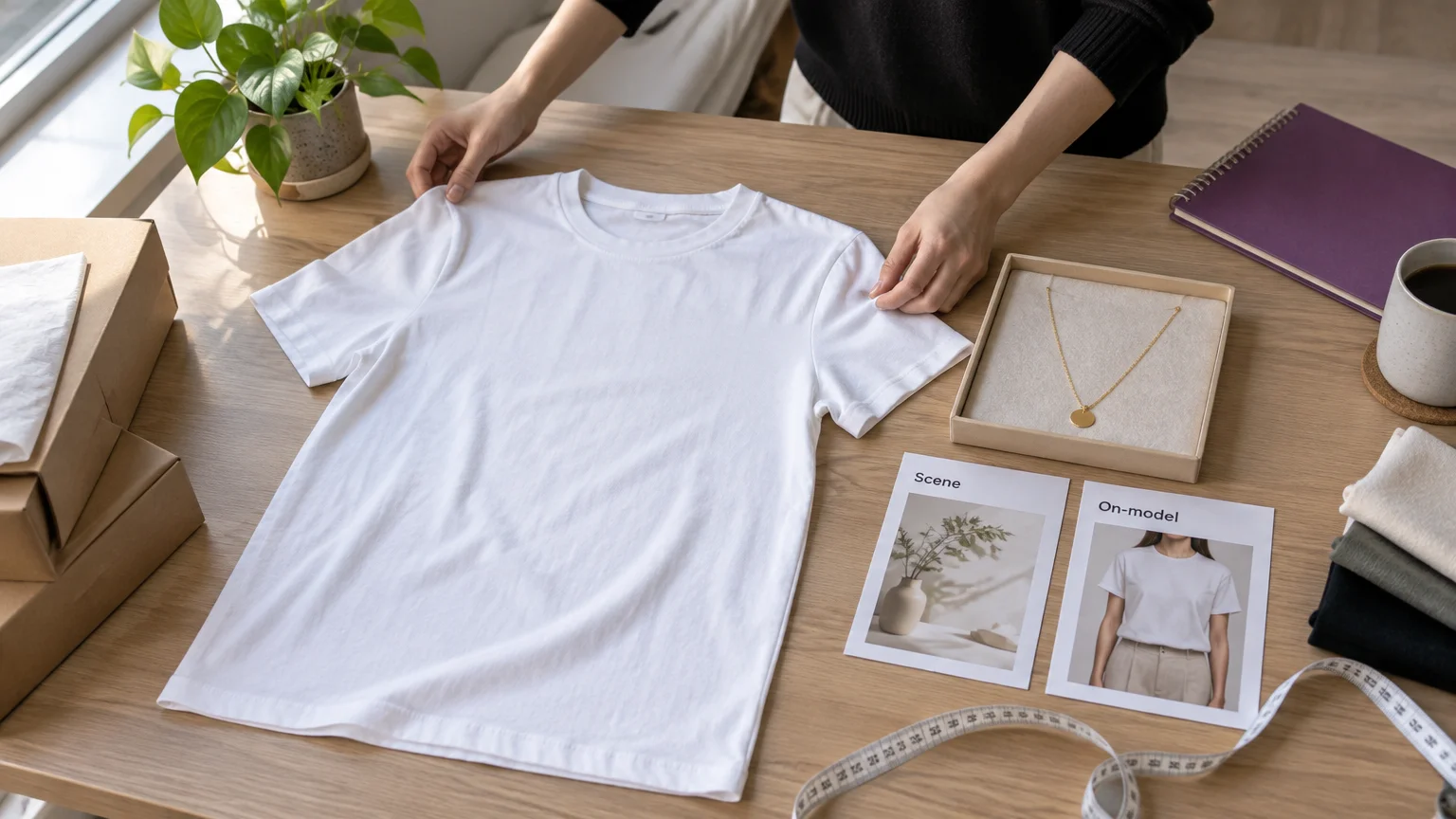
The Claid vs Pebblely choice starts with what you need to produce: a product in a lifestyle scene, clothing fitted to a person, or both. Claid’s AI Fashion Models turns garment photos into on-model imagery, with automation available through Claid’s Fashion API. Pebblely’s necklace examples include jewelry worn by models, but that is a different task from fitting clothing onto a person.
Claid vs Pebblely: which is better for product scenes and on-model clothing?
Choose Claid when dedicated on-model clothing production is essential. Choose Pebblely when staged-product scenes are the main job. For a mixed store, assess staged-product and worn-apparel deliverables separately, then price each production job.
Compare the editing operations, source-image requirements and production access against the work your catalogue needs.
| Capability | Claid | Pebblely |
|---|---|---|
| Background generation | Photoshoot modes | Custom and Templates |
| Product staging | Available | Available |
| Standalone enhancement | Cleanup operations | No equivalent suite listed |
| On-model clothing | AI Fashion Models | No dedicated clothing-transfer workflow listed |
| Scene references | Supported | Style-image guidance |
| Garment inputs | Browser workflow; API accepts up to five images | No dedicated garment-reference workflow listed |
| Editing | Workflow-specific generation and enhancement | Edit generated images |
| Browser access | Available | Available |
| API access | Available under separate terms | No API listed |
| Bulk eligibility | Pro and Business browser plans | Basic and Pro |
| Pricing structure | Operation credits; separate API billing | Monthly: $9/30, $19/200, $39/500 images |
Scene control and editing: compare the operations
An AI product background changes the setting around an item. Product staging adds contextual presentation, such as a necklace on a display. Garment-to-model generation depicts clothing fitted onto a person.
Claid modes versus Pebblely Custom and Templates
Claid’s Photoshoot guide explains reference-guided creation using color palette, lighting, scene energy and composition style. Claid also supports text instructions.
| Claid mode | Main purpose |
|---|---|
| Precise | Keep the product fixed while building its setting |
| Creative | Allow more reinterpretation of the presentation |
| Inspiration | Guide a new scene with a reference image |
| Background | Place a product within a chosen background |
| Product Swap | Replace a product in an existing scene |
Pebblely’s March 2026 relaunch introduced Custom and Templates, text prompting and style-image guidance. The rebuild removed the manual background-removal step. Pebblely is a sensible starting point for straightforward background generation; Claid offers several distinct placement and reference operations.
Cleanup tools are different from generated scenes
Claid offers background removal, enhancement or upscaling, relighting, shadow operations and resizing alongside generative production. Make sure the selected plan includes each cleanup operation your listings need.
Pebblely’s generation FAQ explains that backgrounds, shadows and reflections are integrated into scene generation. Its image editing guide also explains how to edit a generated image without starting over.
Garment inputs, outfit handling and your own model
Claid accepts garment photos for on-model generation, including flatlay and mannequin-style inputs. The source images and outfit controls matter as much as the scene: a style reference guides presentation, while garment photos establish what the clothing should look like.
| Input | Browser workflow | Claid Fashion API |
|---|---|---|
| Garment photos | Check supported source types and outfit controls | Up to five garment images |
| Scene/style reference | Guides presentation, not garment identity | Check controls for the selected endpoint |
| Your own model | Verify custom-model controls in the selected workflow | Model-image URL supported |
| Output count | Check the selected browser mode | One to four images per request |
Several views of one garment and several pieces forming an outfit are different briefs. State which you are providing, and keep complete source views showing silhouette, seams, prints and logos.
Claid can automatically add matching footwear when shoes are absent. Label generated footwear as styling and make sure the image clearly identifies the item being sold. Inspect any automatically completed outfit before publishing.
Bulk catalogues: browser batches versus API automation
Pebblely offers browser bulk generation on Basic and Pro; Claid offers browser batch processing on Pro and Business, plus separate APIs. Browser batches help an operator process a group of products; APIs connect production to a catalogue pipeline.
| Production requirement | Claid | Pebblely |
|---|---|---|
| Browser batches | Pro and Business | Basic and Pro |
| Fashion API | Available | No Fashion API listed |
| Automated processing | API operations | Browser bulk; no API listed |
For browser bulk access, select Pro or Business on Claid’s pricing page, or Basic or Pro on Pebblely’s pricing page. Before committing catalogue volume, confirm:
- Required operations, rate limits and export resolution.
- Product-to-file naming, retry handling and failed-job billing.
- Separate costs for staged accessories and worn apparel.
Ask for a manifest that maps each product to its outputs, and keep your catalogue naming rules separate from image generation.
Pricing and cost per accepted image: October 10, 2026
Monthly plans, annual equivalents and trial access
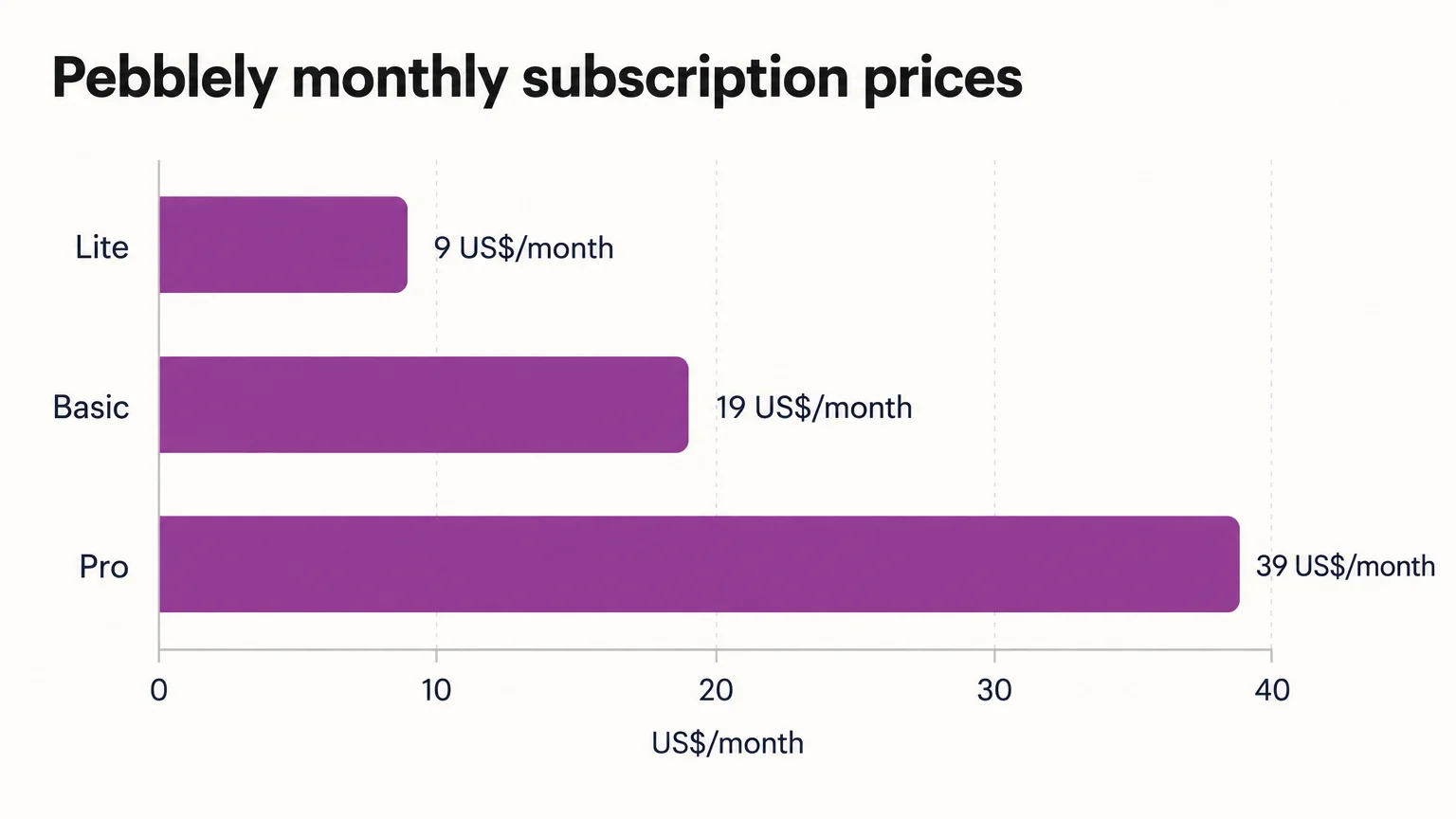
Pebblely’s monthly lineup is Lite $9, Basic $19 and Pro $39. Claid uses operation-credit plans. Its January 26, 2026 browser terms list Essential at $15 for 500 credits and Pro at $49 for 2,000 credits, according to Claid’s browser credit guide. Check the active subscription and separate API terms at checkout. All prices below are in US dollars.
| Plan | Terms date | Monthly price | Monthly allowance | Browser bulk |
|---|---|---|---|---|
| Pebblely Lite | October 10, 2026 lineup | $9 | 30 images | Not listed |
| Pebblely Basic | March 8, 2026 launch and October 10 lineup | $19 | 200 images | Included |
| Pebblely Pro | March 8, 2026 launch and October 10 lineup | $39 | 500 images | Included |
| Claid Essential | January 26, 2026 browser schedule | $15 | 500 operation credits | Not listed |
| Claid Pro | January 26, 2026 browser schedule | $49 | 2,000 operation credits | Included |
Billing frequency and plan terms affect the comparison:
- Annual billing: Pebblely’s relaunch article gives Basic at a $15 monthly equivalent and Pro at $32, billed annually. Use these figures when budgeting an annual subscription; monthly payments use the prices in the table. The pricing page advertises more than two months free with yearly billing.
- Claid starting price: subscriptions start at $9 in Claid’s on-model guide. The table lists Essential and Pro under their January 26 browser terms, so verify the plan, included credits and billing frequency before purchasing.
Claid’s pricing page offers 50 trial operation credits. Check Pebblely’s signup offer before budgeting a free evaluation.
The allowances count different things. Pebblely high-resolution images consume two credits rather than one. Claid browser fashion generation costs 4–24 credits depending on resolution, while its Fashion API specifies two credits per output. Price browser work and API work using their respective credit schedules.
Calculate the cost of approved outputs
Cost per accepted image = (allocated subscription cost + incremental generation charges + finishing cost) ÷ accepted images. Track initial generations and retries together. Finishing includes operation credits, outside tools and staff time. Included credits are already paid for through the allocated subscription.
Example: ten approved images
Assume $20 of subscription cost is allocated to the job, initial attempts and retries incur $5 of additional generation charges, finishing costs $10, and ten images pass inspection.
- Production cost: $20 + $5 = $25.
- Total finished cost: $25 + $10 = $35.
- Accepted-image cost: $35 ÷ 10 = $3.50 per accepted image.
Use your production log to calculate the same costs for each tool.
Compare fidelity with three matched product samples
Compare silhouette, construction, print placement and material accuracy before comparing visual appeal. Google Merchant Center guidance says photographs should accurately reflect the sold variant’s exact color, pattern, finish and material.
Build your comparison around these three samples:
| Sample | Matching source assets | Requested deliverables |
|---|---|---|
| Plain garment | Clear front/back views and seam details | Staged image; worn image where supported |
| Printed garment | Full garment plus print and logo details | Staged image; worn image where supported |
| Accessory | Full product, dimensions and material details | Staged image; appropriate worn or held view |
Give both vendors the same source assets, scene brief, crop and target resolution. Match scene or model references wherever supported. Record the plan, mode, prompts, references, attempts, retries, finishing and approved outputs.
Request four staged outputs per product and a separate four-output worn-apparel set per garment where supported. For the accessory, request four worn or held outputs where appropriate. Allow up to eight generated candidates for each four-output brief, including retries. Log unavailable deliverables separately from rejected images.
| Acceptance check | Reject when |
|---|---|
| Silhouette and construction | Proportions change, seams disappear or garment details are invented |
| Prints, logos and color | Patterns move, logos distort or the sold color changes |
| Accessory scale and materials | Size is implausible or glass, metal and surface finish look incorrect |
| Reflections and contact shadows | Reflections contradict the scene or the product appears to float |
| Set consistency | Product identity, styling or model appearance drifts across outputs |
Compare Claid’s garment-to-model and reference-led Photoshoot examples with Pebblely’s lifestyle scenes and necklace-on-model examples. When reviewing your own results, inspect the complete output set, not just its strongest image.
When should I consider our studio for model replacement and finished ads?
Consider our studio when the brief extends from wearable imagery to Model Swap and finished image or video ads in one browser workflow. Start with Virtual Try-On or Product Photography, use Model Swap to replace a model while preserving the garment, pose and lighting, then move into editing and ad creation.
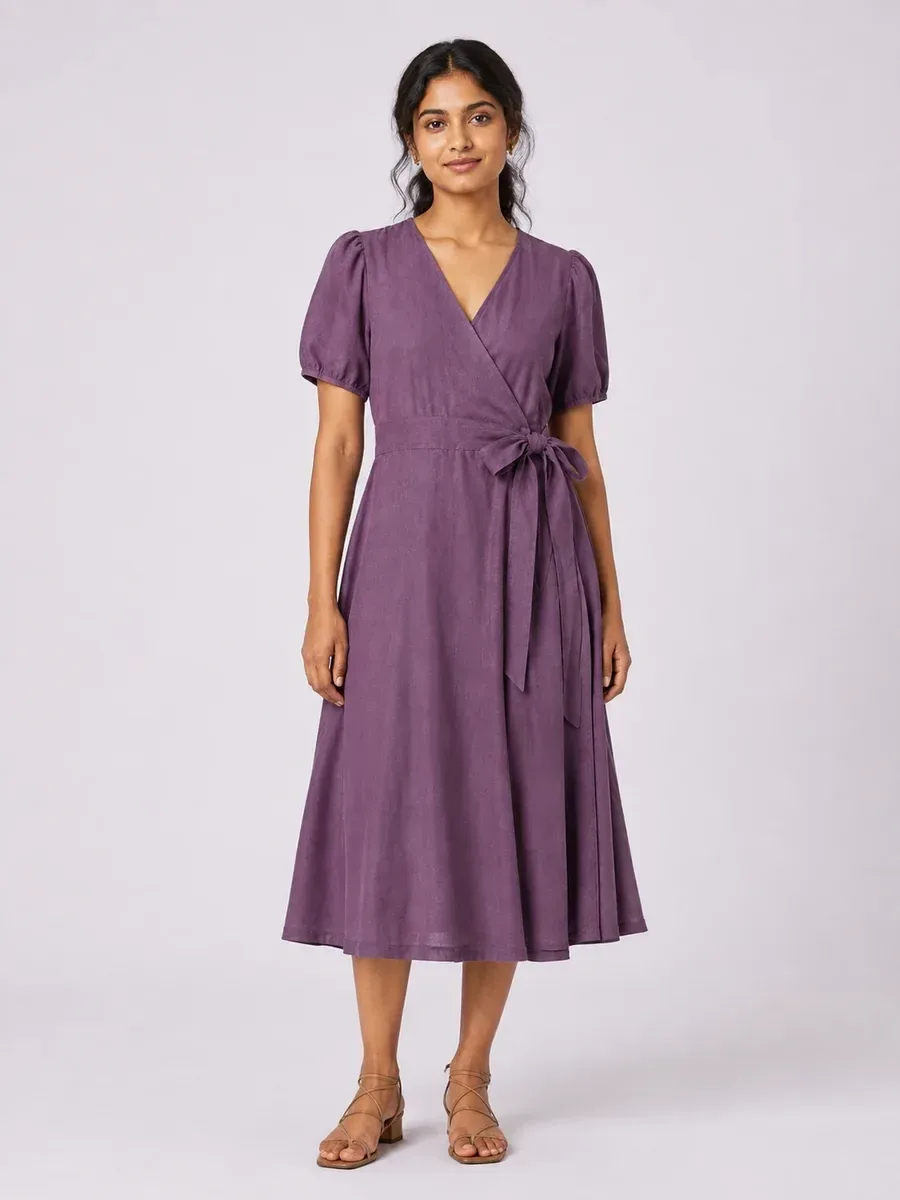
Our Virtual Try-On accepts wearable product photos and offers 100+ library models or your own model, with results advertised in under two minutes.
Our AI Assistant coordinates production for up to 500 product photos, shows the total credit cost before approval and delivers the bulk results as a ZIP. Connected steps can turn on-model outputs into image ads and videos. The AI Assistant trial costs $1 for seven days and includes 20 credits.
Claid also offers image-to-video capability, so motion alone is not a reason to switch. Compare the complete production workflow and apply the same fidelity checklist to outputs made from your product photos.
Frequently asked questions
What is the best free AI product photography service for a small fashion store?
Claid is a practical starting point for a free evaluation because its trial includes 50 operation credits. Pebblely’s paid lineup starts at $9 for 30 images per month. For clothing, prioritize a trial that supports garment-to-model production and inspect your own samples before paying.
Which AI image editor is best for finishing generated ecommerce photos?
Choose Claid for standalone enhancement operations such as background removal, upscaling, relighting and shadows; choose Pebblely for editing generated scenes. Match the tool to the correction you need, and reject edits that change the actual product.
Choose by deliverable, then buy on accepted-output cost
- Choose Pebblely for focused product staging, Custom or Templates, and eligible browser bulk production.
- Choose Claid for garment-to-model production, enhancement operations and fashion API access. Its broader scope requires closer attention to modes, plans and billing.
- Evaluate both for mixed apparel and accessory catalogues. Choose using your matched samples and cost per accepted image, not subscription price alone.
Run the three-product sample before committing your catalogue. If the brief also requires model replacement and finished ads, explore our catalogue-wide ad creatives.


