

Table of Contents
If you're still using traditional saree draping software, you're working 10x harder than you need to.
Every saree seller knows the pain: you have hundreds of beautiful sarees in your inventory, but getting them photographed on models is a nightmare. Traditional photoshoots cost ₹1,00,000+ for just 100 sarees. So you turn to saree draping software, only to discover it requires hours of manual positioning, a steep learning curve, and results that still don't look quite right.
What if you could skip all that manual work entirely? What if you could simply upload a flat saree image and a blouse photo, and get a photorealistic modeled image in seconds?
That's exactly what AI-powered cataloguing does. And in this guide, we'll show you exactly how to do it, step by step.
What is Saree Draping Software?
Saree draping software (also called digital draping software) is a tool that lets you create images of sarees draped on virtual models without an actual photoshoot. Instead of hiring models, photographers, and studios, you upload a flat image of your saree fabric and the software attempts to "drape" it onto a pre-set model pose.
Popular options in this space include TRI3D, Drapezy, Spyne, and even CamClo AI's own draping software. These tools have helped thousands of saree sellers reduce their cataloguing costs compared to traditional photoshoots.
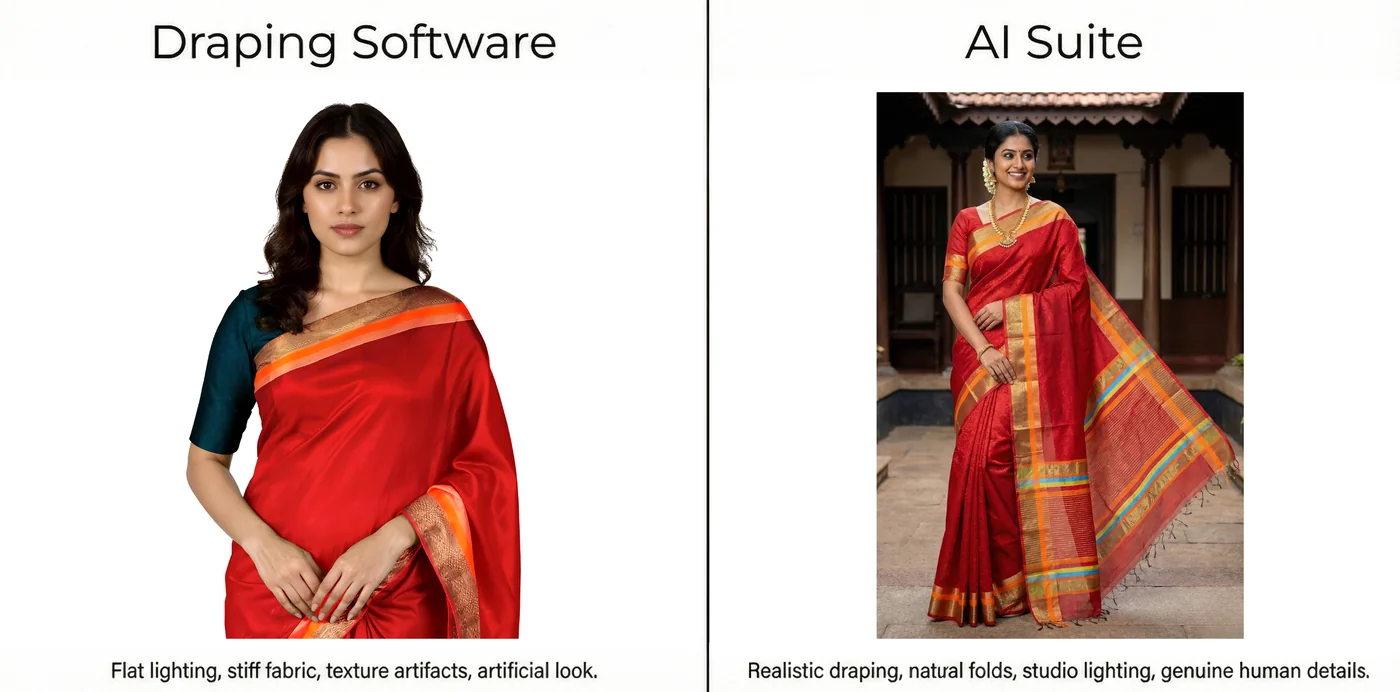
How Traditional Draping Software Works
- Upload your flat saree image
- Select a model pose from limited templates
- Manually position the pallu, pleats, and body portions
- Adjust texture mapping and folds
- Fine-tune colors and lighting
- Export the final image
Sounds simple, right? In theory, yes. In practice? It's a different story.
The Problem with Traditional Saree Draping Software
After talking to hundreds of saree sellers, we've identified the biggest pain points with traditional digital draping software:
📚 Steep Learning Curve
Most software requires 2-4 weeks of training before you can produce decent results. Many sellers give up before they even get started.
⏰ Time-Consuming
Even experienced operators take 10-30 minutes per saree. That's 50+ hours for a 100-saree catalogue, over a week of full-time work.
🎯 Manual Precision Required
Positioning the pallu, adjusting folds, matching pleats: every detail requires pixel-perfect manual adjustment.
👗 Limited Pose Options
Most software offers 5-10 preset poses. Want variety in your catalogue? You're stuck with what they offer.
📉 Inconsistent Quality
Results depend heavily on the operator's skill. Two people using the same software get wildly different outputs.
💰 Hidden Costs
Software subscriptions, training time, operator salaries: the "cost savings" often disappear when you add it all up.
The AI-Powered Alternative: No Manual Work Required
Here's the thing: AI has made traditional saree draping software obsolete.
With CamClo AI's AI Suite, you don't need to manually position anything. You don't need training. You don't need to understand texture mapping or fold physics. You just:
- Upload your flat saree image and blouse image
- Write a simple prompt describing what you want
- Click generate
That's it. The AI understands saree construction (pallu, body, pleats, draping style) and generates photorealistic results in seconds.
Step-by-Step: Create Your Saree Catalogue with AI
Let's walk through the exact workflow to generate a complete saree catalogue using CamClo AI's AI Suite. This two-step process takes you from flat fabric images to a full catalogue of modeled poses.
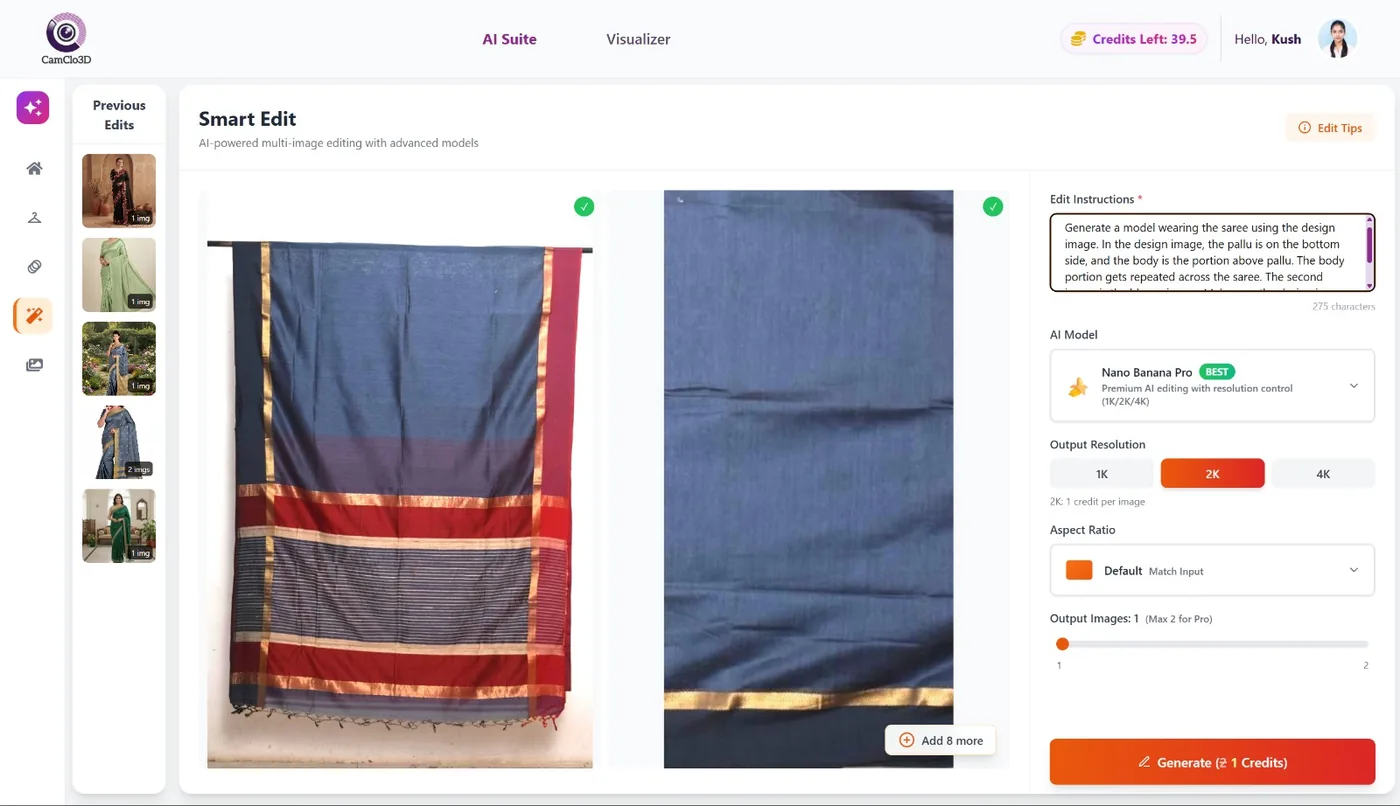
Smart Edit: Generate Your Model Image
First, we'll use Smart Edit with the Nano Banana Pro model to generate a realistic image of a model wearing your saree.
What You Need:
- A flat image of your saree (showing the full design including pallu and body)
- An image of the blouse
The Process:
- Go to Smart Edit in the AI Suite
- Upload your saree image as the first image
- Upload your blouse image as the second image
- Select "Nano Banana Pro" as your model
- Enter the prompt (see below)
- Click Generate
The Prompt:
Pro Tip: Feel free to add additional details to customize your output! You can specify model characteristics (e.g., "young Indian woman with minimal jewelry"), background settings (e.g., "plain white studio background" or "traditional haveli courtyard"), or styling preferences. The AI will incorporate these into your generation.
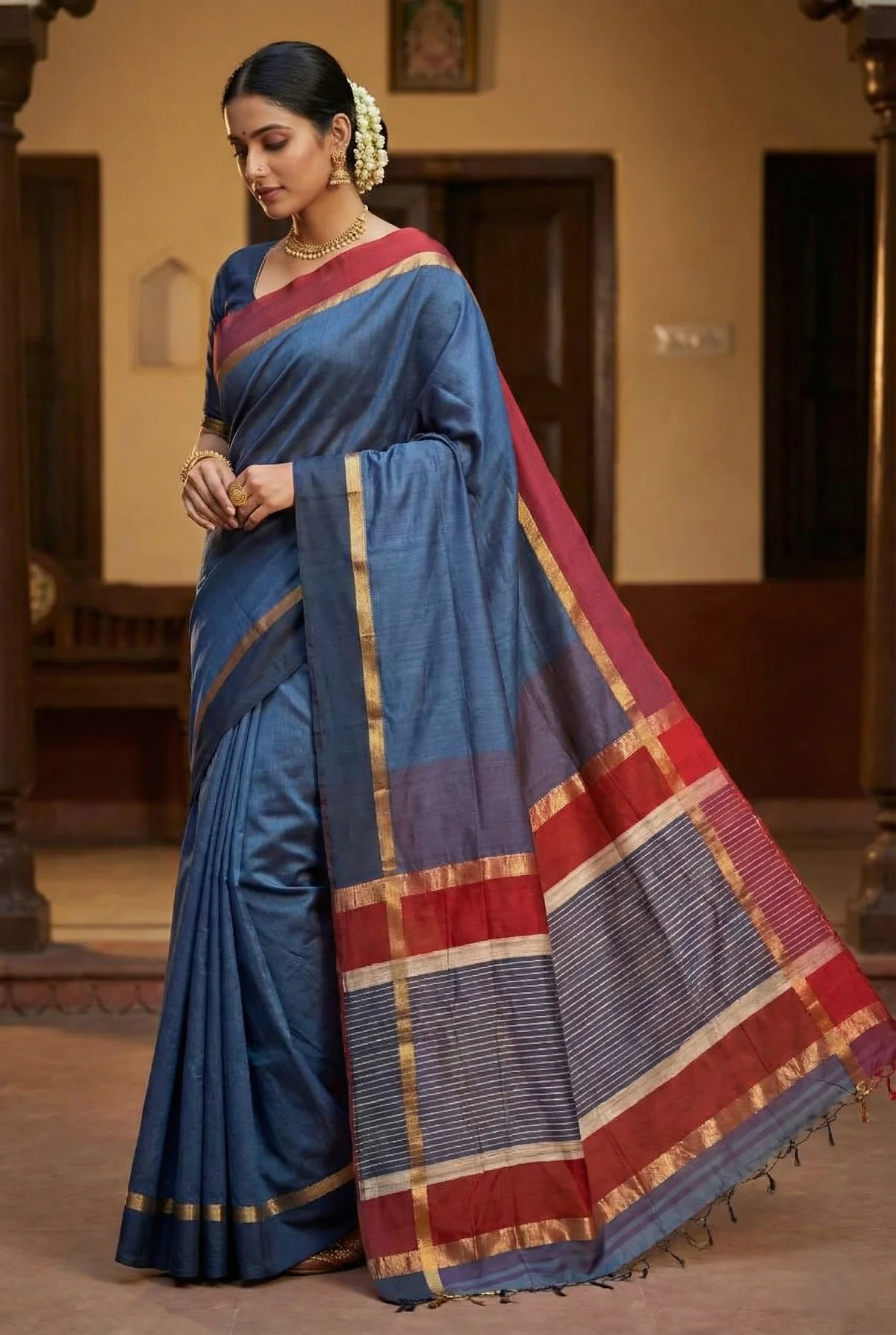
The Result:
You'll receive a photorealistic image of a model wearing your exact saree design, with the pallu draped correctly and the blouse matching perfectly.
Catalogue Studio: Generate Multiple Poses
Now that you have one beautiful modeled image, let's create an entire catalogue with multiple poses, without any additional prompting.
The Process:
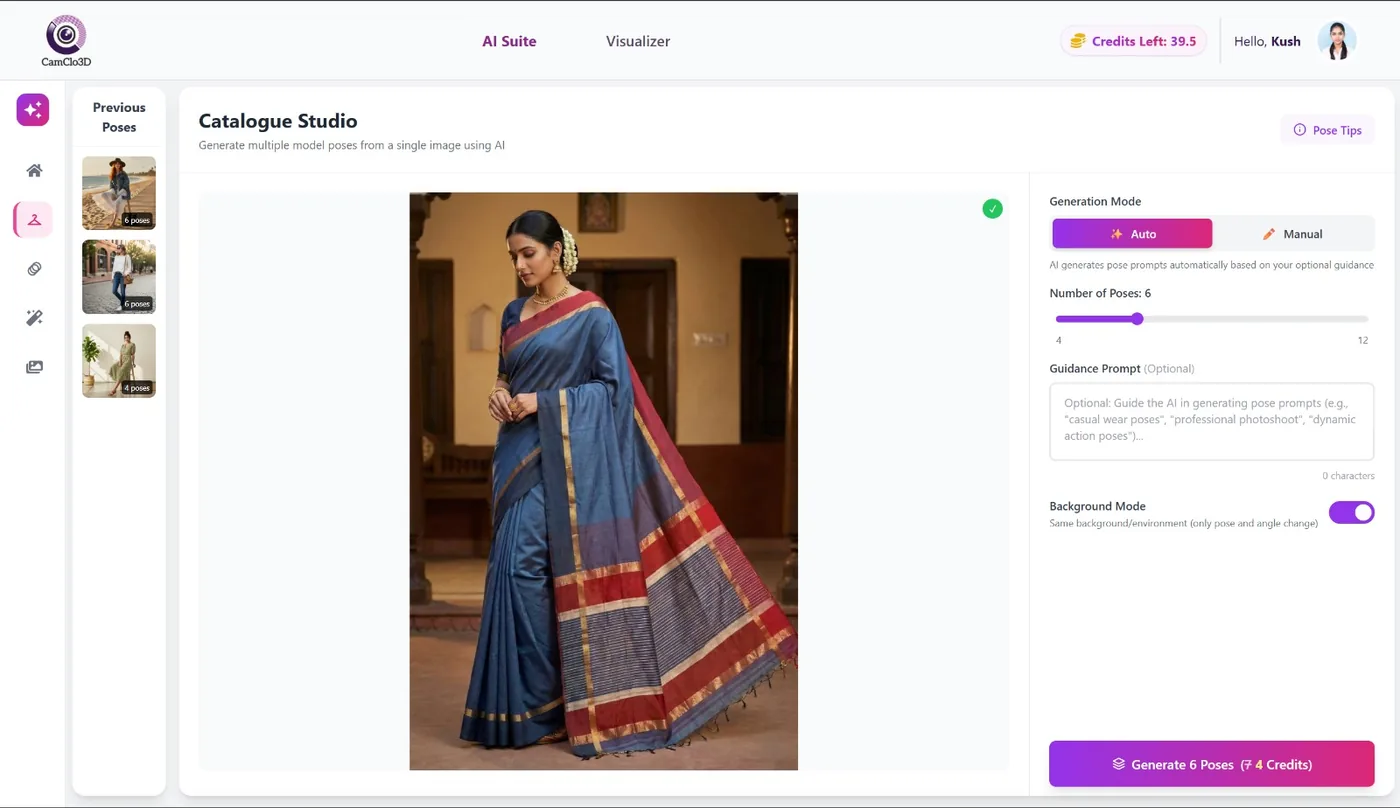
- Go to Catalogue Studio in the AI Suite
- Upload the modeled saree image you just generated from Smart Edit
- Click Generate
- That's it, no prompt needed!
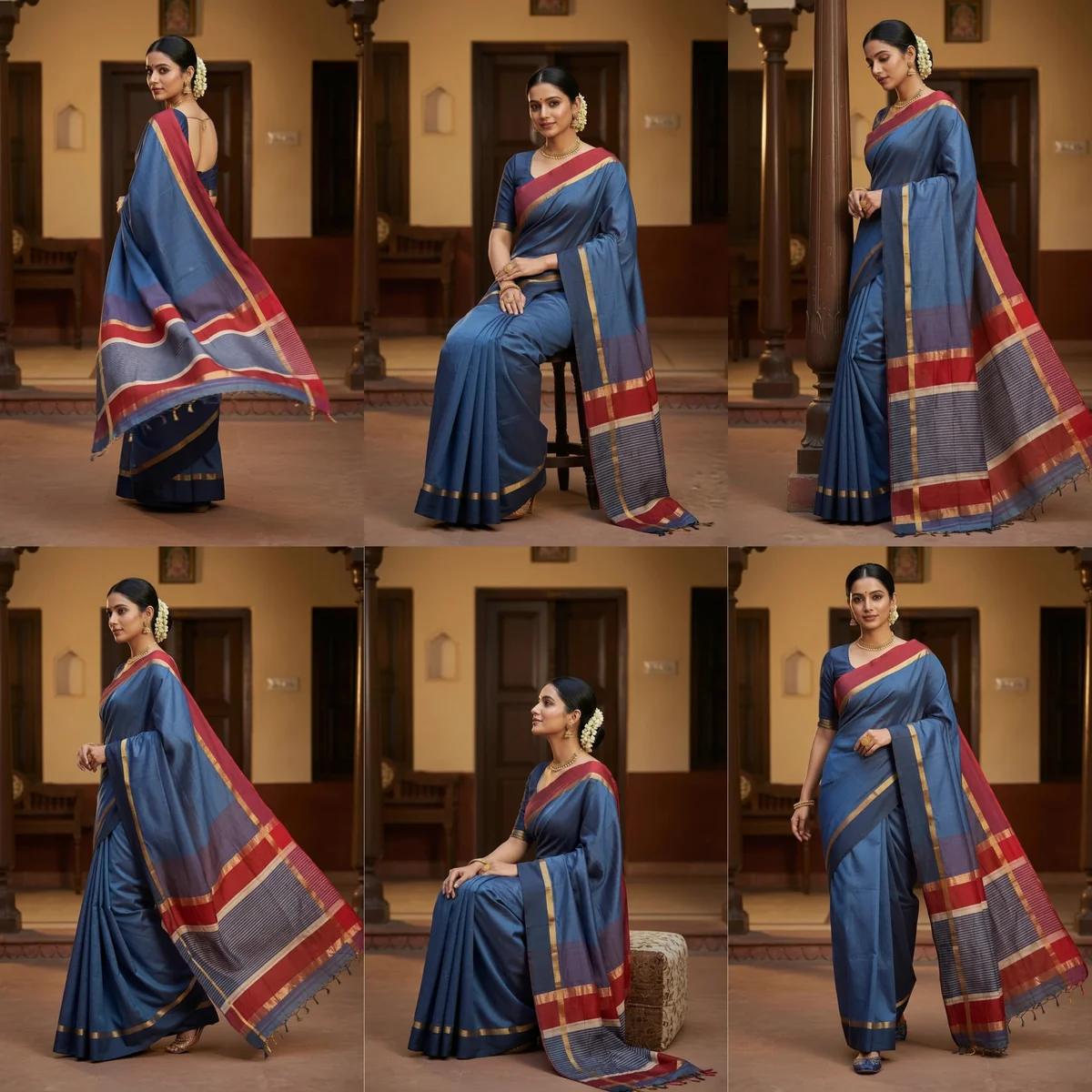
The Result:
Catalogue Studio automatically generates multiple professional poses of the same saree. You get variety for your product listings without any additional work.
AI Suite vs Traditional Software: The Complete Comparison
| Feature | Traditional Draping Software | CamClo AI Suite |
|---|---|---|
| Time per Saree | 10-30 minutes | 30-60 seconds |
| Learning Curve | 2-4 weeks training | None - instant start |
| Manual Work | Extensive positioning required | Zero - just upload & generate |
| Pose Variety | 5-10 preset poses | Unlimited AI-generated poses |
| Quality Consistency | Depends on operator skill | Consistent every time |
| Design Preservation | Manual texture mapping | AI preserves design automatically |
| Scalability | Limited by operator availability | Generate hundreds in hours |
| Blouse Matching | Often separate step | Integrated in single prompt |
The Real ROI: What You Actually Save
Let's do the math for a typical saree business cataloguing 100 sarees per month:
Traditional Photoshoot
Draping Software
*Excludes operator salary & training costs
CamClo AI Suite
The Bottom Line: AI Suite costs similar to draping software (~₹6,000 vs ₹5,000) but delivers results that rival or exceed professional photoshoots - in hours instead of weeks, with zero manual work.
Real Results from Real Sellers
"We used to spend over ₹1 lakh per photoshoot and wait 2-3 weeks for edited images. Now we generate 200+ saree variations in a day. The quality matches, sometimes exceeds, our professional shoots."
Why AI is the Future of Saree Cataloguing
Traditional saree draping software was a stepping stone. It helped sellers move away from expensive photoshoots. But it was never the final solution. It just shifted the manual work from photographers to operators.
AI changes the equation entirely. There's no manual work. No learning curve. No dependence on skilled operators. Just upload, prompt, and generate.
The saree sellers who embrace AI cataloguing today will have a massive competitive advantage tomorrow. While competitors spend weeks on catalogues, you'll launch new collections in hours.
CamClo AI Offers Both Options
At CamClo AI, we understand that every business has different needs and budgets. That's why we offer both traditional saree draping software and our AI Suite:
- Saree Draping Software: Lower cost, requires more manual work, suitable for budget-conscious sellers who don't mind spending time on adjustments
- AI Suite: Superior quality that rivals professional photoshoots, zero manual work, ideal for sellers who want stunning results instantly
The choice is yours. But if quality and time matter to your business, the AI Suite is the clear winner.
Perfect for Every Platform
AI-generated saree images work beautifully on all major ecommerce platforms:
- Amazon & Flipkart: High-resolution images that meet marketplace standards
- Meesho & Shopsy: Bulk catalogue generation at scale
- Instagram & Facebook Shops: Eye-catching lifestyle poses
- WhatsApp Business: Quick catalogue sharing
- Your Own Website: Professional product galleries
Get Started Today
Stop fighting with complicated digital draping software. Stop spending hours on manual adjustments. Stop waiting weeks for catalogues.
With CamClo AI's AI Suite, you can:
- Generate your first modeled saree image in under 60 seconds
- Create multiple poses with one click
- Scale to hundreds of sarees without additional effort
- Get consistent, professional quality every time
Frequently Asked Questions
Transform Your Saree Catalogue Today
See the AI difference for yourself.
Start a 7-day trial for $1 of CamClo AI and get 20 credits to test our AI Suite on your sarees. No complicated software. No training required.
Try Smart Edit Free →About CamClo AI: We're building the future of fashion cataloguing with AI-powered tools that make professional product photography accessible to everyone. From virtual try-on to smart editing to catalogue generation, we help saree sellers, boutiques, and fashion brands create stunning visuals without the traditional hassle. Visit our homepage to explore all our features.


