

Table of Contents
AI video ads cost roughly USD 29–99 per month in software across the selected entry-level workflows. Our Creator plan costs USD 49/month for 150 credits, and our Video Ads workflow includes native music, sound effects and voice-over. Production and approval work also contribute to the cost of each accepted ad.
The comparison below uses the October 17, 2026 price snapshot, in USD. Taxes, currency conversion and separately purchased services sit outside the listed subscription prices.
How much does it cost to make AI video ads with music and voice-over for an ecommerce brand?
Budget USD 29–99/month for the selected self-serve software options, then add production work and divide by accepted ads. The cost of an accepted ad depends on generation allowances, editing requirements and acceptance rates.
Compare every route against the same deliverable: one accepted 15–30-second ad with accurate product visuals, an approved script, music, voice-over, captions and specified platform exports. A new hook, script or creative direction is another concept. Resizing the same approved creative adds an export of that concept.
| Production route | Price basis | What you buy | Additional work |
|---|---|---|---|
| Packaged self-serve | USD 29–99/month across selected plans | Software and plan allowance | Preparation, review, revisions and delivery |
| Component/API workflow | Aurora example: 30 output-seconds × USD 0.07 = USD 2.10 at 720p | Image animation using a supplied voice track | Voice creation, music, captions and assembly |
| Freelancer or managed production | Per-ad quote or monthly retainer | Specified scripting, production, editing and revision services | Rights, exports and work outside the agreed scope |
| Traditional user-generated-content production | Common guidance quotes USD 500–2,000 per video | Creator-led capture and agreed editing | Talent rights, shipping and additional revisions |
Common guidance quotes USD 50–200 per AI performance-creative video. That per-video estimate prices an asset, not a freelancer engagement or managed-production retainer.
Broader traditional-production guidance also quotes USD 2,000–100,000+ per project. These publisher estimates cover widely differing production scopes. For freelancer or managed quotes, specify scripting, source preparation, audio, revision rounds, rights and exports before comparing totals.
AI video ad pricing: CamClo, Creatify and HeyGen
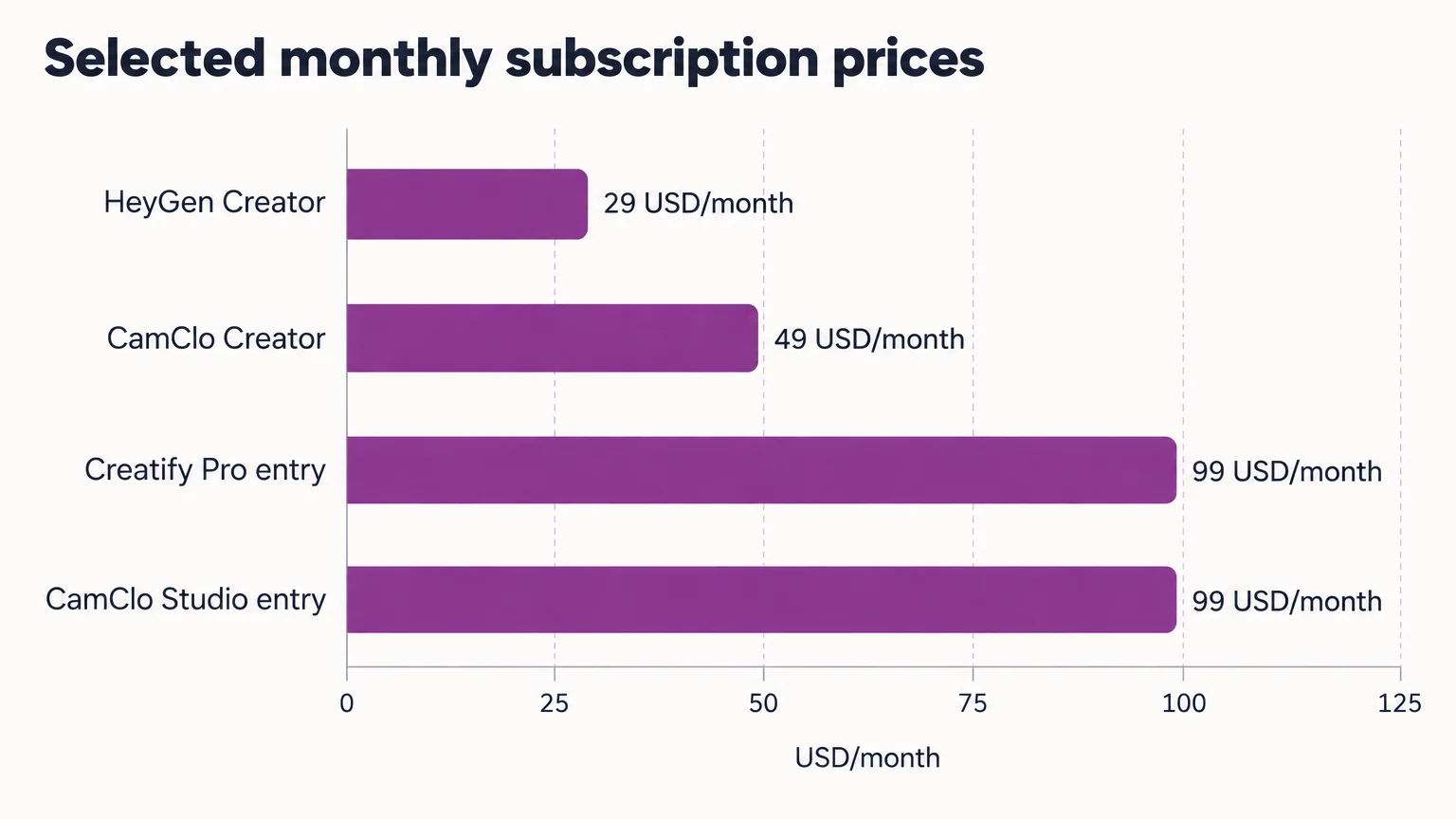
Compare monthly billing first. Annual-equivalent prices can look substantially cheaper but require an annual commitment.
| Plan | USD/month, monthly billing |
|---|---|
| HeyGen Creator | 29 |
| Creatify Starter | 39 |
| Creatify Pro | From 99 |
| Our Creator plan | 49 |
| Our Studio plan | From 99 |
Creatify Starter includes 100 credits, and Pro includes 300 credits. Our Creator plan includes 150 credits, while Studio includes 330 credits. Credits are vendor-specific units: compare the allowance needed for your chosen workflow and accepted output.
| Workflow | Audio approach | Delivery consideration |
|---|---|---|
| Our product-photo Video Ads | Native music, sound effects and voice-over | Review captions, product accuracy and placement framing |
| HeyGen presenter videos | Avatar and speech-led workflow | Allow for ad-specific music, pacing and final assembly where needed |
Use this buying checklist alongside the subscription comparison:
- Trial and delivery: watermark conditions, export resolution, captions and commercial-use permissions.
- Credit terms: expiry, rollover, top-up availability and the treatment of technical failures versus completed renders rejected during review.
- Billing and cancellation: renewal date, extra-seat charges, taxes, access to unused credits and continued rights to downloaded assets.
For any outsourced production quote, put the included revision rounds and the charge for additional changes in writing.
What the subscription and generation price actually cover
A subscription buys access and production capacity. Your cost stack should include:
- Software: allocated subscriptions, top-ups and external editing tools.
- Source preparation: clean product images, backgrounds and approved scripts.
- Production: generation attempts, voice creation and music licensing.
- Finishing: editing, captions, localization, reframing and exports.
- Approval: product checks, stakeholder review and revisions.
Count included credits within the subscription expense. Add only actual overages or additional purchases to the cash total.
Aurora 2.0 component example
Aurora 2.0 animates an image using a supplied voice track. At the documented 720p rate, the calculation is 30 output-seconds × USD 0.07 = USD 2.10.
That buys an animation component. Voice creation or licensing, music, captions, retries and final assembly still need to be produced or purchased.
Do music, voice-over and captions cost extra?
Music, voice-over and captions cost extra when their creation, licensing or delivery falls outside your selected package. Budget for creating an uploaded voice track and securing paid-ad permission for the music.
Localization can add translation, fresh speech, timing changes and caption review. Resized exports may still require reframing and safe-area checks.
Do revisions and failed generations use credits?
Revision and failed-generation charges depend on the applicable credit policy. Track technical failures, completed outputs rejected for product inaccuracies and requested creative changes as three events in your production log, then apply the purchase terms to each.
Can I make a 30-second ad if the generator produces shorter clips?
Yes, approved shorter clips can be assembled into a 30-second ad. Budget for scene joins, a continuous soundtrack, caption alignment and final review.
How do I calculate cost per accepted AI video ad?
Divide allocated cash production costs by accepted ads. For labor-inclusive cost, add internal hours multiplied by your hourly budgeting rate before dividing. A USD 100 cash budget producing ten accepted ads costs USD 10 each, or USD 19 after three hours at USD 30/hour.
- Add allocated subscriptions, overages, external audio or licensing, and outsourced production.
- Divide that total by the number of accepted concepts.
- Add internal production and approval time for the labor-inclusive result.
Cash cost per accepted ad: (allocated subscriptions + overages + external purchases + outsourcing) ÷ accepted ads.
Labor-inclusive cost: (cash costs + internal hours × hourly rate) ÷ accepted ads.
Allocate a shared subscription using a documented usage share. If a subscription is dedicated to the project, charge the full amount even when allowance remains unused. Record attempts, credits consumed, remaining allowance, accepted concepts, exports and editing hours.
Worked example: three revision scenarios
Assume ten accepted ads in each scenario and an internal budgeting rate of USD 30/hour. Each cash budget includes a dedicated USD 50 subscription; the remaining cash represents assumed top-ups, external services or licensing. These are planning inputs, not vendor capacities, market averages or wage statistics.
| Scenario | Attempts | Acceptance rate | Total cash | Internal hours |
|---|---|---|---|---|
| Low revision | 12 | 83.3% | USD 50 | 1 |
| Medium revision | 20 | 50.0% | USD 100 | 3 |
| Revision-heavy | 40 | 25.0% | USD 200 | 6 |
Acceptance rates are 10 ÷ 12 × 100 = 83.3%, 10 ÷ 20 × 100 = 50.0% and 10 ÷ 40 × 100 = 25.0%.
- Low revision: USD 50 ÷ 10 = USD 5 cash per ad. USD 50 + 1 × USD 30 = USD 80; USD 80 ÷ 10 = USD 8 including labor.
- Medium revision: USD 100 ÷ 10 = USD 10 cash per ad. USD 100 + 3 × USD 30 = USD 190; USD 190 ÷ 10 = USD 19 including labor.
- Revision-heavy: USD 200 ÷ 10 = USD 20 cash per ad. USD 200 + 6 × USD 30 = USD 380; USD 380 ÷ 10 = USD 38 including labor.
A cheap render can still produce an expensive accepted ad when product errors trigger repeated attempts and review time.
Building a CamClo ad with music and voice-over
Our offering includes Seedance 2.5 for image-to-video production. Our Video Ads workflow includes native music, sound effects and voice-over.
Our Video Ads workflow accepts a product photo or URL and offers 15 formats. It develops scene-by-scene scripts, voice-over cues, music beats and a closing call to action. Start with an accurate source image and approved product claims, then review the finished creative against the same acceptance checklist.
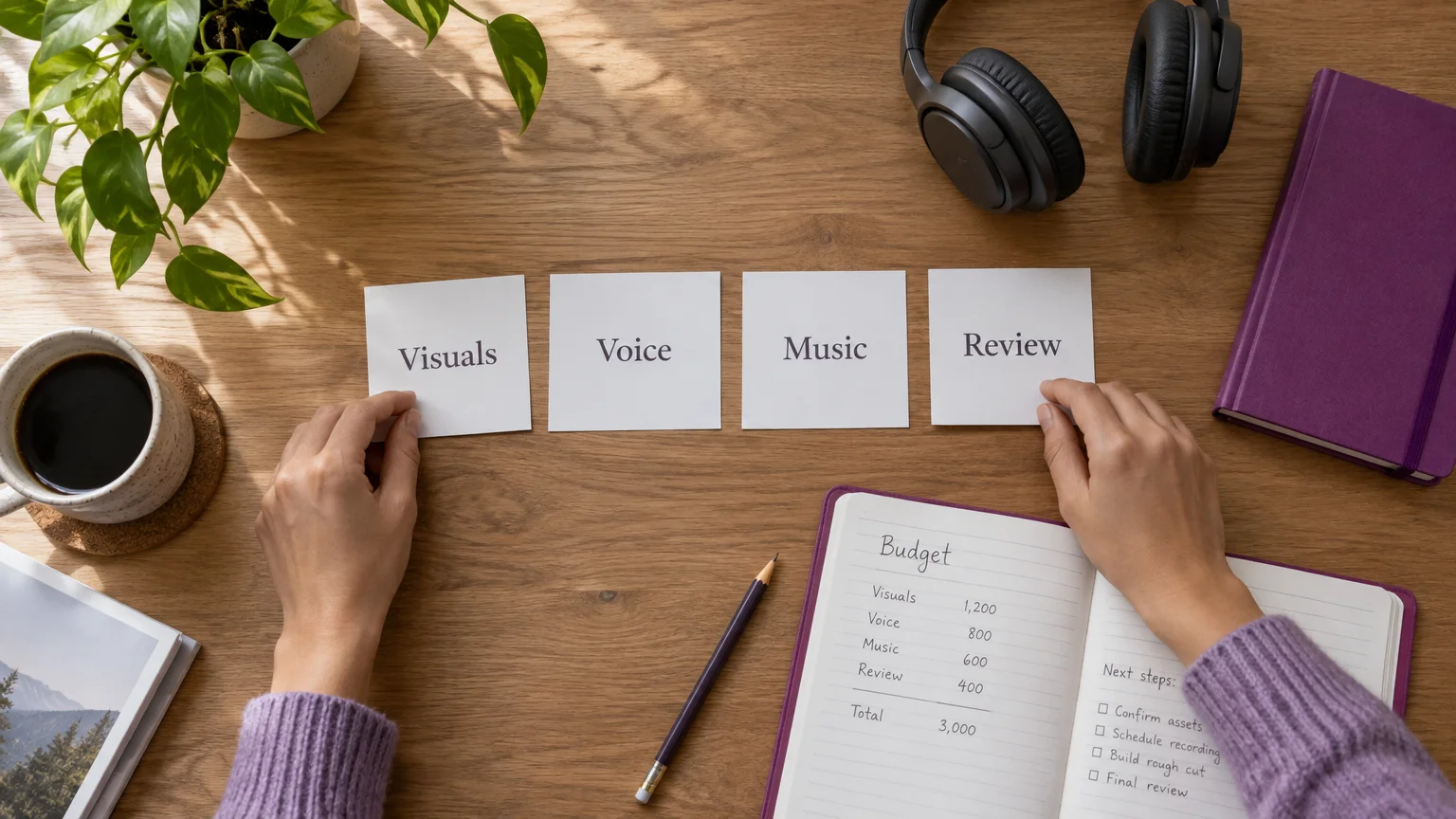
For planning, assume a 30-second deliverable assembled from two accepted 15-second clips. Approve each clip, join the scenes, maintain a continuous soundtrack and align the captions before reviewing the final export. This is an assembly scenario, not a native-duration specification for the model.
| Planning input | Creator | Studio |
|---|---|---|
| Monthly list price | USD 49 | From USD 99 |
| Included allowance | 150 credits | 330 credits |
| Dedicated-project subscription allocation | USD 49 | From USD 99 |
Record actual credit consumption and accepted output in your project ledger. Record preparation, generation attempts, editing and delivery against the project so your next budget reflects the whole workflow.
Our seven-day trial costs USD 1.
Acceptance checks and paid-ad usage rights
Count an ad as accepted only after product accuracy, audio, claims and delivery checks pass. For fashion, review:
- Garment silhouette, print placement, color and logos.
- Model and outfit continuity between scenes.
- Speech pronunciation, script accuracy and caption timing.
- Product claims, framing, safe areas and final exports.
Accurate source images and a stable script reduce avoidable revision work. Review the complete exported ad, including individual frames.
Music permission must cover your intended advertising use. YouTube’s music licensing guidance explains that licenses usually specify where and how music may be used. Confirm paid-social coverage, platforms, territories, duration and continued use after cancellation.
Obtain appropriate permissions for cloned voices, identifiable performers and custom avatars. Within covered commercial contracts, SAG-AFTRA’s digital-replica guidance requires a reasonably specific description of intended use for valid consent.
For U.S. advertising, the FTC’s advertising guidance requires truthful, evidence-based claims. Its testimonial rule guidance allows AI avatars in marketing subject to the rule’s requirements. A synthetic presenter cannot substantiate an invented customer experience.
Commercial-use permission also differs from copyright ownership. The U.S. Copyright Office’s report ties protection to sufficient human-authored expressive elements. Applicable advertising, identity and copyright rules vary by country.
Frequently asked questions
Which AI video ad trials are watermarked, and what can I export?
For a trial export you intend to publish, require commercial-use permission and a finished file that meets your watermark, resolution and audio requirements. Include caption delivery, export formats and soundtrack permissions in your trial evaluation checklist.
Do unused subscription credits expire or roll over?
For budgeting, assume unused credits expire unless your purchased plan explicitly grants rollover. Keep unused dedicated allowance in the month's production cost rather than treating it as a future saving.
Can I buy additional credits without upgrading my plan?
Budget for additional credit packs only when your selected plan offers a priced top-up option. Compare the pack's total cost with the next subscription tier before committing to a larger production batch.
What happens to my credits, billing and downloaded ads when I cancel?
Before subscribing, record the cancellation cutoff, final renewal charge, end of account access and treatment of remaining credits. Retain the commercial-use licenses for downloaded ads, music, voices and avatars so you can establish which uses remain permitted after cancellation.
What is the cost of an AI video?
The selected AI video workflows cost USD 29–99 per month in software, while the finished-video cost depends on accepted output and production work. Divide allocated subscriptions, external purchases and outsourced production by accepted ads, then add internal labor for a fuller cost.
Can AI create video ads?
Yes, AI can create product visuals, scripts, voice-over, music and short-form ad footage. A publishable ad still needs approval for product accuracy, claims, audio permissions, captions and exports.
Is a commercial an ad?
Yes, a commercial is an advertisement, usually an audiovisual promotional message. For production quotes, define the duration, editing, usage rights and exports explicitly.
Choose a route and keep advertising spend separate
Choose product-first packaged production when product fidelity and repeatable ecommerce formats matter most. HeyGen suits presenter-led production. A component workflow suits teams that can handle audio, editing and delivery; managed or traditional production suits briefs requiring more staffing, exact capture or production control.
Creative production pays for assets; media spend pays to distribute them. Campaign-management charges are a third budget line. With Google’s CPC bidding model, for example, you pay for clicks.
Is USD 500 enough for Facebook ads?
USD 500 can fund a limited advertising test, but sales remain uncertain. Assume USD 50 for creative and no management fee: USD 500 − USD 50 − USD 0 = USD 450 for media. Whether that test is useful depends on your objective, market and acquisition economics.
Budget controls also differ by platform. Google’s daily budget guidance sets most campaigns’ monthly spending limit at 30.4 times the average daily budget.
Specify one accepted deliverable, run a small approval batch and use the measured cash and labor costs to set your next budget. For a product-first workflow with native audio, explore our Video Ads workflow.


